
Biometric modalities explained
How Does a Face Recognition Terminal Work?
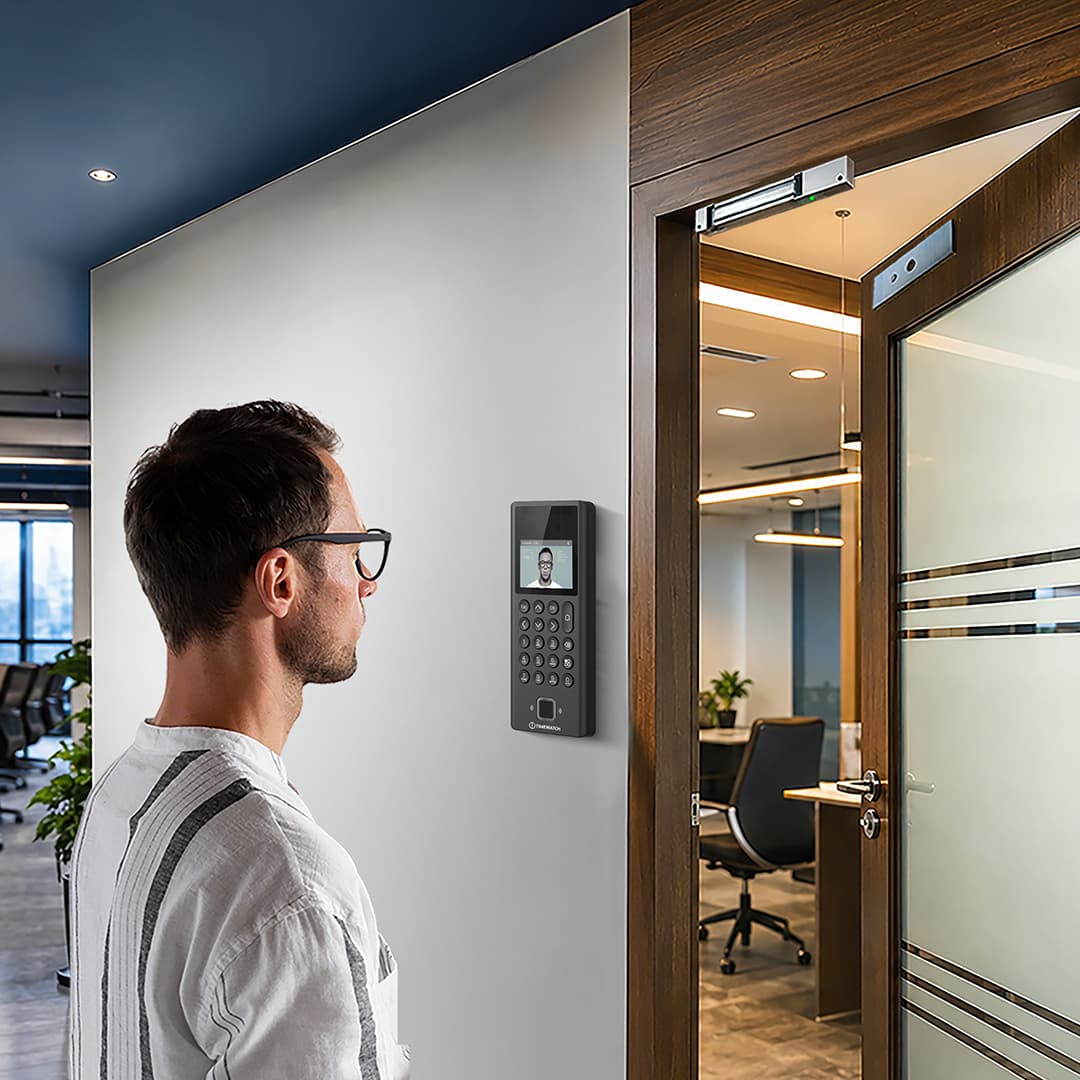
A face recognition terminal is the device mounted beside a door, gate or turnstile that a person walks up to, presents their face to, and passes through. This page explains what happens inside it: how a face is detected and checked for liveness, how facial geometry becomes a numeric template, how that template is matched, and how one successful match can both record attendance and release a door.
How a face recognition terminal works, in short
A face recognition terminal is a dedicated device mounted at a door, gate or turnstile that identifies a person from their face and then acts on that identification. It detects a face in its camera field, confirms the face is live rather than a photograph, converts the facial geometry into a numeric template, matches that template against enrolled records, and on a match records a timestamped attendance event and releases the door. The whole sequence runs on the device itself and completes in well under a second, which is why a terminal keeps working even when the network does not.
- Six stages: detect, check liveness, extract, match, decide, act
- No photograph is kept, only a one way numeric template
- Liveness detection is what stops a print or a screen replay
- One match, two outcomes: an attendance record and a door release
What is a face recognition terminal?
The word terminal is doing real work in that definition. This is a device a person walks up to and presents themselves to, deliberately, at a known distance, under illumination the device itself provides. That is what separates it from passive camera analytics, and it is why a terminal can be held to a far tighter accuracy and liveness standard than a general purpose camera ever could.
Face terminals are commonly described as face attendance machines, facial recognition access control devices or contactless biometric terminals. In practice the same hardware usually serves both functions at once: the event it writes goes to attendance software, and the relay it fires opens a lock. Neither use is secondary to the other, and the configuration decisions for each are different.
The six stages of a face recognition transaction
A face recognition terminal works in six stages. The camera detects that a face has entered the capture volume. The device checks liveness, confirming it is looking at a real person rather than a print, a screen or a mask. It extracts the distinctive geometry of that face into a numeric template and discards the frames. It matches the template against the enrolled gallery to produce a similarity score. It decides against the configured threshold. On a pass it acts, writing an attendance record containing user ID, timestamp, direction and device ID, and energising or de-energising the door output.
On current terminals the whole sequence runs on the device itself and completes in well under a second from the moment the face is in frame. Nothing in the recognition path depends on a live server connection, which is the reason a terminal keeps working through a network outage.
Main components of a face recognition terminal
| Component | Function |
|---|---|
| Visible light camera | Captures the colour image used for detection, for the on screen preview and, on 2D terminals, for the recognition frame itself. |
| Near infrared camera | Captures a second view under the device's own infrared illumination. This is what allows recognition in darkness and what gives liveness logic a second physical signal to work with. |
| Infrared illuminators | Low power emitters, typically around 850 nm, that light the face invisibly so performance does not depend on room lighting. |
| Depth sensor (on 3D models) | A structured light projector and receiver, or a time of flight module, that measures the distance to many points on the face and builds a surface map. |
| Processor and neural inference engine | Runs detection, liveness assessment, feature extraction and template matching locally on the device. |
| Template storage | Encrypted on device memory holding the enrolled gallery. Its capacity sets the maximum number of people the terminal can identify without help. |
| Transaction log memory | Holds attendance events locally until they are transferred, so punches survive a network outage. |
| Display and user feedback | Shows the detected face, the recognised name and the result. Audible and visual confirmation matters more here than on a contact device, because the user has no tactile cue that capture happened. |
| Card reader and keypad | Provides a second credential for two factor doors, a fallback for a user the face path cannot serve, and the identity cue that turns 1:N identification into 1:1 verification. Combined face and card terminals are the usual choice where both are needed. |
| Door interface | A relay output for a lock or strike, plus Wiegand or OSDP to an access controller where the door is centrally managed. Request to exit, door position and alarm inputs are wired here. |
| Communication interface | Ethernet or Power over Ethernet, Wi-Fi, 4G or RS-485, carrying events to the software and configuration back to the device. |
| Power supply and backup | Mains adaptor or PoE, with surge protection and battery backup where the door must stay governed through an outage. |
How a face recognition terminal works step by step
| Step | What happens | How it works |
|---|---|---|
| 1 | Enrolment (once per person) | The person stands at the working distance and the terminal captures several frames across small head movements. It builds a reference template from them and stores it on the device, usually with a copy on the server for distribution to other terminals. |
| 2 | Face detection | The terminal continuously scans its field for a face shaped region. Detection is computationally light and runs all the time; the heavier processing only starts once a face is found and is large enough in frame. |
| 3 | Quality and pose gate | The device checks that the face is sufficiently frontal, in focus, correctly exposed and inside the capture volume. A poor frame is discarded and the next one is assessed rather than being pushed into matching. |
| 4 | Liveness assessment | Infrared response, depth where available, texture, reflection behaviour and micro motion across frames are evaluated to decide whether this is a live face. A failure here stops the transaction before any matching happens. |
| 5 | Landmark location and alignment | The algorithm locates landmark points across the eyes, brow, nose, mouth and jaw, then rotates and scales the face to a canonical pose so that two captures of the same person become comparable. |
| 6 | Feature extraction | A trained neural network converts the aligned face into a fixed length numeric vector that encodes the geometric relationships between regions. The captured frames are then discarded. |
| 7 | Template matching | The vector is compared against the enrolled gallery, either against every template (1:N) or against one nominated template (1:1), producing a similarity score for each comparison. |
| 8 | Decision against threshold | If the score passes the configured threshold, the person is identified. If not, the terminal rejects the attempt and prompts a retry. The threshold is a site setting, not a fixed product property. |
| 9 | Policy evaluation | The device or controller checks whether this identity is permitted at this door, at this time, on this shift, and whether a second credential is required before release. |
| 10 | Attendance event written | User ID, date, time, direction, device ID and verification method are recorded in the local transaction log. |
| 11 | Door output fired | The relay releases the lock, or the identity is passed over Wiegand or OSDP to the controller that owns the door. Door position and relock timing are handled here. |
| 12 | Event transferred to software | The device pushes the record to the server, or the server polls for it. During an outage, events queue locally and upload when the link returns. |
| 13 | Rules applied in software | Shift resolution, grace periods, overtime, leave and exception handling convert raw punches into attendance status and payroll ready output, which is the job of HRMS and payroll software running on the attendance software platform. |
2D, infrared and 3D structured light sensing compared
Three sensing approaches are in common use, and the difference between them is mostly a difference in how much physical evidence the device has to work with. More evidence means better behaviour in awkward light and a harder target for spoofing.
| Approach | What it measures | Strengths | Limits to plan around |
|---|---|---|---|
| 2D visible light | A single colour image. Recognition works from the flat appearance of the face. | Simple optics, fast, works at a range of distances, tolerant of varied mounting. | Depends entirely on ambient light. Degrades in darkness and under strong backlight. A flat image alone gives liveness logic the least to work with. |
| Near infrared, usually binocular | A visible frame plus an infrared frame captured under the device's own 850 nm illumination. | Works in full darkness and in uneven light. The infrared view is independent of room lighting. Skin and printed paper respond differently to infrared, which gives liveness a real physical signal. | Still measures a surface rather than a shape, so a well made three dimensional mask is a harder case than it is for a depth sensor. |
| 3D structured light or time of flight | Distance to many points on the face, producing a depth map of the actual surface shape. | Insensitive to lighting because shape does not change with illumination. Flat presentations fail immediately. Tolerant of moderate pose variation. | Depth modules have a defined working range, so standoff distance matters more. Bright sunlight can interfere with some projector designs, which makes mounting position a design decision rather than an afterthought. |
Most terminals sold into Indian offices and plants today are binocular infrared devices, and for a sheltered indoor entrance that is a sound match. Depth sensing earns its place where the door is genuinely security critical, where spoofing is a realistic concern rather than a theoretical one, or where lighting at the entrance cannot be controlled.
Face sensing is contactless by nature, which is the obvious contrast with a contact modality. For the equivalent explanation of ridge and minutiae capture on a sensor surface, see how a fingerprint attendance system works. For the other common contactless option, where the pattern being read sits below the skin rather than on the surface, see how a palm vein scanner works.
How facial geometry becomes a template
This is the part most often misunderstood, so it is worth stating plainly: the terminal does not keep a picture of your face.
After the face is detected and aligned, a trained network reads the image and outputs a vector of numbers, typically a few hundred values. Those values encode the geometric relationships that make one face distinguishable from another: the spacing and relative position of the eyes, the proportions of the nose and brow structure, the shape of the jaw line and cheek region, and the way those relationships hold together across the whole face. The network is trained so that two captures of the same person land close together in that numeric space and two different people land far apart.
Matching is then a distance calculation between vectors, not an image comparison. That is why matching is fast, and why it survives a change of hairstyle or lighting that would defeat a pixel comparison. The captured frames are discarded once the vector exists.
The transformation is one way by construction. The vector holds enough information to recognise the same face again and not enough to rebuild the face that produced it. Research has shown that approximate images can sometimes be synthesised from templates under laboratory conditions, which is the practical argument for holding templates encrypted at rest and in transit rather than treating them as harmless numbers.
Liveness detection: why a photograph or video replay is rejected
A face is a public feature. Anyone can photograph one. Liveness detection, also called presentation attack detection, is the reason that does not translate into an open door, and it is the single capability most worth verifying before a terminal is selected.
A printed photograph fails on several independent signals at once. It is flat, so any depth measurement rejects it outright. Paper and ink reflect near infrared quite differently from skin, so the infrared frame looks wrong even when the visible frame looks convincing. It has no micro motion: no blink, no small involuntary head movement, no pulse driven change in skin appearance across successive frames. A curved or cut out photograph defeats the crudest checks but none of the others.
A video replayed on a phone or tablet solves the motion problem and introduces new ones. A screen is a flat emitting surface rather than a reflecting one, it sits on a single focal plane, it has a pixel structure and a refresh pattern, and its infrared signature is nothing like skin. Terminals look for exactly these artefacts.
A moulded three dimensional mask is the demanding case, because it has shape. Defeating it depends on material response in infrared, on surface texture at close range, and on the absence of the subtle changes a living face shows between frames. This is where depth sensing combined with infrared analysis has a genuine advantage, and it is a fair question to put to any supplier for a security critical door.
1:1 verification versus 1:N identification
These are two different operations, and the distinction governs how a large site is designed.
- 1:N identification. The person simply presents their face. The terminal compares the captured vector against every template in the gallery and takes the closest match above threshold. Nothing else is needed from the user, which is why it feels effortless and why it is the normal mode for attendance.
- 1:1 verification. The person first declares who they are, with a card tap or an employee ID on the keypad, and the terminal compares against that one stored template. Slightly more effort, materially more certainty. The card side of that flow is covered in RFID card access control.
Gallery size is what separates them in practice. In 1:N the terminal makes one comparison per enrolled person, so every additional enrolment is another chance for someone else's template to land close to yours. The probability of a false accept therefore rises with gallery size even though the per comparison error rate has not changed at all. In 1:1 the gallery is one, so accuracy holds steady whether fifty people are enrolled or fifty thousand. Modalities differ in how steeply this curve rises, and how an iris recognition system works explains the modality that holds up at very large gallery sizes.
The practical responses are well established. Split the population across terminals so each gate carries only the people who use it, which also shortens the search. Raise the threshold as the gallery grows, accepting that more legitimate users will need a second attempt. Or move high security doors to card assisted 1:1 and keep 1:N for the attendance only readers. Large campuses in Bengaluru and Hyderabad commonly run all three at once, with department scoped galleries on the turnstile line and 1:1 on the server room and data centre doors.
Where a proportion of the workforce cannot be served reliably by the face path at all, the usual answer is a second modality on the same terminal rather than a separate system. That arrangement is described in multi-modal face and fingerprint terminals.
Lighting, appearance and what a face terminal tolerates
Direct sunlight and backlight
Backlight is a common installed cause of poor face recognition performance, and it is an installation problem rather than a device fault. A terminal facing a glazed entrance sees a bright background and a face in shadow. The sensor exposes for the scene, the face loses contrast, and landmark location becomes unreliable. The usual remedies are to turn the terminal so the glazing is behind it rather than in front, to move it off the direct line of the low morning and evening sun, or to recess it under a canopy.
Direct sunlight on the lens or on one side of the face causes the mirror image problem: blown highlights, hard shadows across the facial structure, and on some depth modules, interference with the projected pattern. Outdoor and semi outdoor terminals need sunlight readable optics and a mounting position chosen with the sun path in mind, not just with the cable route in mind.
Low light and night operation
Infrared assisted terminals handle darkness well because they bring their own illumination. The infrared frame does not care whether the lobby lights are on, which is why a binocular terminal behaves consistently on a night shift gate at a Pune or Manesar plant where the approach is lit only by a sodium lamp. A 2D visible light only terminal has no such independence and will degrade as the light falls, so for any entrance used after dark, infrared capability should be treated as a requirement rather than an upgrade.
Masks, spectacles and facial hair
Clear spectacles are normally tolerated without special handling, because the landmark structure around the eyes remains visible through them. Heavy anti glare reflection and dark tinted lenses are the exceptions, and the fix is usually to move the illuminator angle or to ask the user to remove sunglasses at the terminal. Enrolling a habitual spectacle wearer both with and without glasses is sensible practice.
Masks are a different matter, because they remove the lower half of the face entirely. Terminals handle this with periocular matching, which works from the eye and brow region alone. It genuinely works, but it draws on a smaller set of features, so it is less discriminating than full face matching and more sensitive to gallery size. A site that expects routine mask use, such as a clean room or a pharmaceutical production floor, should enrol with that mode in mind at the outset. Beards and moustaches are handled well by modern algorithms as long as change is gradual, since the ocular and structural geometry they rely on is unaffected.
Ageing, appearance change and re-enrolment
Template ageing is slower than people expect. Facial geometry changes gradually, and most terminals update the stored template quietly as they see the same person day after day, which absorbs that drift without anyone noticing. Over the span of normal employment this is rarely the thing that causes trouble.
Abrupt change is the real trigger. Significant weight change, growing or removing a full beard, facial surgery or injury can all push a face far enough from the enrolled template that recognition rates drop. The correct response is to re-enrol that individual, not to relax the matching threshold for everyone, which trades one person's convenience against the security of every door on the system. Making re-enrolment a routine, low friction HR action rather than a support escalation is what keeps this from becoming a recurring complaint.
Mounting height, standoff distance and user positioning
Every face terminal has a capture volume: a region in front of it within which a face can be found, is large enough in frame to extract reliable features, and is within the working range of the depth sensor if there is one. Everything about positioning comes back to putting the user's face inside that volume without them having to think about it.
Wall mounted terminals typically sit with the camera between 1.4 and 1.6 metres from finished floor level, tilted so the optical axis meets the face rather than the forehead or the chin. The right figure depends on the height range of the people using that entrance, and the mistake to avoid is setting it from a specification sheet rather than from the actual population. A terminal set too high systematically disadvantages shorter users, who then get blamed for the device's installation.
Standoff distance is the working range from the device, commonly in the region of 0.3 to 1.2 metres for terminals in this class, narrower where a structured light module defines the limit. Too close and the face overfills the frame or falls inside the sensor's minimum range. Too far and the face is too small for reliable landmark extraction. A floor marker and a well placed display, so the user naturally stops where their own face is visible on screen, resolves most of this without any training at all.
Where the terminal is mounted on a turnstile or speed gate pedestal, pedestal height is already fixed by the lane hardware, so the adjustment available is camera angle rather than height. Turnstile and speed gate lanes are typically specified with the reader position already suited to this, which is one reason an integrated lane is simpler to get right than a terminal retrofitted to an existing barrier.
Throughput at a door versus a turnstile
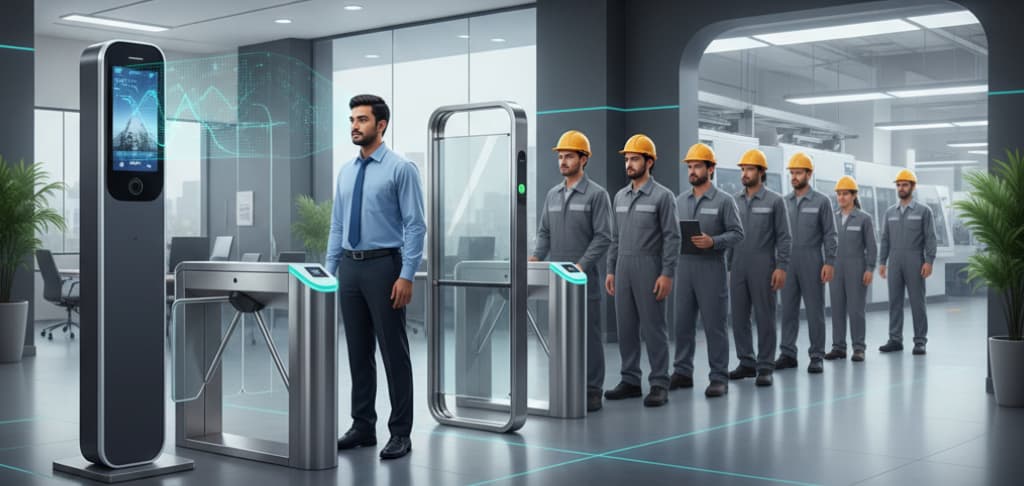
Throughput is a question about the whole lane, not about the recognition time. A terminal that matches in 0.3 seconds does not deliver three people per second, because the limiting factor is the human: approach, stop, present, see confirmation, and move through the opening.
| Factor | Single door | Turnstile or speed gate lane |
|---|---|---|
| What sets the pace | Lock release time, door swing and closure, and whether the next person waits for the door to close. | Barrier open and close cycle, lane length and the anti tailgating logic. |
| Typical realistic rate | Modest. A swing door with an electromagnetic lock is usually the slowest element in the chain. | Higher and far more consistent, because the lane enforces single file and the cycle is mechanically defined. |
| Queue behaviour | Queues form in open circulation space and spill into the lobby. | Queues form in a defined approach, which is easier to manage and to design for. |
| Effect of recognition failure | One retry blocks the doorway. | One retry blocks a lane, but other lanes continue, so the impact is contained. |
| Design response to peak load | Add a second door or a second reader on a wide entrance. | Add lanes. Lane count, not terminal speed, is the real throughput variable. |
This is the calculation that decides entrance design at a large plant. A 1,200 person shift change arriving within fifteen minutes is a lane count problem, and no amount of matching speed substitutes for enough lanes, which is why entrance control products are specified by lane count first. The mechanics of the lane itself are covered in how a turnstile system works. The pattern is familiar across the automotive and engineering belt around Gurugram and Manesar in Haryana, and across the manufacturing corridors of Maharashtra, where the gate has to clear a full shift in the window between buses arriving.
Direction matters too. Morning entry is usually the peak because arrival is compressed and departure is spread out, so the lane count and the in versus out split should be set from the entry peak rather than from an average.
Using one terminal for attendance and access control
The same successful match can serve both purposes, and on most installations it does. The terminal writes the attendance event into the face recognition attendance system and simultaneously releases the door, either through its own relay or by passing the identity to an access controller over Wiegand or OSDP. Of those two, OSDP supports supervised and encrypted communication between reader and controller, which matters when the reader sits on the unsecured side of a door.
The two functions are governed independently in software, and conflating them is a common design error. Everyone passing a gate may need to be recorded for attendance while door release is limited to a named group, a time band, a particular shift or an approved contractor list. A combined attendance and access control deployment handles this as one presentation and two separate policy decisions. A contractor who should appear on the headcount reconciliation at the gate may have no business opening the laboratory door, and contractor and visitor populations are usually enrolled and expired through visitor management rather than through the employee master.
Access control also brings its own obligations that attendance does not. Request to exit handling, door position monitoring, door held and forced door alarms, and the fail safe versus fail secure decision on fire alarm interface all belong to the door, not to the biometric, and they are properties of access control systems as a whole. That decision in particular is a life safety matter and must be settled with the fire consultant and the authority having jurisdiction for that building rather than assumed from the terminal's default behaviour.
How a dedicated terminal differs from CCTV based face attendance
These two are regularly confused, and they are not the same product solving the same problem. A dedicated terminal is a cooperative device: the person walks up to it, stops at a known distance, is lit by the device's own illuminator, sees confirmation on a display, and triggers a door release. Everything about the capture is controlled, which is what allows tight liveness checking and a consistent accuracy expectation.
CCTV based attendance is a passive system. It works from cameras already installed for surveillance, recognising people at whatever distance, angle and lighting the camera happens to offer, with no cooperation and no feedback to the person. It suits open floor areas, zone presence and workforce visibility where no door is involved. It does not replace a terminal at a controlled entrance, and a terminal does not replace it over a shop floor. If passive, camera based attendance is what you are evaluating, see how CCTV based smart attendance works, which covers that approach in full. Many sites run both: terminals on the gates and controlled doors, camera based recognition for coverage of areas where there is nothing to open.
Indian site conditions: heat, dust, power and intermittent links
Face terminals are deployed across a wider environmental range in India than most specification sheets contemplate. Summer ambient temperatures across the northern plains, including the industrial belt of Haryana, run above 45 degrees Celsius for extended periods, and a terminal in direct sun on an unshaded gate pillar will sit well above ambient. Shading the unit and allowing airflow behind it extends sensor and display life more reliably than any enclosure specification alone.
Monsoon humidity and condensation affect optics directly, since a fogged lens is a blind terminal. Coastal installations along the Maharashtra and Karnataka seaboards contend with salt laden air that attacks connectors and enclosure fixings, so outdoor units there want appropriate ingress protection, sealed glanding and a periodic connector check. Dust is the equivalent problem inland, on construction, cement and mining sites, where the issue is not the housing but the lens surface and the illuminator window, both of which need a defined cleaning interval rather than attention only once recognition has already deteriorated.
Power quality is the other recurring factor. Surge protection on both the power and the network side, and a UPS or PoE switch backed by one, keep the terminal and its door governed through the brownouts and short outages that are routine at many plant locations. The relevant question at design stage is what the door should do when power is lost, which is a security and life safety decision taken deliberately rather than discovered during the first failure.
Connectivity is the last piece. Many plants, project sites and remote offices run on intermittent links, and the terminal is designed for it: detection, liveness and matching all run on the device, so recognition is unaffected by an outage. Events accumulate in local transaction memory and upload automatically when the link returns, so a failure delays the data rather than destroying it. The constraint is log capacity, which is why a long outage at a high traffic gate is worth checking before the memory wraps. Sites in Telangana and interior Karnataka that run on 4G links commonly plan around this explicitly, with a terminal log depth chosen against the longest outage the site has actually experienced. The same design habits apply to biometric attendance systems in India generally, whatever the modality at the door.
Installation, enrolment and maintenance practice
Enrolment quality determines almost everything that follows. A template built from a rushed capture against a bright window produces a user who is rejected repeatedly for the next year, and no amount of configuration recovers it. Enrol at the working distance, under even lighting, with the person looking at the device naturally. Capture across small head movements rather than a single frozen pose. Where masks or spectacles are routine, enrol with that condition represented.
Install with the sun path, not just the cable route, in mind. Avoid pointing the terminal at glazing. Set mounting height from the actual user population. Give the user a reason to stop in the right place, which a floor marker and a visible live preview do better than signage. On a turnstile line, confirm that the camera angle on the pedestal suits the people who will use it.
Maintenance is short and specific. Clean the lens and the infrared window on a schedule. Keep firmware current, because recognition and liveness improvements arrive that way. Verify time synchronisation, since a drifted clock produces subtly wrong attendance for everyone on that device. Monitor transaction log capacity and confirm events are uploading, particularly after any network change. Back up the template database and test the restore before it is needed. Where the terminal controls a door, test the relay, the backup battery and the fire alarm interface on the same schedule as the rest of the life safety system. If an entrance is being designed now rather than maintained, discuss an entrance design with our team before the mounting positions are fixed.
Privacy, data protection and record keeping in India
Biometric data is personal data, and face data is personal data that people feel strongly about. Handling this well is a deployment requirement, not a legal footnote, and explaining it before go live resolves most employee concern, where explaining it afterwards rarely does. Three technical properties carry most of the weight. The stored template is a one way numeric representation rather than an image, so the face that produced it cannot simply be read back out. Templates should be held encrypted at rest on the device and on the server, and encrypted in transit between them, so a stolen device or an intercepted sync yields nothing usable. Access to view, export or delete biometric and attendance data should be governed by role based permissions with an audit trail, so that who looked at what is itself a record.
Retention and deletion deserve an explicit policy rather than a default. A template should exist only while the person is employed or engaged, and exit processing should delete the template from every terminal it was distributed to, not only from the server. Attendance events have a different and usually longer retention life than templates, because they support payroll and statutory record keeping, and the two should be governed separately. Consent, the stated purpose and a named fallback for anyone who cannot or will not use the face path all belong in the policy document before the first terminal is mounted.
On the regulatory picture, as context only: biometric templates fall within personal data under the Digital Personal Data Protection Act 2023, which brings consent, purpose limitation, storage limitation and data principal rights into scope for attendance data. Attendance records themselves interact with the Factories Act 1948, with the state Shops and Establishments legislation applicable to the premises, and with payroll, EPFO and ESIC record keeping. Aadhaar based attendance under AEBAS runs on UIDAI registered devices and is governed by the Aadhaar Act 2016, which is a separate framework from a standalone face terminal. For government procurement, BIS and STQC certification and GeM listing are frequently stipulated. Requirements in all of these areas change, and the position that applies to a specific project, sector and state must be confirmed with your own legal or compliance advisers. Nothing here is a statement of certification, approval or compliance on TimeWatch's behalf.
For a wider view of how biometric devices of every type fit into an attendance deployment, see how an attendance machine works. To compare this modality against fingerprint, palm vein, iris, multi-modal and card based options before specifying an entrance, see the guide to choosing a biometric attendance and access control system.
Face recognition terminals: frequently asked questions
How does a face recognition terminal work?
A face recognition terminal detects a face in its camera field, checks that the presentation is live rather than a photograph, locates landmark points across the facial structure and converts the relationships between them into a numeric template. That template is compared against the enrolled gallery. If the similarity score passes the configured threshold, the terminal writes a timestamped attendance event and, where it is wired to do so, releases the door lock.
Does a face recognition terminal store a photograph of my face?
No. The terminal extracts a numeric template describing the geometric relationships between facial landmarks, then discards the captured frames. The template is generated one way, so it can recognise the same face again but cannot simply be read back as a usable photograph. Templates should be held encrypted on the device and on the server, and deleted from every terminal when a person leaves the organisation.
Can someone unlock a face terminal with a photograph or a video on a phone?
A terminal with working liveness detection rejects both. A printed photograph is flat, reflects near infrared quite differently from skin, and shows none of the micro motion a live face shows across frames. A screen replay adds its own signature: a flat emitting surface, a pixel structure, a refresh pattern and a single focal plane. Terminals without liveness detection are genuinely vulnerable, which is why the capability should be verified rather than assumed.
Does a face recognition terminal work in direct sunlight?
It depends on the optics and on where the unit is mounted. Infrared assisted terminals handle darkness well, but strong sunlight behind the user, or falling directly on the lens, can overwhelm the sensor and push the face into silhouette. Outdoor and lobby positions should face away from glazing and off the line of the low morning and evening sun. A canopy or a recessed mounting usually resolves it.
Will a face terminal recognise someone wearing a mask or spectacles?
Clear spectacles are normally tolerated, although heavy reflection or dark tinted lenses reduce the usable landmark area. A mask removes the lower face entirely, so the terminal must be configured for periocular matching, which works from the eye and brow region alone. Periocular matching is effective but draws on fewer features, so a site that expects routine mask use should enrol with that mode in mind at the outset.
What is the difference between 1:1 verification and 1:N identification on a face terminal?
In 1:N identification the person simply presents their face and the terminal searches the whole enrolled gallery for the closest match above threshold. In 1:1 verification the person first declares their identity with a card tap or an employee ID, and the terminal compares against that one stored template. 1:N is the more convenient flow. 1:1 holds its accuracy regardless of how many people are enrolled.
How many people can one face recognition terminal identify?
Two separate limits apply. Template storage capacity sets how many people can be enrolled on the device and varies by model. Gallery size then affects 1:N identification, because every additional enrolment is another chance for a close but wrong match, so the false accept probability rises as the gallery grows. Large populations are usually split across terminals by department or gate, or moved to card assisted 1:1 verification.
How high should a face recognition terminal be mounted?
Most wall mounted terminals sit with the camera between 1.4 and 1.6 metres from finished floor level, adjusted for the height range of the people using that entrance and tilted so the optical axis meets the face rather than the forehead or the chin. Where the terminal is mounted on a turnstile pedestal, lane hardware already fixes the height and the adjustment available is camera angle instead.
How is a face recognition terminal different from CCTV based face attendance?
A terminal is a device at a door or turnstile that a person deliberately presents themselves to, at a known distance, under illumination the device provides, usually with a door release attached. CCTV based attendance works passively from existing surveillance cameras, at whatever distance and angle they offer, with no cooperation from the person. They solve different problems and are often deployed together rather than chosen between.
Does a face recognition terminal keep working if the network goes down?
Yes. Detection, liveness assessment and matching all run on the terminal itself, so recognition does not depend on a server connection. Events are written to local transaction memory and upload automatically when the link returns. The constraint is log capacity, so a long outage at a busy gate should be checked before the memory wraps. This matters at plant and project sites running on intermittent links.
Can one face terminal handle attendance and door access at the same time?
Yes. The terminal writes the attendance event and, through its relay output or a controller connection, releases the lock on the same successful match. The two functions are governed separately in software, so everyone at that entrance can be recorded for attendance while door release is limited to an authorised group, a time band or a particular shift. One presentation, two independent policy decisions.
Planning a face recognition entrance?
Tell us the entrance type, the headcount, the peak arrival window and whether the terminal has to govern a door, and our team will confirm the sensing type, the mounting arrangement and the gallery design for the site.
Enquire nowCall +91 95999 53923
Recognition accuracy, liveness performance and standoff range are properties of the sensing technology and the installed conditions, and should be confirmed by site trial rather than assumed. Regulations and standards are named here as context only and are not a statement of certification, approval or compliance. Specifications may change without notice; please consult us before ordering.
