
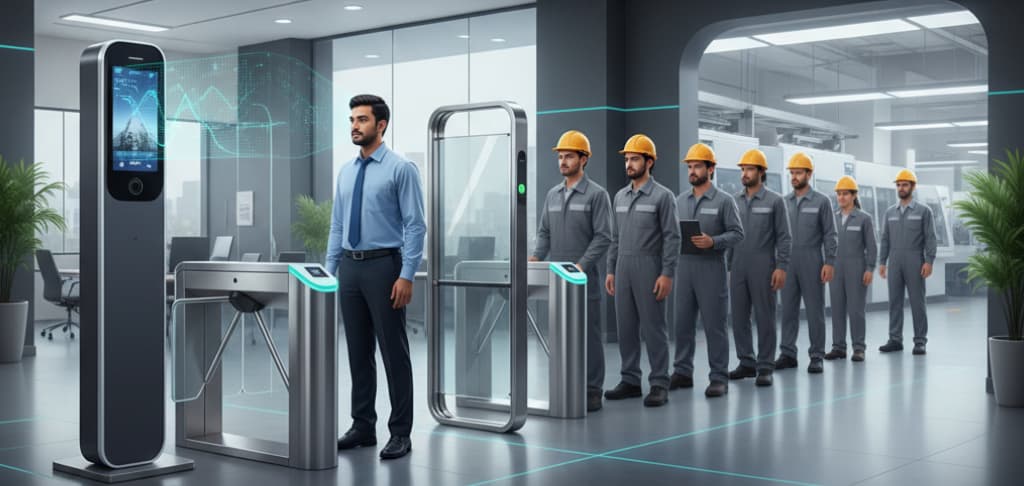
What Is CCTV-Based Smart Attendance?
The defining difference from every other attendance method is that nobody does anything. There is no queue, no credential presented, no device touched. People walk through the entrance as they always did, and the system recognises them in passing. It is sometimes described as walk-through attendance, passive attendance or video-based attendance, and it sits alongside rather than above the terminal-based approach described in the companion page on how an attendance machine works.
That passivity is the whole appeal and also the source of every consideration on this page. A system that asks nothing of the user also tells the user nothing, and a camera that is not positioned for the job will quietly under-recognise rather than visibly fail. Both of those shape how a deployment has to be designed.
How Does CCTV-Based Smart Attendance Work?
CCTV-based attendance works by running a video analytics pipeline over the camera feed. A frame is captured. Person detection locates people within it. Face detection locates faces inside those person regions. Quality and pose assessment discards faces that are too small, too angled, blurred or badly lit. Face alignment normalises what remains to a standard orientation. Feature extraction converts the aligned face into a numeric embedding. Matching compares that embedding against the enrolled gallery. The attendance rule engine then converts the resulting recognition events into attendance, and the record is written to the database.
Two of those stages do work that is easy to overlook. The quality assessment stage is what prevents the system acting on a face it cannot reliably match, and the rule engine is what turns a stream of recognitions into a single sensible in-time. Neither is a detail; both decide whether the deployment produces usable attendance.
Main Components of a CCTV-Based Attendance System
| Component | Function |
|---|---|
| Cameras | Either existing surveillance cameras that happen to suit the task, or cameras placed specifically for recognition at defined entry and exit points. Placement, field of view and lens choice matter more here than headline specification. |
| Camera positioning and mounting | Near face height, angled along an approach path rather than steeply down. This is a component in its own right because it determines what every later stage has to work with. |
| Entry lighting | Even, front-weighted illumination at the point of capture. Designed as part of the system rather than inherited from whatever the lobby already has. |
| Network infrastructure | Switching, cabling and bandwidth to carry video streams or events. Power over Ethernet is common for camera power and data on one run. |
| Edge appliance or analytics server | Where detection, extraction and matching actually run. May be the camera itself, a local appliance serving several cameras, or a central server. |
| Recognition software and enrolled gallery | The detection and embedding models, the similarity threshold, and the stored embeddings of every enrolled person. |
| Attendance rule engine | Zone definitions, direction logic, dwell thresholds and minimum gaps that convert recognition events into in-times and out-times. |
| Attendance software | Shift resolution, leave, overtime, exception handling, reporting and payroll output. The same layer a terminal-based system feeds. |
| Video storage | The NVR or VMS retaining footage. Separate from the attendance database, with its own retention period and its own access control. |
| Event and attendance database | Recognition events and the attendance records derived from them, with an audit trail over corrections. |
How Does CCTV-Based Smart Attendance Work Step by Step?
| Step | What happens | How it works |
|---|---|---|
| 1 | Enrollment (once per person) | A reference image of each person is captured, ideally under conditions resembling the entry point. The recognition model converts it into a numeric embedding, which is stored in the gallery. The quality of this step sets the ceiling for everything afterwards. |
| 2 | Zones are defined | Each camera is associated with an entry zone, an exit zone or a monitored area, and the rule engine is told what a recognition in each zone means. |
| 3 | Video frame is captured | The analytics process samples frames from the camera stream at a configured rate. Not every frame is processed; the sampling rate is tuned against the available processing capability. |
| 4 | Person detection | A detection model locates people within the frame and outputs bounding regions. This narrows the search area and avoids running face detection over the whole image. |
| 5 | Face detection | Faces are located within those person regions, with landmark points such as eyes, nose and mouth corners identified. |
| 6 | Quality and pose assessment | Each detected face is scored for size in pixels, yaw and pitch angle, sharpness, exposure and occlusion. Faces below the configured thresholds are discarded rather than matched, because matching an unusable face produces an unreliable result. |
| 7 | Face alignment | The face that passes is geometrically normalised using the landmark points, so the model receives a consistent orientation and scale regardless of how the person was turned. |
| 8 | Feature extraction | The recognition model converts the aligned face into a numeric embedding — a vector describing the face in a form suited to comparison. This is the same one-way template principle a fingerprint or face terminal uses: no stored photograph is needed for matching. |
| 9 | Matching against the gallery | The embedding is compared against enrolled embeddings and a similarity score is produced. A score above the configured threshold identifies the person; below it, the face is treated as unknown. |
| 10 | Recognition event is created | Person ID, camera, zone, timestamp and confidence are written as a recognition event. One passage past a camera typically generates many of these. |
| 11 | Rule engine converts events to attendance | Zone, direction, dwell and minimum-gap rules collapse the event stream into meaningful attendance markings — commonly the first entry-zone recognition of the day as the in-time and the last exit-zone recognition as the out-time. |
| 12 | Attendance software applies policy | Shift assignment, grace periods, late marks, half-day thresholds, overtime and leave are applied, exactly as they would be for punches from a terminal. |
| 13 | Exceptions are raised | Staff with no in-time, no out-time or an implausible pair are placed in a review queue, because a passive system gave the person no indication that anything was missed. |
| 14 | Reports and payroll output | Registers, exception lists and payable-day data are produced for the pay cycle and exported to payroll or HRMS. |
Inside the Recognition Pipeline
Person detection and face detection
Running face detection directly over a full frame is wasteful and tends to produce more false detections in cluttered scenes. Detecting people first gives the face detector a much smaller and more relevant region to search, and it also carries useful information forward — a person region can be tracked across frames, so the system knows that six recognitions over two seconds belong to one passage rather than six arrivals.
Face detection then locates the face within that region and identifies landmark points. Those landmarks are not only used to find the face; they are what alignment later depends on, which is why a face detected with poor landmark confidence is often rejected before anything else happens to it.
Quality and pose assessment
This is the stage that decides what the rest of the pipeline is allowed to act on, and it is the reason a well-built system fails quietly rather than wrongly. A face is assessed on several independent criteria: how many pixels it occupies, how far the head is turned away from the camera in yaw and pitch, whether motion or focus has blurred it, whether exposure has washed it out or crushed it into shadow, and whether a mask, hand, phone or another person is occluding it.
A face failing any of those is discarded. That sounds like lost opportunity, and in a sense it is, but the alternative is worse: forcing a match on a face the engine cannot properly characterise produces low-confidence results, and low-confidence results are what generate both missed recognitions and wrong ones. Discarding is the correct behaviour, and it is also why a badly placed camera shows up as a low recognition rate rather than as errors.
Alignment and feature extraction
Alignment uses the detected landmarks to transform the face into a canonical position — eyes on a horizontal line at a standard separation, face at a standard scale. Recognition models are trained on faces in that canonical form, so presenting them with an unaligned face degrades performance for no reason. The transform is routine mathematics, but skipping or doing it badly is a meaningful source of poor results.
Feature extraction then runs the aligned face through the recognition model, which outputs an embedding: a fixed-length vector of numbers. This is worth stating plainly because it is the same point that reassures people about fingerprint terminals. Matching does not require a stored photograph. The embedding is generated one way from the image and is a representation suited to comparison, not an image and not a route back to one. The principle is identical to the biometric template described on the attendance machine working process page and used in every face recognition attendance system.
Matching against the enrolled gallery
The extracted embedding is compared against the embeddings of everyone enrolled, producing a similarity score for each. The highest-scoring candidate is accepted if it clears the configured threshold, and otherwise the face is recorded as unknown.
That threshold is a genuine configuration decision with a genuine trade-off, the same one terminals face. Raise it and fewer wrong identifications occur but more legitimate passages go unrecognised. Lower it and recognition rate improves while the chance of a confident wrong match rises. Where the line sits is a site decision informed by how the attendance will be used, not a fixed product property — and it interacts with everything upstream, because a site delivering good, well-lit, front-facing captures can run a higher threshold comfortably while a marginal site cannot.
Gallery size also matters. Every incoming face is compared against the whole enrolled population, so a large gallery is both more demanding to search and statistically more likely to contain a near neighbour. Large multi-site deployments commonly partition the gallery by site or by building, so each camera searches only the people plausibly present there.
Where the Processing Happens: Camera, Edge or Server
The analytics can run in three places, and the choice shapes the network design more than any other decision.
| Location | How it works | Trade-offs |
|---|---|---|
| On the camera | The camera runs detection, extraction and often matching on board, and sends recognition events rather than video to the attendance system. | Minimal network load, since events are tiny compared with video streams. Processing capability on board is finite, so model choice and frame rate are constrained. Gallery capacity on the camera may limit enrolled population per device. |
| On an edge appliance | A local device near the cameras takes streams from several of them, runs the pipeline and forwards events upstream. | Video stays on the local network segment; only events traverse the wider network or the link between sites. More processing capability than a camera, and one place to update models. Becomes a point of failure for the cameras it serves unless planned for. |
| On a central server | Camera streams are carried to a server or server cluster that runs analytics for many cameras. | The most processing capability and the simplest place to manage models and galleries. Carries the heaviest network load, since every stream travels to the server continuously. Suits a single campus with capable infrastructure far better than a set of branches on modest links. |
In practice the deciding question is what the network can carry. A continuous video stream from each camera is a very different proposition from a few bytes per recognition event, and that difference is what pushes most multi-site deployments — a retail chain across Maharashtra and Gujarat, say, or a services firm with offices in Bengaluru, Hyderabad and Pune — towards processing locally at each site and consolidating only the events centrally. A single large campus with its own structured cabling can reasonably centralise.
The Attendance Rule Engine
Recognition is only half the system. The other half decides what recognition means, and it deserves as much design attention as the camera layout.
Consider what the raw output actually looks like. A person walks across a lobby and past an entry camera. In the three seconds they are in view, the pipeline may produce twenty or thirty recognition events for them. They walk back out to take a call, return, cross the lobby again at lunchtime, and leave in the evening past the same camera. Without rules, that is a meaningless stream. With rules, it is one in-time and one out-time.
Zones, direction and dwell
Each camera is assigned to a zone with a defined meaning: an entry zone, an exit zone, a restricted area, a general monitored space. A recognition in an entry zone is a candidate in-marking; a recognition in a general corridor may be recorded for presence purposes but never becomes an attendance marking at all.
Where a single camera covers both directions, direction logic derived from the tracked person region distinguishes someone walking in from someone walking out. Dwell thresholds add a further filter: requiring a person to be present in the zone for a minimum period before the event counts stops someone who merely passed the doorway from being marked in.
First-in, last-out and minimum gaps
The common default is straightforward: the first recognition of the day in an entry zone becomes the in-time, and the last recognition in an exit zone becomes the out-time. A minimum gap between events for the same person suppresses the duplicate stream from a single passage, so those twenty or thirty events collapse to one.
Sites with more structure configure more. A plant with a canteen block may want mid-day movements recorded without affecting the attendance pair. A site operating night shifts needs the day boundary set so a passage at 11:40 pm and another at 7:20 am resolve to one shift rather than two days. These are the same questions any attendance deployment answers, and they are handled in the attendance software and applications layer rather than in the recognition engine.
Exceptions and manual review
Because no one is told at the door that they were not recognised, the exception queue is not an optional refinement. Each day the software should surface everyone with a missing in-time, a missing out-time or an implausible pair, and someone should clear that queue while the day is still fresh in people's memory. Corrections should be logged and attributed, the same way a missed-punch correction is on a terminal system.
Camera Placement and the Existing CCTV Question
Why surveillance geometry defeats recognition
This is the single most useful thing on this page, and it is routinely glossed over: the promise of simply reusing your existing CCTV is frequently oversold.
Surveillance cameras are positioned to do a surveillance job. That means mounted high, usually in a corner, with a wide field of view, looking down at a steep angle so that as much of the room as possible is covered by as few cameras as possible. Every one of those choices is correct for surveillance and close to the worst case for face recognition. A steep downward angle sees the tops of heads and foreheads rather than faces, with the eyes foreshortened or hidden by a brow or a cap. A wide field of view spreads the available sensor resolution across a large area, so each individual face receives very few pixels. Corner mounting means people are frequently captured in profile as they cross the view rather than facing along it.
What recognition needs is close to the opposite. Cameras positioned near face height — typically somewhere between about 1.5 and 2 metres, angled gently rather than steeply — with a narrower field of view concentrating resolution on a defined approach path, positioned so that people walk towards the camera rather than across it. An entry corridor, a turnstile lane or a doorway approach gives exactly that geometry, which is why camera-based attendance pairs naturally with the kind of controlled entry described in how a turnstile system works.
Some existing cameras do meet these conditions. A camera already covering the approach to a reception desk at head height may be perfectly usable. But in practice a large share of deployments described at the outset as using existing cameras end up adding dedicated cameras at the entry points, because the surveillance estate was never laid out for this. That is not a failure of the technology; it is a consequence of two different jobs needing two different geometries. A site survey before commitment — walking the entries, looking at what each camera actually sees of an approaching face, testing captures at the real mounting positions — is what prevents it becoming a surprise after the fact.
Pixels on the face, not megapixels on the sensor
The specification that determines whether recognition works is not the camera's megapixel count. It is how many pixels the face occupies in the image at the point of capture.
Recognition engines commonly express this as a minimum inter-pupillary distance — the number of pixels between the centres of the eyes. Figures in the region of 60 to 80 pixels between the eyes are typical requirements, though this varies by engine and the number for the engine actually being deployed is the one that matters. Below that, the model simply does not have enough information to characterise the face reliably, and the quality stage will discard it.
Whether that threshold is met depends on sensor resolution, lens focal length, field of view and the distance from camera to face, all together. This is why a high-resolution camera covering a wide area can still deliver faces too small to match: the pixels exist, but they are spread across a car park. A more modest camera with a narrow field of view covering a two-metre approach path may deliver far better faces. The honest way to check is to capture a test image of a person standing where people actually walk, and measure the eye separation in pixels.
Lighting beats resolution
Given a choice between improving the camera and improving the light, improve the light.
A face lit from behind is the single commonest cause of poor recognition in real deployments. The classic case is a glass entrance on a bright day: the camera is looking towards the glazing, the exposure is driven by the bright background, and the approaching face is rendered as a dark silhouette with no usable detail. No camera specification compensates for this. Wide dynamic range helps at the margin, and backlight compensation helps at the margin, but neither recovers detail that was never captured. The remedies are physical. Position the camera so it looks away from the bright surface rather than into it. Add front-weighted illumination at the capture point so the face is lit from the direction the camera is looking. Use the entrance geometry — a short internal approach past the doors, rather than a capture point directly facing the glazing. Uneven light across the day matters too: an entry that works at ten in the morning may perform quite differently at four in the afternoon when the sun has moved, which is why captures should be checked at more than one time of day.
The principle worth carrying away is that entry geometry and lighting are designed, not configured. No setting in the software fixes a camera pointed at a window.
Where CCTV-Based Attendance Is Used
- Corporate campuses and IT services — large white-collar populations arriving through a limited number of controlled entrances, where queuing at terminals is the thing being removed. Common across the technology corridors of Karnataka and Telangana, particularly in Bengaluru and Hyderabad, and in the commercial districts of Mumbai and Pune.
- Business parks and shared office buildings — several employers sharing one entrance lobby, where cameras at a common approach can feed each organisation's own attendance records. A frequent pattern in Gurugram and Noida, where multi-tenant towers dominate.
- Manufacturing and industrial sites — usually as a supplement rather than a replacement, with cameras at administrative and gate entries and terminals retained where shop-floor conditions, protective equipment or dust make camera capture unreliable. Seen across industrial belts in Maharashtra, Tamil Nadu and Haryana.
- Hospitals and healthcare facilities — contactless marking for clinical staff moving between zones, where touching a shared surface is itself a consideration. Deployed in larger hospital groups in Chennai and Kochi among others.
- Educational institutions — staff attendance at building entrances, and in some cases presence monitoring in defined areas, across campuses in Uttar Pradesh, West Bengal and Kerala.
- Retail head offices and distribution centres — consolidating attendance across locations where each site has limited IT presence, with processing kept local and events sent to a central system. Chains headquartered in Kolkata and Mumbai commonly run this pattern.
- Co-working and flexible workspaces — member presence recorded without issuing credentials, suited to populations that change constantly.
- Multi-site organisations consolidating attendance — branches across several states feeding one attendance database, where the pipeline runs at each branch and only events travel.
TimeWatch India supplies and supports attendance and access technologies nationwide, including biometric attendance systems across India, and camera-based deployments are generally scoped alongside the existing terminal estate rather than in place of it.
Integration Possibilities
- Attendance software and payroll — recognition events resolved into payable days, overtime and leave adjustments, then exported to HRMS and payroll software in the format payroll expects.
- Existing VMS and NVR infrastructure — analytics taking streams from cameras already recorded by the video management system, so one camera estate serves both surveillance and attendance without duplicate cabling.
- Access control — a recognition can release a door or a lane, so the same event both marks attendance and grants entry. This is where camera-based attendance meets an access control system directly.
- Turnstiles and speed gates — a controlled lane produces the single-file, face-forward approach that recognition most wants, which makes the two technologies natural partners rather than alternatives.
- Visitor management — visitors enrolled temporarily at reception and recognised at internal entries for the duration of their visit, tying into how a visitor management system works.
- Terminal-based attendance — existing biometric attendance systems and face attendance machines feeding the same database, so a site can mix methods by location without splitting its records.
- Multi-site consolidation — events from every branch normalised into one attendance database with one rule set, regardless of which capture method each site uses.
- Safety and muster reporting — a live list of who is currently on site, derived from entry and exit events, for evacuation roll-call.
Installation Considerations
- Survey before committing. Walk every entry, look at what each existing camera actually sees of an approaching face, and capture test images from the real positions. This single step resolves the existing-camera question honestly and early.
- Design the approach path. Recognition works far better where people move in a defined direction through a defined width. A corridor, a doorway funnel or a turnstile lane outperforms an open lobby with several entrances.
- Mount near face height. Steep downward angles are the common installation error. A gentle angle along the approach path is what the pipeline needs.
- Light the capture point. Front-weighted illumination, and camera positioning that avoids looking into glazing or direct sun. Verify at more than one time of day.
- Choose the lens for the distance. Field of view and focal length should be selected so that faces at the capture point meet the engine's inter-pupillary pixel requirement, with margin.
- Decide where processing runs early. It determines cabling, switching and bandwidth, and is awkward to change once the infrastructure is in.
- Plan enrollment properly. Reference images captured under conditions resembling the entry point produce better matching than images captured under quite different lighting. Allow proper time and a suitable space.
- Define zones and rules before go-live. Entry and exit meanings, dwell thresholds, minimum gaps and the day boundary should be agreed with HR before the first attendance day, not tuned retrospectively against disputed records.
- Tell employees first. Explaining what the system does and does not hold, ahead of deployment, resolves most concern. Doing it afterwards resolves far less.
Maintenance Considerations
- Clean camera lenses and housings. Dust, insect webbing and condensation degrade capture gradually, so recognition rate drifts down rather than failing visibly.
- Re-check focus periodically. A camera knocked slightly out of focus still produces a watchable surveillance image while delivering faces the quality stage will reject.
- Monitor the daily recognition rate per camera as a health metric. A camera trending downwards is telling you something before anyone complains.
- Review the exception queue daily and look for patterns. The same few people appearing repeatedly usually means a re-enrollment is needed; a whole shift appearing usually means a camera or lighting problem.
- Re-enrol people whose appearance has changed substantially rather than lowering the threshold for everyone.
- Keep recognition models and firmware current, and re-verify performance after any model update rather than assuming parity.
- Verify time synchronisation across cameras, appliances and servers. Timestamps from several devices must agree or the attendance pair becomes unreliable.
- Watch for lighting that changes seasonally, and for new signage, glazing, planting or furniture that alters a sight line or introduces a reflection.
- Confirm events are reaching the attendance database after any network change, and check retention settings on both video and event data remain as intended.
Benefits and Limitations
Benefits
- No queue and no user action. People walk in and attendance is recorded, which removes the shift-change bottleneck entirely at suitable entrances.
- Fully contactless, with no shared surface at the entry point.
- Nothing to carry, forget or hand over, so the credential-sharing problem does not arise.
- Can use suitable existing camera infrastructure where it genuinely exists, and shares cabling and power with surveillance where it does not.
- Scales across a wide entrance without adding lanes, since one camera covers an approach rather than a single file.
- Provides presence and movement information beyond the attendance pair where zones are defined for it.
- Feeds the same attendance and payroll layer as terminal-based capture, so a mixed estate stays on one rule set.
Limitations and considerations
- Existing cameras frequently are not suitable. Surveillance geometry and recognition geometry are different, and a site survey is what establishes which category each camera falls into.
- Failure is invisible to the user. A missed recognition gives the person no signal, so an exception process and a fallback marking route are structural requirements rather than refinements.
- Lighting and placement dominate performance. More than any software setting, and they cannot be fixed later without physical work.
- Occlusion and pose defeat it. Masks, helmets, people walking behind one another and faces turned away all produce no usable capture.
- Accuracy is not a fixed figure. It depends on the engine, camera placement, lighting, gallery quality and threshold, and a pilot at the real entrances is a far better guide than a specification sheet.
- Network and processing load is real. Centralised processing of many streams is demanding, and this has to be designed rather than assumed.
- Privacy expectations need managing explicitly. Employees reasonably ask what is recorded and retained, and the answer should be prepared and communicated before deployment.
- Not every entry suits it. Shop-floor gates, dusty environments, sites where protective equipment covers faces, and small remote locations are often better served by a terminal.
Terminal-Based vs CCTV-Based Attendance: What Is the Difference?
| Aspect | Terminal-based biometric attendance | CCTV-based attendance |
|---|---|---|
| User interaction required | Yes — the person stops and presents a finger, face, palm or card to a device | None — the person walks past and is recognised in passing |
| Throughput and queuing | Serial. One person at a time per device, so a large simultaneous shift change queues unless lanes are added | Parallel. Several people in the same frame can be processed, though people walking directly behind one another may not present a usable face |
| Device and camera placement demands | Modest. Mount at a sensible height near the door; lighting matters only for face terminals | High. Near face height, narrow field of view, defined approach path and designed lighting. Surveillance mounting positions are usually unsuitable |
| Failure visibility to the user | Immediate. The device rejects the attempt and the person retries on the spot | None. The person walks on believing they are marked present, so an exception review process is required |
| Infrastructure needed | Terminal, power, a network connection per device | Cameras, network capable of carrying streams or events, edge appliance or analytics server, plus the attendance layer |
| Typically suited to | Defined entry points, shop floors, remote and small sites, and anywhere an immediate confirmation to the user matters | Controlled corporate entrances with good geometry and lighting, high-footfall lobbies, and sites removing queues at shift change |
The two are not competitors so much as different fits. A great many organisations run both — cameras at the main lobby where the geometry suits them, terminals at the gate, the plant entrance and the branch offices — with everything resolving into one attendance database and one set of shift and leave rules.
How CCTV Attendance Data Is Protected
Three distinct kinds of data exist in a camera-based attendance deployment, and keeping them distinct is the foundation of handling them sensibly.
- Face embeddings. The system stores a numeric embedding for each enrolled person and matches against that. It does not need a retained photograph in order to recognise someone. The embedding is generated one way from the enrollment image and is a representation for comparison, not an image.
- Recognition and attendance events. Person ID, camera, zone, timestamp and confidence, plus the attendance records derived from them. This is operational HR data and is normally retained for as long as attendance and payroll records are kept.
- Video footage. Held by the CCTV recording infrastructure, governed by the site's surveillance retention period, which is usually much shorter than the attendance retention period and serves a different purpose entirely.
Because the three serve different purposes, they warrant different retention periods and different access rules. Access to each should be role-restricted, so that the people who can view an attendance register are not automatically the people who can retrieve footage or export the gallery, and every view, export, deletion and manual attendance correction should be recorded in an audit trail.
Beyond the technical controls, two things matter in practice. Organisations deploying camera-based attendance should confirm their own obligations on employee biometric and video data handling with their legal or compliance team, since what applies depends on sector, jurisdiction and the nature of the employment relationship, and that assessment is not something a technology supplier can make on an organisation's behalf. And employees should be told clearly, before deployment rather than after, what the system holds, what it does not hold, who can see it and for how long it is kept. Experience across deployments is consistent on this point: communication beforehand resolves most of the concern, and silence beforehand creates most of it.
Frequently Asked Questions
Can I use my existing CCTV cameras for attendance?
Sometimes, but this is the point most often oversold. Surveillance cameras are normally mounted high in a corner with a wide field of view, looking down at a steep angle. That geometry is chosen to see a whole room, and it is close to the worst case for face recognition, because the camera sees the tops of heads rather than faces and each face occupies very few pixels. Recognition needs cameras positioned near face height, with a narrower field of view, covering a defined approach path. Some existing cameras at entry points do meet that description and can be reused. Many do not, and in practice a large share of deployments described as using existing cameras end up adding dedicated ones at the entries. A site survey before commitment is what stops that becoming a surprise.
How does CCTV-based attendance actually recognise a person?
The analytics software takes frames from the video feed and runs a pipeline over each one. It first detects people in the frame, then detects faces within those person regions, then assesses each face for size, angle, sharpness and lighting and discards the ones that are unusable. A usable face is aligned to a standard orientation, converted into a numeric embedding by a recognition model, and compared against the embeddings of everyone enrolled in the gallery. A comparison that passes the configured similarity threshold becomes a recognition event, and the attendance rule engine decides whether that event becomes an attendance record.
Does the system store video of employees or photographs of their faces?
Matching does not need a stored photograph. What the recognition engine holds for each enrolled person is a numeric embedding, generated one way from the enrollment image, which can recognise the same face again but is not an image and is not intended to be reconstructed into one. The video itself is separate data, held by the CCTV recording infrastructure under whatever retention the site has set, and recognition events are separate again. Treating those three as distinct data sets, each with its own retention period and its own access rules, is the practical way to keep the system understandable to employees and auditors.
What happens if the camera does not recognise someone?
Nothing visible, and that is the important difference from a terminal. A terminal tells the user immediately that the punch did not register, so the person tries again on the spot. A camera system is passive, so a person who walked past without being recognised believes they are marked present and keeps walking. The deployment has to compensate for that with an exception review process and a fallback marking route, otherwise missed recognitions surface only when payroll is being prepared. Most sites run a daily exception queue of staff with no in-time or no out-time and resolve it the same day.
How close does a person need to be to the camera?
The useful specification is not distance but how many pixels the face occupies in the image. Recognition engines commonly need a minimum inter-pupillary distance, and figures in the region of 60 to 80 pixels between the eyes are typical, though the requirement varies by engine and should be taken from the engine being deployed. Distance, lens focal length, sensor resolution and field of view together decide whether that is met. This is why a high-resolution camera covering a wide area can still deliver faces too small to match, and why megapixel count on its own is a poor guide.
Where does the processing happen - on the camera or on a server?
It can be in any of three places. Some cameras run the analytics on board and send only recognition events onward. An edge appliance placed near the cameras can serve several of them. A central analytics server can take video streams from many cameras across a site. The trade-off is network capacity against processing capability: sending video to a central server consumes far more bandwidth than sending events, while processing at the camera or the edge limits how much model capability is available at that point. Multi-site deployments commonly process at each site and consolidate events centrally.
How does the system decide which recognition counts as the in-time?
That is the job of the attendance rule engine, and it matters as much as the recognition itself. A person walking through a lobby may be recognised dozens of times in a few seconds. The common rule is that the first recognition of the day in an entry zone becomes the in-time and the last in an exit zone becomes the out-time. Around that sit configurable zone definitions, direction logic, dwell thresholds and a minimum gap between events, so that one passage past a camera produces one attendance event rather than a stream of them.
How accurate is CCTV-based face recognition attendance?
There is no single fixed figure, and any specification quoted as one should be read carefully. Real-world performance depends on the recognition engine, where the cameras are placed, how the entry is lit, how many pixels the faces occupy, the quality of the enrolled gallery and the similarity threshold in use. The same software can perform very differently at two entries in the same building. This is why a pilot at the actual entry points, rather than a specification comparison, is the sensible way to judge whether a site is suitable.
Does CCTV-based attendance work in low light or at night?
It depends entirely on what the camera delivers. Many surveillance cameras switch to infrared illumination in darkness, which produces a monochrome image that some recognition engines handle and others do not. More often the problem is not darkness but uneven light: a face lit from behind, such as someone walking in through a glass entrance on a bright afternoon, is one of the commonest causes of poor recognition, and no camera specification compensates for it. Entry lighting is designed as part of the deployment rather than configured afterwards.
Can CCTV-based attendance work alongside existing attendance terminals?
Yes, and mixed deployments are common. A site may use cameras at the main entrance where passive recognition suits the flow of people, and keep terminals at a shop-floor gate, a site office or a remote location where camera placement is impractical. Both feed the same attendance software, so shift rules, leave and reporting stay in one place. Terminals also serve as the fallback marking route for anyone the cameras handle poorly, which is useful to have in place from the start.
What happens if several people walk in together?
The pipeline detects each person and each face independently within the same frame, so a group walking in is handled as several candidate faces rather than one. The practical limits are occlusion and angle: someone walking directly behind a colleague may not present a usable face at all, and someone turning to talk to the person beside them may present only a profile. This is why the approach path matters so much. An entry that funnels people into a defined route, such as a turnstile lane or a corridor, produces far more usable faces than an open lobby where people enter in clusters from several directions.
