
Biometric terminals explained
How Does a Multi-Modal Biometric Terminal Work?
One workforce rarely reads well on one sensor. A multi-modal terminal reads a face and a fingerprint in the same device, holds both against one user record, and decides at each door which of them it wants. This page explains how the two results are fused into one decision, what happens when a modality fails to enrol or fails to match, and how credential policy is configured door by door for attendance and for access control.
A multi-modal biometric terminal in one paragraph
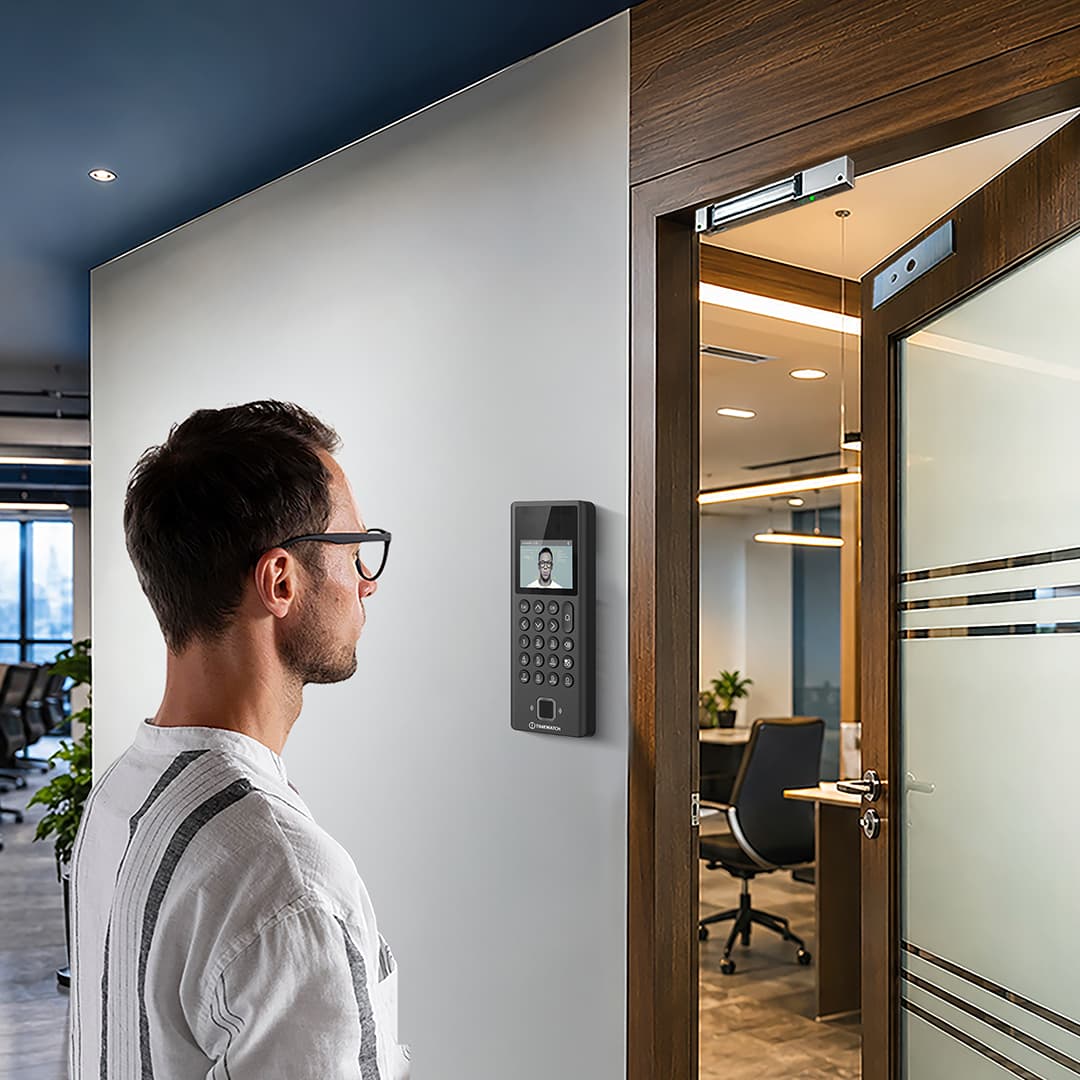
A multi-modal biometric terminal is a single device that can read more than one biometric trait, most commonly a face and a fingerprint, alongside an RFID card and a PIN. Each person is enrolled on whichever credentials work for them. At each door or punch point the terminal applies a policy that decides which credentials are accepted, which are required together, and what to do when one of them fails. On a successful decision it writes a timestamped event and, where it is wired to a lock, releases the door.
- One user record carrying a face template, finger templates, a card number and a PIN
- Fusion at decision level or score level turns two match results into one verdict
- Fallback handles a modality that will not enrol, and a modality that will not match today
- Policy per door, so one terminal is relaxed at a punch point and strict at a server room
What is a multi-modal biometric terminal?
The same device is sold under several names: a multi-biometric terminal, a combined face and fingerprint machine, a card plus fingerprint plus face series terminal. The useful definition is not about how many sensors are bolted to the front panel. It is about whether the matching engine can treat the results from those sensors as inputs to one decision, and whether the policy engine can vary that decision by door, by user group and by time of day.
A box containing two sensors that run two unrelated workflows is simply two devices sharing a bracket. A genuine multi-modal terminal holds one user record per person, with a face template, one or more finger templates, a card number and a PIN hanging off that record, and one rule that says which of them this door wants right now. That single record is what makes the system manageable once a site has thousands of people on it.
This page is a deeper treatment of one device class. For the broader picture of punch capture, shift rules and payroll output across all device types, see how an attendance machine works. For the product family itself, see combined biometric attendance and access control systems and the card, fingerprint and face series terminals.
How a multi-modal terminal works, stage by stage
It works in six stages. During enrolment, each available modality is captured separately and converted into its own template, and the user record notes which credentials that person actually has. At the door, the terminal reads whichever credential the policy calls for. Each modality is matched independently against the stored template, producing a similarity score. Fusion combines those scores or those pass and fail outcomes into one result. The result is tested against the threshold and rule configured for that door. On success the terminal records an event and drives the relay; on failure it refuses, logs the refusal and prompts whatever fallback the policy allows.
The part that is specific to multi-modal working is stages four and five. Everything before that happens on a single-modality device too. The questions worth asking of any such terminal are therefore narrow ones: how does it combine two results, and what does it do when it only gets one.
Matching and policy both sit on the terminal, not on a server. That is what allows the device to keep admitting people and recording punches when the network is down, and it is why the policy you configure has to be pushed to the device rather than merely held centrally.
Why combined face and fingerprint terminals are so common in India
Because one workforce rarely reads well on one sensor. A typical large Indian site carries office and administrative staff, a factory or production floor, a contract labour pool that turns over regularly, and field teams who appear at the gate irregularly. Those four groups do not present the same hands. Office staff enrol on fingerprint easily. Workers in manual trades, agriculture, stone and construction frequently have ridge detail that is worn flat, cracked by dry conditions or chemically abraded, and no fingerprint sensor can resolve detail that is physically no longer there.
This is a common practical driver of enrolment failure on Indian projects, and it is a property of the work rather than a fault in the device. In the engineering and sugar belts of Uttar Pradesh, and on the stone and mineral processing sites of Rajasthan where hands are dry as well as abraded, an all-fingerprint rollout routinely leaves a meaningful share of the headcount without a usable credential. A terminal that also reads a face lets those people stay on the same system, the same database and the same reports as everyone else.
The second driver is contractor headcount reconciliation. Many sites care less about door throughput than about being able to show, shift by shift, how many contract workers were actually inside the plant. That requires every person to have some credential that cannot be handed to somebody else, which in turn requires a device flexible enough to enrol every person on something.
Inside the terminal: sensors, matching engine and credential store
| Element | Function in a multi-modal terminal |
|---|---|
| Face camera assembly | Usually a visible light camera paired with an infrared camera or illuminator, so the face can be captured in low light and so liveness can be assessed from the difference between the two views. |
| Fingerprint sensor | Optical, capacitive or multispectral, mounted at hand height. Sensor type governs how the device copes with dry, wet, worn or soiled fingers. |
| Card reader | A 125 kHz proximity or 13.56 MHz smart card reader behind the front panel, used as a standalone credential, as a second factor, or as the user ID that converts a 1:N search into a 1:1 check. |
| Keypad or touch display | PIN entry, in and out selection, reason codes, and the prompts that drive the user through a two-credential sequence. |
| Matching engine | Runs feature extraction and comparison for each modality on the device. Holds the per-modality thresholds and the fusion rule. |
| Policy engine | Holds access levels, time schedules, user groups and the credential rule for this door. This is what makes one terminal strict and another relaxed. |
| Template and user store | One user record per person, carrying a face template, finger templates, card number and PIN. Capacity limits differ per modality on many models and should be checked separately. |
| Transaction log memory | Buffers events locally, including refusals and the reason for them, until the software collects them. |
| Relay and door interface | Dry contact output to a lock or turnstile controller, with door contact and request to exit inputs so the terminal can report a door held or forced. |
| Communication interface | Ethernet, Wi-Fi, 4G or RS-485, carrying events upward and user records and policy downward. |
Enrolling a mixed workforce across two modalities
Enrolment quality determines almost everything that follows. A face captured against a bright window, or a finger pressed off-centre at registration, produces a template that will under-perform for as long as that person is on the system, and no amount of threshold tuning fixes it afterwards.
What the enrolment operator actually records
A proper enrolment session captures the face at the mounting height the person will actually use, captures at least two fingers from different hands so an injury to one does not lock the user out, reads the quality score the device reports for each capture, and repeats any capture that scores poorly. Card and PIN are issued at the same sitting. The operator then sets the credential profile: which of these credentials this user genuinely possesses.
Failure to enrol and the credential profile
Failure to enrol is a recognised and measurable outcome, not an error. If none of a person's fingers produce a usable template, the operator records that and marks the user as face only. The terminal then stops prompting that individual for a finger, which matters practically: a worker repeatedly told to try again at a busy gate will either hold up the queue or stop punching altogether. On sites with a large manual workforce it is worth enrolling in trade groups, so the pattern becomes visible early and the policy for those doors can be set accordingly before the rollout hardens.
Re-enrolment is a standing task rather than a one-off. Faces change with weight, facial hair and ageing; fingers change with the work. A practical rule is to re-capture any user whose rejection rate climbs over a period, rather than waiting for them to fail completely.
Fusion: how two biometric results become one decision
Fusion is the technical heart of a multi-modal device. Two matching operations produce two independent similarity scores, and something has to turn those into a single admit or refuse. There are two approaches in common commercial use, and they behave differently enough that choosing between them is a real configuration decision.
Decision level fusion
Each modality is compared against its own threshold and produces a final verdict on its own. The terminal then combines those verdicts with a logical rule. An AND rule admits only when both modalities pass. An OR rule admits when either passes. Decision level fusion is simple to configure, simple to explain to an auditor, and simple to log, because the record shows plainly which modality passed and which did not.
Score level fusion
The raw similarity scores are normalised onto a common scale and combined, usually as a weighted sum, before any verdict is reached. The combined figure is then tested against a single threshold. The practical difference is compensation: a strong face score can carry a marginal finger score across the line, where decision level fusion would have refused. That makes score level fusion more discriminating in the middle ground where most real-world rejections happen, in exchange for being harder to reason about after the fact.
Why weighting matters on a mixed site
Weighting lets the installation reflect which modality is actually reliable in that setting. On a dusty outdoor gate in Rajasthan where fingers arrive soiled, giving the face score more weight reduces nuisance rejections without loosening the overall threshold. In a dim internal corridor where the camera has little to work with, the weighting sensibly runs the other way. Both adjustments change the balance between false acceptance and false rejection, so they are a security decision as much as a convenience one and should be recorded as such.
It is worth being precise about what multi-modal fusion does and does not buy. Requiring both modalities tightens security but raises the share of genuine users refused on a first attempt. Accepting either loosens security but almost eliminates nuisance rejections. The gain from fusion is that the site can pick a different point on that trade-off at every door, rather than settling on one compromise everywhere.
Fallback logic when a modality fails
There are two distinct failures and they need different handling. Failure to enrol is permanent and discovered at registration: this person has no usable template for this modality. Failure to acquire or match is transient and happens at the door: the credential exists but the device cannot read it or cannot match it this time, because the finger is wet, the sensor is soiled, the user is standing too close or sunlight is washing out the camera.
Good fallback policy distinguishes the two. A permanent failure should silently change what the terminal asks that user for. A transient failure should allow a bounded number of retries and then offer a defined alternative, so the person is not stranded and the queue does not stall.
| Situation | What the terminal does | Policy note |
|---|---|---|
| Finger will not enrol at registration | User is marked face only in the credential profile; the finger prompt is suppressed for that person | Record the reason. If it affects a whole trade group, set those doors to face primary rather than fixing it user by user |
| Face will not enrol, for example a user who cannot present consistently | User is marked finger only, or finger plus card | Rare compared with finger failures, but the profile mechanism is the same |
| Finger fails to match at a single-factor attendance point | Retry prompt, then automatic offer of face capture after the configured number of attempts | Keep the retry count low at shift change so the queue keeps moving |
| Face fails to match because of glare or position | Retry with a positioning prompt, then fall through to finger or card | Repeated glare failures at one terminal are a mounting problem, not a user problem |
| One modality fails at an AND-rule high security door | Attempt is refused and logged with both outcomes recorded | Deliberate. A high security door should fail closed on a partial match rather than fall back |
| Both modalities fail repeatedly for one user | Refusal is logged and flagged for review | Treat as a re-enrolment trigger, not as a request to lower the threshold |
| Sensor hardware fault on one modality | Terminal continues on the remaining modality where policy permits | Decide in advance whether a high security door degrades to single factor or locks down until repaired |
The last row is the one most often left undecided until it happens. It is a policy question with a security consequence, and it belongs in the handover documentation rather than in a support call at two in the morning.
Single factor for attendance, two factor for high security doors
The reason routine attendance punches run on a single factor is that the threat being defended against is narrow. The realistic abuse of an attendance system is buddy punching, one person marking attendance for an absent colleague, and any one biometric already defeats it, because a biometric credential cannot be handed over. Adding a second biometric to a shop floor punch point therefore buys very little security while slowing down a queue that may need to clear several hundred people inside a few minutes at shift change.
A high security door presents a different problem. The threat is not a casual favour between colleagues but a deliberate attempt to pass as someone else, possibly with a borrowed card or a presentation attack against one sensor. The consequence of a wrong admission is also larger: a store of finished goods, a server room, a cash office, a laboratory, a magazine on a mining site. Requiring two credentials means an attacker has to defeat two independent technologies at once, which is a materially harder problem than defeating either alone. The few seconds it adds are acceptable precisely because the door is used by a handful of people rather than by the whole plant.
Framed that way, the single-factor and two-factor settings are not a compromise between convenience and security. They are two correct answers to two different questions, which is exactly why policy belongs at the door rather than at the device model.
Configuring policy per door and per user group
Policy in a well-built system is the intersection of four objects: the terminal or door, the user group, the time schedule and the credential rule. A person is admitted when their group has an access level covering this door, the attempt falls inside a permitted schedule, and the credentials they present satisfy the rule configured for that door. All four are held on the terminal so the logic survives a network outage.
Because the rule attaches to the door rather than the person, one individual experiences different requirements as they move through a site. The same production supervisor in a Madhya Pradesh cement plant may punch in at the main gate on a face alone, pass into the production block on a face or a card, and be asked for a face and a finger together at the control room.
| Point | Typical credential rule | Why |
|---|---|---|
| Main gate attendance punch | Any one enrolled biometric | Throughput at shift change dominates. Buddy punching is the threat and one biometric answers it |
| Office entrance | Face primary, card accepted for visitors and contractors | Low queue pressure, mixed population including people who are not enrolled biometrically |
| Production floor door | Face or finger, either accepted | Hand condition varies across the group, so fallback matters more than strictness |
| Stores and finished goods | Biometric plus card | Raises the bar without the enrolment burden of a second biometric for a large group |
| Server room or control room | Face and finger required together, restricted group, restricted schedule | Small authorised population, high consequence of a wrong admission |
| Cash office or laboratory | Two factors plus a time schedule, optionally two-person rule | Access is intentionally limited to defined hours and defined people |
| Contractor turnstile | Card or face, with validity dates on the record | High turnover population where issuing and withdrawing credentials quickly matters most |
Group design deserves as much attention as door design. Groups that mirror the organisation chart tend to drift out of date; groups that mirror where people physically need to go stay accurate for longer and are easier to audit.
The card and the PIN as additional credentials
A card is not a leftover from before biometrics. On a multi-modal terminal it does three distinct jobs. It acts as a second factor alongside a biometric at doors where two credentials are required. It gives contractors, visitors and short-term staff a credential that can be issued in seconds and withdrawn the same way, without an enrolment session. And it supplies the user ID that turns a 1:N biometric search into a 1:1 check, which keeps matching steady as the enrolled population grows into the thousands.
Card technology matters when the card is carrying security rather than convenience. A 125 kHz proximity card transmits a fixed number and offers no authentication; 13.56 MHz smart cards using mutual authentication, such as DESFire, are substantially harder to duplicate. Where a card is the second factor at a high security door, that distinction is the whole point of having it there. The RFID card and PIN access control explainer in this series covers card technologies, reader communication and controller wiring in full.
A PIN adds a third category, something known rather than something held or something you are. Its practical use on an attendance and access terminal is as a supervisor override, a duress code that opens the door while silently raising an alarm, or a credential for the rare user who has neither a usable biometric nor a card.
Attendance and access control on the same terminal
The same match can serve both functions, and on most installations it does. A successful decision writes a timestamped attendance event carrying the user ID, direction, device identifier and the credentials used, and in parallel energises the relay that releases an electromagnetic lock, an electric strike or a turnstile controller. Door contact and request to exit inputs let the terminal distinguish a door legitimately opened from inside from a door forced or held open, and report both.
The two functions apply different rules to the same event. Attendance usually covers everyone who punches, whereas access is granted only to the groups authorised for that door. The consequence is that a person can legitimately be recorded as present on site while being refused at an internal door, and the system should show both facts rather than treating the refusal as an attendance exception. Where the terminal drives entrance control hardware rather than a simple lock, see how a turnstile system works and the turnstile gate range for the mechanical side of the same transaction.
Access control also brings behaviours attendance does not need: anti-passback so one credential cannot be used to enter twice without an intervening exit, interlocking between two doors of an airlock, and fail-safe or fail-secure selection so the door behaves correctly when the fire alarm asserts. Those are properties of the door and its wiring rather than of the biometric, but they are configured alongside it. Broader access control system design covers them in context.
Mounting, optics and Indian site conditions
Multi-modal terminals carry an installation problem single-modality devices do not. A face camera wants to sit near eye level, while a fingerprint sensor wants to sit at a comfortable hand height, and those two heights are not the same. Every combined terminal is a compromise between them, which is why mounting height on these devices should be set against the actual user population rather than copied from a datasheet. A height tuned for the average adult will leave a small share of users presenting their face at an awkward angle, and a wall-mounted terminal on a stand with any vertical adjustment is easier to correct after the first week of real use.
Light is the other recurring problem. A terminal facing a glazed entrance or an open shutter will have the sun behind the user for part of the day, and a backlit face is a common cause of poor real-world face performance. Turning the terminal ninety degrees away from the glazing usually fixes more than any setting change. On the northern plains of Uttar Pradesh, where summer ambient can run above 45 C, the device also needs to be out of direct sun for thermal reasons, not only optical ones.
Environment drives the rest of the specification. Outdoor gates in Rajasthan need an appropriate IP rating against fine dust that works its way onto an optical fingerprint platen, and a cleaning routine to go with it. Coastal sites in Odisha carry salt-laden air that attacks exposed connectors and enclosure hardware, which argues for sealed glands and a sheltered mounting position. Monsoon humidity affects both modalities, leaving fingers damp and lenses fogged in the early shift. Power quality deserves equal attention: surge protection at the terminal and a UPS behind the controller keep both the device and the door hardware predictable through the switching and outages common on industrial feeders.
Working through intermittent connectivity
Plants, mines and remote facilities frequently run on links that drop. Because templates, policy and the matching engine all live on the terminal, a dropped link changes nothing about whether a person is admitted or recorded. The device continues to capture, match, fuse, decide, drive the relay and write events into its local log memory. When the link returns, the buffered events upload and the attendance record closes the gap.
Three things are worth confirming at design time. First, log capacity against the worst realistic outage: a busy terminal and a multi-day link failure is a different calculation from a quiet door and an afternoon. Second, whether the system pushes events from the device or the server pulls them, since push behaviour over a 4G link is usually more forgiving on sites like the dispersed mining and cement operations of Madhya Pradesh and the inland industrial belts of Odisha. Third, time accuracy, because a terminal that has been offline for days is relying entirely on its real-time clock, and clock drift silently corrupts every downstream shift and overtime calculation. Regular synchronisation against a time source when the link is up is the simple answer.
Policy changes need the same discipline in reverse. A user removed from an access group in the software is not actually removed from a door until that change reaches the terminal, so the system should report which devices are current and which are behind.
Templates, encryption and data protection
What the terminal stores is not a face photograph or a fingerprint image. Each sensor produces a sample, the extraction process reduces it to a numeric template describing distinguishing features, and the original image is discarded. The transformation is one way: the template can recognise the same face or finger again, but the face or finger it came from cannot be reconstructed from it. On a multi-modal device each modality has its own template, in its own format, and they are not interchangeable between modalities or usually between vendors.
Three further properties decide how well that data is actually protected. Templates should be held encrypted at rest on the device and in the database and encrypted in transit between them. Access to view, export or delete biometric and attendance data should be governed by role-based permissions with an audit trail of who did what. And retention should be defined rather than indefinite: a clear rule for deleting templates when a person leaves, applied to contractors as rigorously as to permanent staff, since contractor records are where stale biometric data usually accumulates.
The regulatory backdrop in India is worth naming as context, not as a claim. Biometric templates are personal data under the Digital Personal Data Protection Act 2023, which brings consent, purpose limitation and retention into scope for attendance data. Attendance records themselves interact with the Factories Act 1948, state Shops and Establishments legislation, and payroll, EPFO and ESIC record keeping. Aadhaar-based attendance under AEBAS runs on UIDAI-registered devices and is governed by the Aadhaar Act 2016 and is a separate arrangement from a private multi-modal deployment. For government procurement, BIS and STQC certification and GeM listing commonly feature in tender conditions. None of this should be read as a statement that any particular device or deployment meets any particular requirement: the current requirements applying to your sector, your state and your tender must be confirmed for the specific project with your own legal or compliance advisers.
Integration with payroll, HRMS and access control software
The terminal produces events. Everything that turns those events into payable days, exception reports and audit evidence happens in software. The attendance platform applies shift definitions, grace periods, overtime rules, leave balances and holiday calendars, then exports to payroll in the format the payroll system expects, or handles payroll directly. Because the input is the punch itself, any figure on a payslip can be traced back to the event and the credential behind it.
On the access side, the same software holds the groups, access levels, schedules and door policies described earlier and distributes them to every terminal. Door events, refusals, door-forced and door-held alarms land in the same log, which is what makes an access audit possible after an incident. HRMS and payroll software and the wider software and applications range cover these functions. Where the same site also manages contractors and callers, a visitor management system issues temporary cards against the same user database, so a visitor at a turnstile and an employee at a door are governed by one set of rules.
Multi-modal compared with a single-modality terminal
| Consideration | Multi-modal face plus fingerprint | Single-modality terminal |
|---|---|---|
| Enrolment coverage | Users who fail on one modality are enrolled on the other, so one system covers the whole headcount | Users who fail to enrol need a separate device or a card workaround |
| Security ceiling | Can be raised to two independent factors at selected doors without new hardware | Second factor requires a card or PIN, not a second biometric |
| Policy flexibility | Credential rule varies per door, per group and per schedule on one device type | One credential type everywhere, varied only by group and schedule |
| Speed at a punch point | Comparable when running single factor; slower by design when both are required | Consistent, since only one credential is ever presented |
| Configuration effort | Higher. Fusion rule, per-modality thresholds and fallback behaviour all need deciding | Lower. One threshold and one fallback path |
| Device and spares management | One model across the site simplifies spares and operator training | Mixed modalities across a site mean mixed models and mixed procedures |
| Typical failure mode | Misconfigured fallback letting a high security door degrade quietly to single factor | A group of users with no usable credential and no path onto the system |
A multi-modal terminal is not automatically the right answer. A clean, uniform office population with good finger condition and no high security doors is well served by a simpler device. The case for multi-modal strengthens as the workforce becomes more varied, as doors start needing different security levels, and as the site wants one database rather than several. For the full comparison across face, fingerprint, palm, iris and card, work through how to choose a biometric attendance and access control system. The individual modalities are covered in how a face recognition terminal works, how a fingerprint attendance system works, how a palm vein scanner works and how an iris recognition system works. Deployment patterns specific to this market are set out under biometric attendance systems in India.
Multi-modal biometric terminals: frequently asked questions
What is a multi-modal biometric terminal?
A multi-modal biometric terminal is a single device that can read more than one biometric trait, most commonly a face and a fingerprint, and usually an RFID card and a PIN as well. Each user is enrolled on whichever credentials suit them, and the terminal applies a policy that decides which credentials are accepted or required at that particular door.
Why do Indian sites choose face plus fingerprint terminals?
Because one workforce rarely reads well on one sensor. Office staff enrol easily on fingerprint, while workers in manual trades often have worn or damaged ridge detail that a fingerprint sensor cannot resolve. A terminal that also reads a face lets the same site enrol everyone on one system and one database, instead of running separate devices for separate groups.
What happens if an employee cannot enrol a usable fingerprint?
The enrolment operator records a failure to enrol against that finger, tries the remaining fingers, and if none produce a usable template, marks the user as face only. The terminal then stops prompting that person for a finger and verifies them on face alone, or on face plus card where the door policy demands two factors. Nothing about the user's attendance record changes.
What is the difference between score level and decision level fusion?
Decision level fusion takes a final yes or no from each modality and combines those outcomes with a rule such as AND or OR. Score level fusion combines the raw similarity scores before any decision is made, so a strong face score can compensate for a marginal finger score. Score level fusion is more discriminating; decision level fusion is simpler to configure and to audit.
Can one terminal require two biometrics at one door and only one at another?
Policy is held per door and per user group rather than per device, so yes. The same user can punch attendance at the main gate with a face alone and be required to present a face and a finger at a server room door. The terminal at each point enforces the rule configured for it, and the software records which credentials were used.
Does using two modalities make matching slower?
Only when both are actually required. In routine attendance use the terminal verifies on whichever credential is presented first and completes in roughly the same time as a single-modality device. Two-factor doors are slower by design, because the user has to present a second credential, and that deliberate pause is usually acceptable at a door only a few people use.
What happens if the face matches but the fingerprint does not?
That depends on the fusion rule configured for the door. Under an AND rule the attempt is refused and the user retries, because a high security door is meant to fail closed on a partial match. Under an OR rule the face match alone is enough and the event is recorded. The log stores both outcomes either way, so the mismatch is visible afterwards.
Can a multi-modal terminal still work without an internet connection?
Yes. Templates and door policy are held on the terminal, so capture, matching and relay operation all continue with no link at all. Attendance events are written to local log memory and upload automatically when the connection returns. The limit is log capacity, so a site with long outages and heavy traffic should confirm how many events the model retains.
Is a card still useful on a terminal that reads face and fingerprint?
Yes, in three roles. It acts as a second factor alongside a biometric at a high security door. It gives contractors and visitors a credential that can be issued and withdrawn quickly without enrolling a biometric. And it supplies the user ID that turns a 1:N biometric search into a 1:1 check, which keeps matching steady as the enrolled population grows.
Are face and fingerprint templates stored as images?
No. Each sensor produces a sample, the terminal extracts the distinguishing features into a numeric template, and the original image is discarded. The template is generated one way, so the face or fingerprint it came from cannot be reconstructed from it. Templates should be held encrypted on the device and in the database, and deleted when a person leaves.
Can one multi-modal terminal handle attendance and door access at the same time?
Yes, and most are deployed that way. A successful match writes a timestamped attendance event and, where the terminal is wired to a lock, releases the relay that opens the door. The two functions draw on the same match but apply different rules, so a person can be recorded as present at a point they are not authorised to pass through.
Planning a multi-modal rollout?
Tell us the headcount, the trades involved, the doors you need to control and the security level required at each one, and our team will confirm the terminal configuration, the credential policy per door and the enrolment approach for the site.
Enquire nowCall +91 95999 53923
This page describes how multi-modal terminals and credential policy work as a technology class under stated conditions. Achieved enrolment and matching performance depends on the user population, hand and face condition, mounting, lighting and site environment, and should be confirmed by a pilot before a full rollout. Regulations and standards are named as context only; current requirements for your sector, state and tender must be confirmed for the specific project. Specifications may change without notice; please consult us before ordering.
