
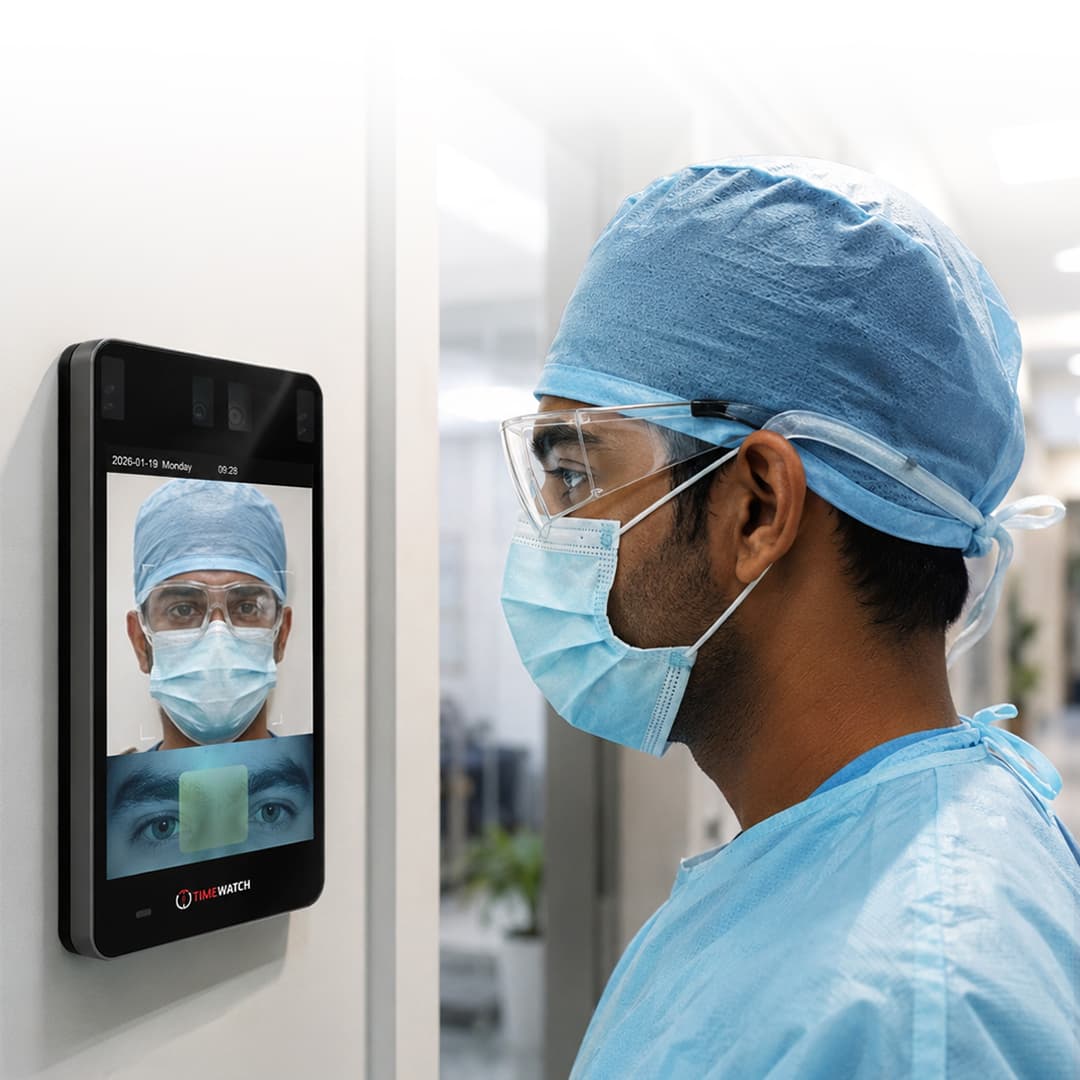
Iris biometrics for attendance and access control
How Does an Iris Recognition System Work?
An iris recognition system identifies a person from the texture of the coloured ring around the pupil, imaged in near-infrared light and never touched. It does the same two jobs as any other workplace terminal: recording who was present and when, and deciding who may pass through a door. This page explains the imaging physics, how an iris code is built and compared, why one to many searching holds up across very large enrolled populations, and what it takes to deploy iris well at an Indian site.
Iris recognition in one paragraph
An iris recognition system is a biometric device that identifies a person from the texture of the coloured ring surrounding the pupil of the eye. It illuminates the eye with near-infrared light, captures an image, locates the iris boundaries, converts the texture into a compact binary pattern called an iris code, and compares that code against enrolled codes. A match within the configured tolerance records a timestamped attendance event, releases a door, or both. The comparison is a bitwise operation rather than a geometric one, which is why an iris search stays fast and discriminating even against a very large enrolled population.
- Near-infrared imaging, so texture is revealed regardless of how dark the iris appears
- Binary iris code, a one way encoding of texture rather than a stored picture of the eye
- Hamming distance matching, counting disagreeing bits instead of comparing geometry
- Holds up at scale, so genuine 1:N identification remains workable as headcount grows
What is an iris recognition system?
The reader does one job and does it in a fraction of a second: establish which enrolled person is standing in front of it. Everything downstream, meaning shift rules, overtime, access rights per door and per time zone, is decided by software. If you are new to the category, our explainer on how an attendance machine works covers the ground that every terminal in this family shares.
Iris recognition is used in two settings that carry equal weight in Indian deployments. One is time and attendance, where the terminal is the source record for payroll. The other is access control, where the same decision drives a lock, a turnstile or an interlock on a restricted room. Many sites use a single reader for both, and the two functions are configured independently of one another.
How an iris recognition system works: the short answer
An iris recognition system works in six stages. The reader illuminates the eye with near-infrared light and captures a focused image. Software segments that image, finding the boundary between pupil and iris and between iris and sclera, and excluding eyelids, eyelashes and specular reflections. It normalises the circular iris band into a fixed rectangular strip so that pupil dilation and camera distance stop mattering. It encodes the texture of that strip into a binary iris code. Finally it compares the new code against enrolled codes and makes a decision.
The comparison is a bitwise operation rather than a geometric one, which is why iris searching is fast even against very large enrolled populations. That single property is the main reason iris is specified where other modalities begin to struggle.
Why the iris is used: texture, stability and independence
Where the pattern comes from
The iris is a muscular diaphragm that controls how much light reaches the retina. Its visible surface carries crypts, furrows, collarette structures, radial fibres and pigment features that form during foetal development through a process that is largely random rather than genetically specified. Two people with identical genes therefore do not share an iris pattern, and the left and right eyes of the same person are structurally independent of one another.
Why it stays usable for a lifetime
The iris settles into its adult structure in early childhood and then changes very little. It sits behind the cornea and the aqueous humour, so it is an internal organ that is externally visible: it is not abraded by manual work the way a fingerprint is, it does not change shape with weight or age the way a face does, and it is not exposed to solvents, cement dust or cutting fluid. For a workforce in heavy industry this is the decisive difference.
Perceived colour can shift slightly through childhood, and medical conditions or eye surgery can alter the iris, which is why re-enrolment should be available on request. But for the overwhelming majority of adults, an enrolment made today continues to match years later without the periodic re-capture that facial ageing eventually requires.
Iris recognition is not a retina scan
These are routinely confused and they are different technologies. A retina scan images the blood vessel pattern at the back of the eye, which requires the user to place their eye very close to an eyepiece and look at a fixed target while the device looks through the pupil. Iris recognition images the front of the eye at a comfortable distance with nothing touching the user. Almost every commercial deployment described as an eye biometric today is iris, not retina.
Near-infrared imaging and why visible light is not used
Iris readers illuminate the eye in the near-infrared band, commonly in the region of 700-900 nanometres, and the camera is filtered to see only that band. This is a deliberate engineering choice with four separate reasons behind it.
The first is melanin. In visible light, a heavily pigmented iris appears as a dark, low contrast disc because melanin absorbs visible wavelengths strongly. Under near-infrared illumination melanin absorbs far less, so the underlying structural texture of crypts and furrows becomes visible with good contrast. Since dark brown irises are the norm across the Indian population, a visible light system would be working against exactly the eyes it most needs to read.
The second is lighting independence. Because the camera sees only the controlled near-infrared illumination and filters out ambient visible light, the reader behaves the same way in a dim corridor, under fluorescent tubes and near a window. The third is pupil behaviour: near-infrared light does not trigger the strong constriction that a bright visible lamp would, so the iris stays closer to the state it was enrolled in and the user is not dazzled. The fourth is spoof resistance, since a printed photograph reproduces visible colour rather than near-infrared texture and tends to present very differently under this illumination.
Illumination power is specified by the device maker against recognised eye safety limits for near-infrared exposure, and the exposure lasts a fraction of a second with nothing touching the eye. The published figures and the standard they were assessed against should be confirmed for the specific model being installed.
Inside an iris terminal: the components
| Component | Function |
|---|---|
| Near-infrared illuminator | Provides controlled light in roughly the 700-900 nm band so iris texture is revealed regardless of eye colour and ambient lighting. |
| Filtered imaging camera | A narrow depth of field camera that passes only the near-infrared band, blocking ambient visible light and most reflections. |
| Optics and autofocus | Define the capture volume: the region in front of the reader where an eye will be in focus and correctly scaled. |
| User positioning aid | A mirror, live preview or illuminated guide that tells the user to move closer, further back or to centre their eyes. |
| Processor and matching engine | Runs segmentation, encoding and comparison on the terminal itself, so recognition does not depend on a live server link. |
| Template storage | Holds enrolled iris codes and masks. Capacity determines how many people a single terminal can identify locally. |
| Transaction log memory | Buffers attendance and access events until they are uploaded, so nothing is lost during a network outage. |
| Real-time clock | Timestamps every event. Clock drift corrupts every downstream calculation, which is why time synchronisation is checked. |
| Relay and door interface | Dry contact output to a lock, strike or turnstile controller, plus request to exit and door monitor inputs where used. |
| Communication interface | Ethernet, Wi-Fi, 4G or RS-485, carrying events upward and configuration downward. |
| Card reader or keypad | Optional second credential for two-factor doors, and a fallback for any user who cannot be read on a given day. |
How an iris code is generated
Segmentation: finding the iris in the image
The algorithm first locates two approximately circular boundaries: the inner one between pupil and iris, and the outer one between iris and sclera. These are rarely concentric and the pupil is rarely a perfect circle, so the fit is computed rather than assumed. The system then identifies regions to exclude, principally the upper and lower eyelids, eyelashes crossing the iris, and bright specular reflections from the illuminator or from spectacle lenses.
Normalisation: unwrapping the ring
The annular iris region is then mapped into a fixed size rectangular strip, with one axis running around the iris and the other running from the pupil outward. This step is what makes the method robust. Pupil dilation stretches the iris radially, and standing slightly nearer or further changes its size in the image. Normalisation removes both effects, so a code captured with a wide pupil in a dim corridor can still be compared with one enrolled under brighter conditions.
Encoding: texture into bits
The normalised strip is then filtered to extract local texture. Classical implementations apply Gabor filters at multiple scales and record the phase of the response at each sampling point, quantised into two bits. The result is a compact binary string, the iris code, typically on the order of a couple of thousand bits. Phase is used rather than amplitude because phase survives changes in illumination level, contrast and camera gain.
The original eye image is discarded once the code is produced. The code is a one way representation: it supports recognising the same eye again, but it is not a picture and the eye cannot be reconstructed from it.
The mask: discarding what is obscured
Alongside the code, the system stores a mask recording which bits came from clean iris texture and which fell on an eyelid, an eyelash or a reflection. At matching time only bits valid in both masks are compared. This is why a user whose eyelid partly covers the iris can still be recognised reliably: the system knows which part of the pattern it is entitled to trust.
Hamming distance matching and why 1:N holds up at large gallery sizes
How two iris codes are compared
Comparing two iris codes means counting how many bit positions disagree, expressed as a fraction of the positions that both masks marked valid. That fraction is the normalised Hamming distance. Zero means every compared bit agreed, 0.5 means the two codes agree no more often than coin flips would, and the decision threshold sits somewhere between.
Before the distance is taken, one code is rotated against the other across a small range of shifts, because a head tilted a few degrees rotates the iris in the image. The lowest distance across those shifts is the one used. This is computationally trivial, which matters for the next point.
Two different eyes produce distances that cluster tightly just under 0.5 with very little spread. Two captures of the same eye produce distances clustered much lower. The gap between those two distributions is wide and well separated, and the threshold is placed inside that gap. Moving the threshold trades false matches against false rejections in the usual way, and the setting is a site decision taken per door rather than a fixed product specification.
Why gallery size punishes other modalities more
Every biometric modality faces the same arithmetic in one to many searching. If a single comparison carries some probability of a false match, then searching a gallery of N people gives roughly N chances to make that error on every transaction. Doubling the enrolled population roughly doubles the exposure. This is why fingerprint and face systems are commonly moved to 1:1 verification, with a card or an employee ID entered first, once a site grows past a certain headcount.
Iris behaves differently because of how much independent information an iris code carries. The bits are not all independent, but the effective number of independent degrees of freedom in a good capture is high, and the distribution of distances between different eyes is consequently very tightly concentrated. The practical consequence is that the threshold can be set comfortably below where impostor distances fall, so the per comparison false match probability is extremely small. Multiplying an extremely small number by a large gallery still leaves a workable number.
Speed reinforces this. A Hamming distance across a couple of thousand bits is an exclusive-or and a bit count, so a single processor can evaluate very large numbers of comparisons per second without specialised hardware. A terminal can therefore run genuine 1:N identification against its full enrolled database and still respond quickly, while a comparably sized face or fingerprint gallery would push the designer toward indexing, binning or a card first workflow.
What this does and does not promise
This should be stated carefully. These are properties of the iris modality as a technology class, measured under controlled capture conditions with good quality images. Real performance on any given site depends on the device, the algorithm, the threshold chosen, the enrolment quality and the discipline of users at the reader. The modality gives you the headroom; the installation decides how much of it survives.
Standoff distance, capture volume and real-world conditions
Capture volume, mounting height and user positioning
An iris camera has a narrow depth of field because it must resolve fine texture across a small target. The region in which an eye is both in focus and large enough in the frame is called the capture volume, and it is the specification that matters most when planning a door or an attendance point. A short standoff wall reader may expect the user within a window measured in a few centimetres of depth at a distance well under half a metre. Longer standoff units widen that window so a user can approach more naturally and stop at a comfortable position.
Mounting height has to suit the range of user heights at the site, and height adjustable or tilting mounts are worth specifying where that range is wide. Readers with a mirror or live preview resolve most positioning problems on their own, because the user corrects themselves without being told.
User training matters more here than for face or fingerprint. A workforce meeting an iris reader for the first time will take several seconds each; the same workforce two weeks later will be consistent and quick. Allow for that learning period in the go-live plan rather than treating early slowness as a device problem.
Spectacles, contact lenses and ambient lighting
| Condition | Effect on capture | Practical handling |
|---|---|---|
| Ordinary prescription spectacles | Near-infrared passes through standard glass and plastic, so the iris remains visible. Specular reflections from the lens surface are the usual complication. | Keep lenses clean, adjust head angle slightly, or remove glasses for the one second the capture takes. Most readers tolerate them. |
| Heavily coated or tinted lenses | Some anti-reflective and infrared blocking coatings reduce transmission in the sensing band and can make the iris appear washed out. | Test during enrolment. Enrol the user with glasses off and have them present the same way. |
| Clear corrective contact lenses | Generally transparent in the near-infrared band and sit flush on the cornea, so texture is unaffected. | No special handling needed in most cases. |
| Cosmetic patterned contact lenses | Printed patterns can overlay or obscure genuine iris texture and change what the camera records. | Enrol and present consistently, or route the user to a second credential. Many readers flag the condition. |
| Direct sunlight on the reader | Strong solar near-infrared content can swamp the illuminator and raise reflections. | Shade or recess outdoor readers, or site them away from low morning and evening sun. |
| Dim or dark surroundings | Little effect on imaging because the illuminator supplies the light, but wide pupils reduce visible iris area. | Normalisation handles most dilation. Some ambient light at the reader helps user positioning. |
| Dust, water droplets or grease on the window | Degrades focus and introduces scatter, producing gradually worsening read rates. | Routine cleaning of the optical window, scheduled rather than reactive. |
| Drooping eyelid or long lashes | Occludes part of the iris and reduces the number of valid bits available for comparison. | The mask handles partial occlusion. Enrol both eyes so the better reading one carries the user. |
Throughput compared with face and fingerprint terminals
Matching time is not the bottleneck for any of these modalities. The bottleneck is presentation: how long the user takes to get the credential in front of the sensor correctly. Face recognition terminals win on this measure because the user barely changes their walking posture. Fingerprint requires a deliberate touch and a correct placement, and loses time to retries when fingers are dry, wet or worn. Iris sits between the two: it is contactless like face, but it requires the eyes to fall inside a defined capture volume.
For a practised population, iris throughput is steady and predictable. For an unpractised one, or where users are wearing hard hats, safety glasses or face shields that must be lifted, it is slower. Plan on that basis rather than on the comparison time quoted in a datasheet.
The planning conclusion is the same for all three. A shift change that puts several hundred people through an entrance in a few minutes needs several lanes, not a faster reader, which usually means multiple turnstile gates rather than one terminal working harder; our guide to how a turnstile system works sets out how lane count and reader placement are planned together. Where iris earns its place is not raw queue speed but certainty of identification across a large enrolled population, which is a different requirement and often the more valuable one at a restricted door.
Liveness detection and presentation attacks
The attacks of concern are a high quality printed iris image, a printed image with a hole cut for a real pupil, a display screen held in front of the reader, and a patterned contact lens worn over a genuine iris. Each has been demonstrated against unprotected devices, which is why liveness detection is a specification item rather than an assumption.
Countermeasures work on signals a flat reproduction struggles to supply. Pupil response to a controlled change in illumination is dynamic and hard to fake with print. Imaging at more than one near-infrared wavelength exposes the difference between printed ink and living tissue, because their reflectance curves differ. Specular reflection geometry from a curved, wet cornea is unlike that from flat paper or a glass screen. Natural micro-movement of the pupil boundary is present in a live eye and absent in a static image, and screen replay often carries detectable display artefacts.
Implementation varies widely between devices, so the protection a given terminal provides should be read from its own specification rather than inferred from the modality. For high security doors, pairing iris with a second credential such as a card or a PIN removes the question entirely, because an attacker would need both.
Iris recognition for attendance
As an attendance credential, iris produces the same event structure as any other terminal in a biometric attendance system: user ID, date, time, direction, device ID and verification method, written to local transaction memory and uploaded to the attendance software. The software applies shift assignment, grace periods, late marks, half day thresholds, overtime rules and leave reconciliation, then produces registers and payroll ready payable days through HRMS and payroll software.
Two attendance problems are where iris specifically helps. The first is buddy punching. An iris credential cannot be lent, borrowed or left behind the way a card can, so the person must be physically present. The second is enrolment failure in manual trades. A proportion of any workforce doing heavy manual work has fingerprint ridge detail too worn for reliable reading, as our explainer on how a fingerprint attendance system works describes, and those users have historically fallen back to cards, which reintroduces the first problem. Iris is unaffected by hand condition and closes that gap.
It also suits workforces in protective equipment. Staff in gloves cannot use a fingerprint reader, and staff in masks, hoods or welding visors present poorly to a face terminal. Where only the eyes are reliably exposed, iris is the credential that still works.
Iris recognition for access control
On the access side, the same match decision drives a relay that releases an electromagnetic lock, an electric strike or a turnstile controller, with request to exit and door monitor inputs wired in the normal way; the entrance control hardware range sets out the door side options. Access rights are held per person, per door and per time zone in software, which is how access control systems keep that policy separate from attendance policy: a person can be recorded for payroll at a reader that does not grant them entry to the area behind it.
Iris tends to be specified at the doors where the consequence of a wrong identification is highest: server rooms and data halls, pharmaceutical and sterile production areas, laboratories, cash and valuables handling rooms, explosives and detonator stores at mines, and control rooms in power generation. These are the doors where 1:N identification with a very low false match probability is worth the extra moment at the reader.
For the most sensitive doors, two-factor configuration is common: a card or PIN establishes the claimed identity and the iris confirms it, which turns the transaction into a 1:1 verification and adds a credential an attacker must also obtain. How that card layer behaves on its own is covered in our page on RFID card access control. Anti-passback, interlocks and dual person rules are applied by the controller and software regardless of which modality reads the credential.
Iris recognition on Indian sites: fit, environment and connectivity
Where it fits, and where it does not
The clearest fit is heavy industry with a mixed workforce, which shapes how biometric attendance systems in India are specified. At steel and mining operations across Jharkhand and in the coal and power belt of Chhattisgarh, a meaningful share of shop floor and contract labour has fingerprint ridge detail genuinely worn away by the work, and dust on both hands and sensors makes contact reading worse. Iris sidesteps the hand entirely, which is why it appears at restricted stores and control rooms on those sites even when general attendance stays on a multi-modal terminal.
The second fit is controlled and clean environments. Pharmaceutical formulation units and bulk drug facilities along the Andhra Pradesh coast gown staff in a way that defeats both finger and face at the airlock, while the humidity and salt laden air of that coastline are hard on contact sensor surfaces. A contactless reader behind a sealed optical window holds up better in that setting.
The third is dispersed sites on poor connectivity. Tea estate offices, oil and gas installations and district administrative buildings across Assam often run on intermittent links, and terminals there have to identify and record entirely on their own. Because iris matching runs locally against the on-device gallery, a reader on such a site behaves identically whether the link is up or down, and simply queues its events.
Where iris is usually not the right answer is a high volume general entrance with a large casual or visitor population, or any point where users cannot reasonably stop and position. Those points are better served by face terminals or by cards issued through a visitor management system, with iris reserved for the doors that justify it.
Environment, enclosure and power quality
Indoor readers need to be out of direct sun and away from a window the user would face. Outdoor or semi-outdoor positions need an appropriate IP rating, a sunshade or recess, and optics specified for sunlight. Ambient temperature above 45 degrees Celsius across the northern plains, monsoon humidity, and airborne dust on mining and construction sites all shorten the service life of unprotected optics, so enclosure selection is a design decision rather than an afterthought.
Power quality deserves the same attention. Surge protection on both power and data, and a UPS or battery backing where attendance must continue through an outage, prevent the slow attrition of controllers and readers that otherwise shows up months after handover. Where the reader drives a door, confirm the fail-safe or fail-secure behaviour required on fire alarm with the fire consultant for that building, and wire the release accordingly.
Intermittent connectivity and local buffering
On connectivity, the terminal should hold its enrolled gallery and matching engine locally and buffer events in transaction memory when the link drops, uploading automatically when it returns. Either the device pushes events to the server as they occur, which suits remote sites behind routers, or the server polls on a schedule, which suits a flat network in one building. The practical limit during a long outage is the log capacity of the device, which is worth checking for high traffic readers on sites where links are unreliable. If you would like to discuss a site requirement, our team can work through the reader positions and the connectivity arrangement with you.
Enrolment quality, failure to enrol and fallback credentials
Enrolment determines everything that follows. Capture should be done in a quiet, evenly lit space with the operator watching the quality indicator rather than accepting the first image. Enrol both eyes wherever the device supports it: it adds only seconds at enrolment and it means an injury, an infection or a dressing on one side does not lock the person out.
Failure to enrol is low for iris compared with fingerprint, but it is not zero. Dense cataract, corneal scarring or opacity, aniridia, significant nystagmus, post-surgical changes and some forms of severe ptosis can prevent a usable capture. The correct response is a documented fallback credential for that individual, not repeated attempts at the reader or a lowered threshold for everyone. Lowering a threshold to accommodate one person degrades the security of every transaction on that device.
Day two support is mostly three things: clean the optical window on schedule, re-enrol the small number of users who fail repeatedly rather than adjusting policy around them, and keep firmware current so algorithm and liveness improvements are actually in service. Confirm time synchronisation across sites as well, since a drifted clock produces subtly wrong attendance for everyone using that terminal.
Templates, data protection and retention
What the system stores is an iris code and its mask, not an image of the eye. The transform that produces the code is one way: it retains enough structure to recognise the same iris again and not enough to rebuild the picture it came from. This is the single point most worth making to a workforce before deployment, because the objection people actually hold is that the employer now has photographs of their eyes.
Beyond that, three controls matter. Codes should be stored encrypted at rest on the device and on the server and encrypted in transit between them. Access to view, export or delete biometric and attendance data should be governed by role based permissions with an audit trail on every change, which is a configuration question in the attendance and access control software rather than a device setting. And retention should be defined before go-live: how long codes are kept, what triggers deletion, and a process that actually removes a leaver's enrolment from every terminal rather than only from the central database.
Biometric data is personal data under the Digital Personal Data Protection Act 2023, which brings notice, consent, purpose limitation and retention into scope for attendance systems. Attendance records themselves interact with the Factories Act 1948, state Shops and Establishments legislation, and payroll, EPFO and ESIC record keeping. Iris is also one of the biometric modalities UIDAI supports for Aadhaar authentication through registered devices under the Aadhaar Act 2016, and BIS and STQC certification and GeM listing are relevant in government procurement. These are named here as context. Current requirements and their application to a specific deployment must be confirmed for that project with the organisation's own legal and compliance advisors.
How iris compares with other biometric modalities
| Modality | What it reads | Main strength | Main limitation |
|---|---|---|---|
| Iris | Texture of the coloured ring around the pupil, imaged in near-infrared | Very high discrimination, so 1:N searching holds up across large enrolled populations; unaffected by hand condition; contactless | Requires deliberate positioning inside a capture volume; a small number of users cannot be enrolled for medical reasons |
| Face | Geometry and appearance of the face, often with infrared assistance | Needs the least user effort of the modalities here, so it moves a queue quickly; contactless | Sensitive to lighting and mounting; masks and heavy headgear interfere; appearance drifts over time |
| Fingerprint | Ridge endings and bifurcations on the finger surface | Compact, widely understood and simple to deploy at many points | Worn, wet, dry or damaged fingers fail; contact surface needs cleaning; highest failure to enrol in manual trades |
| Palm vein | Subsurface vein pattern in the palm, imaged in near-infrared | Pattern is internal and hard to observe or copy; tolerant of hand surface condition; contactless | Needs correct hand positioning; fewer deployed devices than finger or face |
| Card or PIN | A number held on a card or remembered by the user | Constant speed regardless of population size; works for everyone | Credential is transferable, so it verifies the card rather than the person |
Palm vein is the nearest relative to iris in that table, since both read structure that is not visible under ordinary light; our page on how a palm vein scanner works covers the hand side of the same near-infrared principle. Selection should follow fit rather than any single row. Most Indian sites end up with more than one modality: a general attendance terminal suited to the bulk of the workforce, iris or palm at the doors and user groups where the general terminal struggles, and cards for contractors and visitors, all feeding one attendance database. Multi-modal biometric terminals such as the combined card, fingerprint and face terminals in our range are the usual answer for that general population, and our guide to choosing a biometric attendance and access control system works through the decision point by point.
Iris recognition: frequently asked questions
How does an iris recognition system work?
An iris camera illuminates the eye with near-infrared light and captures an image of the coloured ring around the pupil. Software locates the inner and outer boundaries of the iris, unwraps that ring into a normalised strip, filters it and encodes the texture as a binary iris code. That code is compared against enrolled codes, and a match within the configured tolerance records the attendance event or releases the door.
Is iris scanning safe for the eyes?
Iris terminals use low power near-infrared illumination at levels the device maker specifies against recognised eye safety limits for near-infrared exposure, and the capture lasts a fraction of a second. Nothing touches the eye and no laser is involved. The published illumination figures and the standard the device was assessed against should be confirmed for the specific model being installed.
Does an iris scanner store a photograph of my eye?
No. The captured image is processed into a binary iris code that describes texture as a sequence of bits, and the image itself is discarded. The code is a one way representation: it can recognise the same eye again but cannot be turned back into a picture of your eye. Stored codes should be held encrypted on the device and on the server, with access governed by role based permissions.
What is the difference between iris recognition and a retina scan?
They read different parts of the eye. A retina scan images the blood vessel pattern at the back of the eye and needs the user to place their eye against an eyepiece and look at a fixed target. Iris recognition images the coloured front surface of the eye from a comfortable distance with nothing touching the user. Nearly all commercial eye biometrics in service today are iris systems.
Does iris recognition work if I wear spectacles?
Usually yes, though clean lenses help. Near-infrared light passes through ordinary prescription glass and plastic, so the iris is still visible to the camera. The usual complications are specular reflections from the lens surface, heavy coatings that reduce transmission in the sensing band, and scratched or dusty lenses. Where a user fails repeatedly, removing the glasses for the second the capture takes resolves it.
Do contact lenses affect iris recognition?
Clear corrective lenses normally cause no difficulty, because they are transparent in the near-infrared band and do not hide the iris texture. Cosmetic coloured lenses with printed patterns are a different matter, since the printed pattern can sit over the genuine iris and change what the camera records. Sites with a relevant population should test this at enrolment rather than discover it at a turnstile.
Why does iris recognition stay accurate with very large numbers of enrolled users?
An iris code carries a large amount of independent texture information, so the distances between codes from different eyes cluster very tightly and sit far from the distances between two captures of the same eye. That wide separation lets the threshold be set where the chance of a wrong match per comparison is extremely small, so adding more enrolled records raises the overall risk only slightly. Bitwise comparison also keeps the search fast.
How close do I need to stand to an iris reader?
It depends on the terminal. Fixed wall mounted readers usually expect the user within a defined capture volume a short distance in front of the lens, often well under half a metre, with a mirror or on-screen guide to help them position. Longer standoff units widen that volume so people can approach more naturally. The specified capture volume is the figure to check when planning a door or a lane.
Is iris slower than face recognition at a busy entrance?
Generally yes for an unpractised workforce, because the eyes have to fall inside a defined capture volume while a face terminal reads the user almost in stride. Once people are used to the reader, iris throughput becomes steady and predictable. Either way, a shift change putting several hundred people through an entrance in a few minutes needs multiple lanes rather than a single faster device.
Can one iris terminal handle both attendance and door access?
Yes. A successful match writes a timestamped event containing the user ID, device ID and direction, and the same decision can energise a relay that releases an electromagnetic lock, strike or turnstile. Attendance rules and access rights are configured separately in software, so a person can be recorded for payroll at a reader that does not grant them entry to the area behind it.
Is iris recognition the same thing as Aadhaar authentication?
No. Aadhaar enrolment records iris images alongside fingerprints, and iris is one of the biometric factors UIDAI supports for authentication through registered devices under the Aadhaar Act 2016, which is why the technology is familiar to many Indian users. That is market context only. A workplace iris attendance or access terminal runs against its own enrolled database and is a separate matter from any Aadhaar based scheme, whose current requirements must be confirmed for the specific project.
Planning an iris attendance or access control deployment?
Tell us the site, the user population, the doors involved and the connectivity available, and our team will confirm which modality suits each point, where the readers should be mounted and how the capture volume should be planned.
Talk to our team about a site surveyCall +91 95999 53923
This page explains how iris recognition works as a technology class. Achieved performance at any site depends on enrolment quality, user positioning, mounting, ambient lighting and the specific device, algorithm and threshold in use, and should be confirmed by site survey and trial. Eye safety figures are specified by the device maker and should be confirmed for the model installed. Statutory and certification requirements change and must be confirmed for each project. Specifications may change without notice; please consult us before ordering.
