
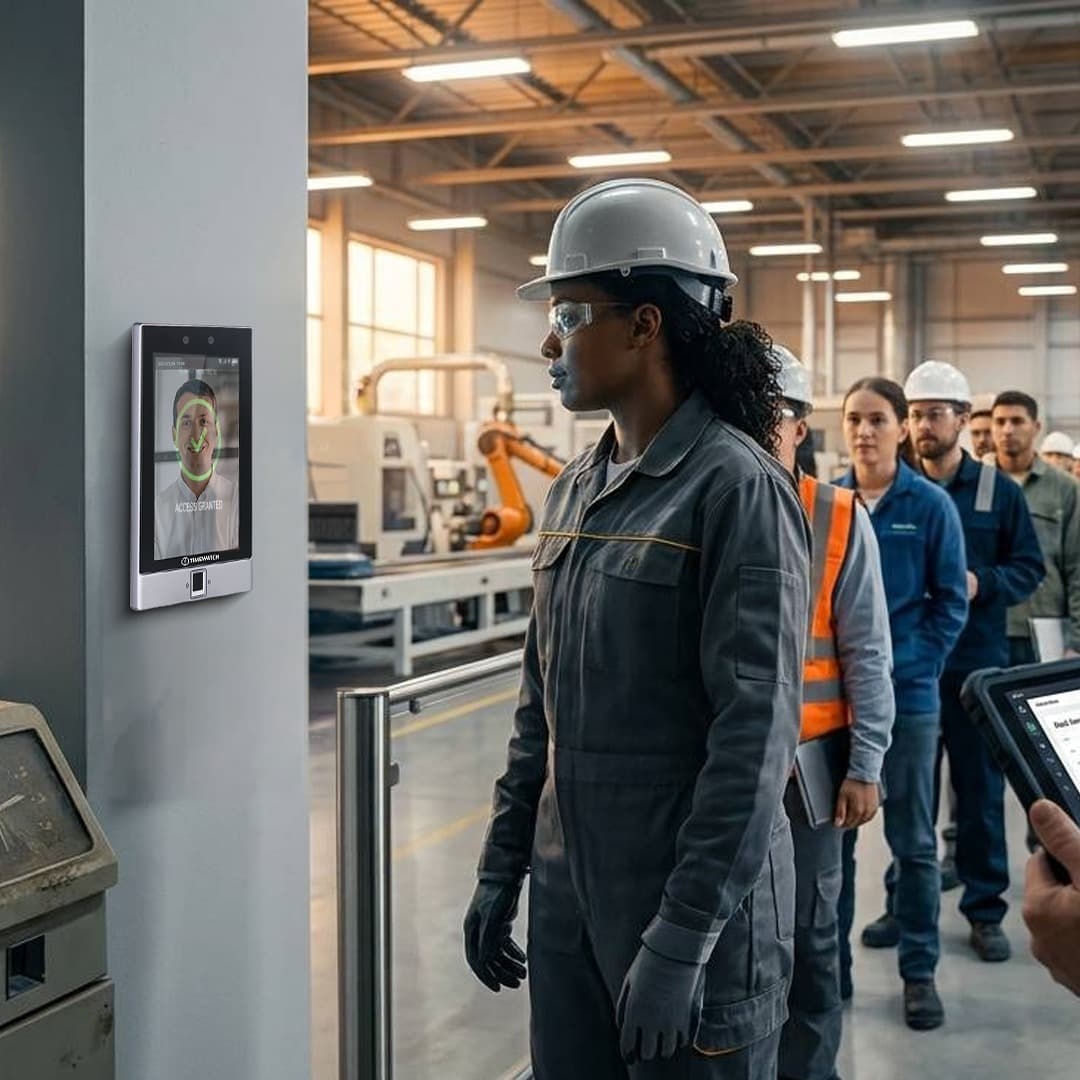
Selection method for Indian sites
How to Choose a Biometric Attendance and Access Control System
There is no single right biometric. There is a right biometric for a stated set of site conditions, and the same organisation often needs different answers at different points on one campus. This page is the selection hub for a cluster of six technical pages. Each of those explains one credential type in depth; this one gives you the seven questions that determine which of them belongs where, and how to answer those questions before anyone selects a device.
How should you choose a biometric attendance and access control system?
Choose by establishing site conditions first and matching a credential to them second. Seven questions settle almost every deployment: who the users are and what condition their hands and faces are in, what the environment is like at each mounting point, how much throughput each point must clear, what security level each door requires, what connectivity is available, what payroll and HRMS integration is needed, and what data protection posture the organisation intends to hold. Only after those seven are answered does a modality become obvious, and the answer is frequently different at different points on the same site.
- Conditions before devices, because a device chosen first has to be defended afterwards
- Per point, not per site, since environment, throughput and security differ position by position
- Fit, not ranking, as every credential here is the correct selection somewhere
- Pilot on the hardest group, then commit to the site wide design with measured numbers
Why selection starts with the site and not the device
That ordering is the whole method. A selection made the other way round, by choosing a device and then discovering what it meets, is the common failure pattern in Indian deployments. It usually surfaces three or four weeks after installation, when a proportion of the workforce cannot be enrolled, when a gate backs up at shift change, or when the first payroll run produces a reconciliation nobody can defend.
Every biometric modality has a population it serves well and a population it serves poorly, and the boundary between the two is set by physical facts about the users and the room, not by the quality of the device. A fingerprint sensor that performs flawlessly in an insurance office performs differently on a cement plant floor, and no setting inside the device changes that. The same is true in reverse: a modality that solves the cement plant problem may be unnecessary at the office door.
This is why a credible selection process produces a map rather than a product name. A realistic output for a mid sized Indian manufacturing site looks like a general attendance terminal at the main gate chosen for the bulk of the workforce, a different modality at the two or three points where the general terminal will struggle, cards for contractors and visitors who are on site for days rather than years, and all of it writing into one attendance database.
That outcome is not indecision. It is the correct result of asking the seven questions below independently for each point, and it is the reason the comparison table on this page has no overall score column.
Question 1: who are the users, and what condition are their hands and faces in?
This is the single highest impact question in Indian biometric selection, and it is the one most often skipped. The relevant fact is not the headcount. It is what those people do with their hands all day, and what covers their faces while they work.
Ridge detail on a fingertip is worn down by abrasive work, by solvents and cement, by agricultural work and by age. In a population drawn from manual trades, construction or field agriculture, a measurable proportion will not produce a usable fingerprint template at all, and that proportion is a property of the workforce, not a fault in the sensor. Faces are affected by a different list: masks and respirators in process areas, full face shields in welding and grinding bays, helmets and turbans that change the visible head outline, and safety glasses that reflect illumination back at the camera.
Segmenting a mixed workforce before anyone picks a sensor
Large Indian deployments routinely span four distinct populations on one system: office and administrative staff, production floor operators, contract labour that turns over continuously, and field teams who rarely enter the building. They do not have the same enrolment characteristics and they should not be assumed to.
Write them down as separate groups with a rough headcount each, then note for every group what the hands and faces look like at the moment the person reaches the terminal. Wet from a wash down bay, gloved in a cold store, chemically stained in a dye house, dusty off a haul road. That one paragraph of observation is worth more to the selection than any specification sheet, and it is most reliably gathered by standing at the proposed terminal position at shift change rather than by asking in a meeting.
Failure to enrol is a selection input, not a support problem
Failure to enrol is the measured proportion of a population from whom a usable template cannot be created. It is a normal, documented property of every biometric modality, and it varies enormously between them for the same group of people: it is most pronounced for fingerprint in manual trades, low for iris, and governed by different physical factors again for palm vein and face.
Treat it as an input to the decision. If you expect a material share of a group to fail fingerprint enrolment, that is a reason to select differently for that group at the outset, not a reason to deploy fingerprint and then build an exception process around the people it excludes. The detail behind this sits in the page on how a fingerprint attendance system works, which covers sensing types and what each one does to worn, dry, wet or damaged fingers.
Question 2: what are the conditions at each mounting point?
Ask this per position, not per site. A terminal inside an air conditioned reception and a terminal on an unshaded gate pillar forty metres away face entirely different problems, and treating them as one requirement is how outdoor points end up with indoor devices.
Four conditions dominate in India. Summer ambient across the northern plains runs above 45 degrees Celsius for extended periods, and a terminal in direct sun sits well above ambient, which matters for both the electronics and the display. Monsoon humidity and condensation affect optics directly, and coastal salt on both seaboards attacks enclosures and exposed metalwork. Dust on construction, cement and mining sites settles on lens surfaces and illuminator windows rather than defeating the housing, which makes a defined cleaning interval part of the design rather than an afterthought. Power quality requires surge protection and UPS backing for the terminal and the door hardware both, because brownouts and switching transients are routine on Indian industrial supplies.
Light is the condition people forget. Direct sunlight falling on a lens, or strong backlight behind an approaching user, degrades face capture, and broad spectrum infrared from sunlight or a halogen fitting immediately above a reader adds noise to near infrared capture used by palm vein and iris. Where an outdoor point is unavoidable, the answers are shading, a mounting position chosen with the sun path in mind, and sunlight readable optics specified for that position. A contact modality that does not depend on ambient optics is sometimes the simpler answer outdoors, which is a genuine reversal of the usual indoor preference.
Question 3: how much throughput does each point actually need?
Throughput is a property of the lane, not of the device. The honest way to size it is to take the number of people who must pass the point in the busiest window, divide by the length of that window in seconds, and compare the result against what one lane can sustain including the time a person takes to approach, present, be recognised and clear the gate.
A plant gate clearing 900 people across a twelve minute shift change needs roughly 1.25 passages per second across the whole gate. No single terminal of any modality delivers that, regardless of how quickly its matching engine runs. The design variable is the number of lanes, and the credential choice then determines how many lanes you need, not whether the requirement is achievable.
Matching mode matters here too. In 1:N identification the user presents nothing but themselves and the terminal searches the full enrolled gallery, which is convenient but means both search time and the chance of a coincidental near match rise as enrolment grows. In 1:1 verification the user first identifies themselves with a card or an ID entry and the biometric only confirms it, which holds accuracy steady whether fifty or fifty thousand people are enrolled. Moving a congested high headcount gate from 1:N to card first 1:1 is a standard and often overlooked throughput remedy. Where a point must also be physically controlled rather than merely recorded, the gate mechanics themselves become part of the calculation, which is covered in how a turnstile system works.
Question 4: what security level does each door require?
Security level is a per door judgement about consequence. The useful question is what happens if the wrong person gets through this particular door, and the answer varies from almost nothing at an internal corridor door to something serious at a server room, a bonded store, a cash handling room or a finished goods warehouse.
Three levers set the level, and they should be set independently per door. The first is credential strength: how hard it is for the credential to be presented by someone other than its owner. The second is the number of factors: a single credential, or a credential plus a second one such as a card followed by a biometric, or a biometric followed by a PIN. The third is the matching threshold, which is a direct and unavoidable trade off, because raising the threshold to reduce false accepts raises the false reject rate and sends more legitimate users to a second attempt.
The design mistake to avoid is applying one level everywhere. Tightening the whole site to the standard the server room needs produces daily rejections at the canteen door and trains people to work around the system. Setting the whole site to the canteen standard leaves the server room exposed. Multi-modal terminals exist partly to let one device family carry both policies, enforcing two factors at high consequence doors while running single factor at routine attendance points, and the logic behind that is set out in how a multi-modal biometric terminal works.
Question 5: what connectivity does each point really have?
Ask what the link does on a bad day, not what it is rated at. The design requirement that follows is the same in every case: the terminal must hold its enrolled gallery and run its matching engine locally, so that recognition and door release are unaffected when the link drops, and it must buffer timestamped events in local transaction memory and upload them automatically when the link returns. A device that depends on a live connection to decide whether to open a door is unsuitable for most Indian sites.
Two further details decide whether that buffering is actually trustworthy. The first is transaction memory depth, which has to cover the longest realistic outage multiplied by the punches that point generates per day, with margin. The second is clock discipline: a terminal that drifts while offline writes events that cannot be reconciled afterwards, so an NTP source and a battery backed real time clock are part of the specification rather than a refinement.
This question carries unusual weight for remote installations in the northeastern states. Sites in Sikkim, Meghalaya and Arunachal Pradesh frequently sit on single path links across difficult terrain, and installations in Manipur, Mizoram and Nagaland commonly run on cellular backhaul whose availability varies with weather and terrain. For these deployments the practical requirement is a terminal that behaves identically whether the link is up or down, a buffer sized for days rather than hours, and a sync process that reconciles cleanly on reconnection without creating duplicate punches. Modalities that match entirely on the device, which includes all of the ones in this cluster when correctly specified, meet this easily; architectures that push matching to a central server do not.
Question 6: what does payroll and HRMS integration require?
Define this before hardware, because it constrains hardware. The device produces one kind of record: a person identifier, a timestamp, a direction and a verification method. Everything that turns those records into payable days happens in software, and the software's requirements determine what the devices at the edge must emit.
Four questions settle the integration. What shift and overtime rules apply, including night shifts crossing midnight, rotating patterns and the grace and late mark conventions the organisation already uses. How contractor headcount is reconciled, which on many sites matters more than door throughput and often requires per contractor grouping and validity windows on the credential. What the export into HRMS and payroll software looks like, whether file based or API, and at what frequency. And how statutory record keeping is served, since attendance records interact with the Factories Act 1948, state Shops and Establishments legislation and EPFO and ESIC record keeping.
The constraint that comes back to the hardware is usually direction. If payroll needs in and out pairs rather than a flat list of punches, the terminals must be configured for entry and exit mode or deployed in pairs at each point, and that is a decision about device count and mounting that is painful to retrofit. For the broader picture of how a punch becomes payroll output, see how an attendance machine works.
Question 7: what is your data protection posture?
A biometric template is a one way mathematical representation of a measured feature, not a stored image. The original fingerprint, face or iris image cannot be reconstructed from it. That is a genuine and important property, and it is the correct answer to the most common employee objection, but it does not remove the organisation's obligations, because the template is still personal data about an identifiable person.
Biometric data is personal data under the Digital Personal Data Protection Act 2023, which brings notice, consent, purpose limitation and retention into scope for attendance systems. Aadhaar based attendance operates through UIDAI registered devices and is governed by the Aadhaar Act 2016, a separate regime with its own requirements. BIS and STQC certification and GeM listing are relevant to government procurement. These are named here as context only. Current requirements, and how they apply to a specific deployment, must be confirmed for that project with the organisation's own legal and compliance advisors, and nothing on this page should be read as a statement of compliance on any party's behalf.
Three engineering decisions follow and should be settled during selection rather than after go live. Templates should be stored encrypted both on the device and in the database, with the storage location decided deliberately, whether on device, on a central server or on a card held by the user. Retention should be defined as a stated period rather than left indefinite, with deletion on exit built into the HR exit checklist so it actually happens. And the notice given to employees should state in plain language what is captured, that it is a template rather than an image, what it is used for and how long it is kept. Organisations that intend to minimise biometric data collection often resolve this by using a card credential at low consequence doors and reserving biometrics for the points where identity genuinely must be tied to a person, which is a legitimate design position rather than a compromise.
The six credential types compared against these questions
The table below compares the six credential types covered in this cluster against the dimensions the seven questions produce. Read it as a set of conditions under which each one fits, not as a ranking. Every row describes a technology that is the correct selection somewhere and the wrong selection somewhere else.
| Credential | Suitability: where it fits | Environmental tolerance | Throughput character | Security level it supports | Typical failure mode |
|---|---|---|---|---|---|
| Face recognition terminal | General workforces where hands are unreliable or dirty; contactless requirement; points where users should not have to stop and position carefully | Sensitive to direct sunlight, backlight and low light; needs a mounting position chosen with the light in mind; masks and full face shields interfere | Asks less of the user than the other biometrics here, so it moves a queue quickly; 1:N accuracy degrades as the enrolled gallery grows | Moderate to high with liveness detection active; high as one factor of two | Non-match under adverse lighting, mask or face covering; appearance drift over time requiring re-enrolment |
| Fingerprint attendance system | Office, administrative and retail populations; sites needing many capture points; where users are accustomed to the method | Platen accumulates oil, dust and residue and needs a scheduled cleaning interval; wet, dry or chemically affected fingers read poorly | Quick per transaction for cooperative users; 1:N degrades at large gallery sizes sooner than iris, so large sites split galleries or go card first | Moderate alone; higher with liveness detection; high as one factor of two | Failure to enrol or to match in manual trades, agriculture and construction; the most pronounced among the modalities here |
| Multi-modal face plus fingerprint terminal | Mixed workforces on one system; sites needing single factor attendance and two factor high security doors from one device family | Inherits both sets of constraints, but a user excluded by one modality can be carried by the other, which is the point of the design | Comparable to the quicker of its two modalities in normal use; slower where a fallback attempt is triggered | Configurable per door and per group, from single factor up to two enforced factors | Policy misconfiguration rather than sensing: fallback rules that are too permissive at a door that needed two factors |
| Palm vein scanner | Healthcare, laboratory and food processing where contact is unwanted; populations whose hand surfaces are damaged but whose hands are intact | Tolerant of surface condition, moisture, ink and light soiling; degraded by direct sunlight or a strong infrared source at the reader; thick gloves block capture | Governed by presentation time rather than matching time; steady once users learn the hand position | High; the pattern is subsurface and blood flow provides inherent liveness | Mispositioned hand outside the capture volume, particularly in the first weeks after rollout |
| Iris recognition system | Very large enrolled populations searched 1:N; environments where hand condition rules out contact modalities; high consequence doors | Unaffected by hand condition entirely; needs controlled near infrared capture, so strong ambient infrared and some outdoor positions are unsuitable | Steady and predictable once users are practised; requires deliberate positioning inside a capture volume, so it rewards familiarity | High; discrimination holds up where other modalities would need a threshold change | User positioning errors; a small proportion cannot be enrolled for medical reasons |
| RFID card and PIN access control | High churn contractor and visitor populations; gloved or heavily protected users; low consequence doors where collecting biometric data is disproportionate | Works regardless of hand condition, face covering, lighting, dust or moisture; the credential is in a pocket, not on the body | Constant regardless of how many credentials exist, because there is no gallery to search; predictable at a constrained lane | Depends entirely on the card technology and whether a PIN is added; a secure smart card with mutual authentication plus PIN supports a high level | Shared, lost or copied credential; it verifies the card rather than the person, which is why it drives buddy punching |
How to read that table without ranking the modalities
The table has no winner column and it should not be given one. Every entry in the suitability column is a conditional statement, and the condition is doing the work. Iris discrimination at large gallery sizes is irrelevant at a forty person office. Card predictability at a constrained lane is irrelevant at a door nobody queues at. Palm vein tolerance of hand surface condition is irrelevant in a population whose hands are fine.
Use it in one direction only: start from the condition you established in questions one to seven, find the rows that are compatible with it, and let the incompatible rows fall away. Where two rows survive, the differentiator is usually one of the remaining questions rather than anything in the technology, most often throughput or the data protection posture.
The failure mode column deserves particular attention, because it is where selections are won and lost in practice. Every row fails eventually, and the right question is not which one fails least often but which failure your site can absorb. A site that can staff an exception desk at shift change can absorb a non-match rate. A site running an unattended turnstile at a remote gate cannot, and should select for the failure mode it can handle rather than the strength it will rarely use.
Why most Indian sites end up running more than one modality
Asking the seven questions per point, rather than once for the site, almost always produces more than one answer, and that is the correct outcome rather than a failure to decide. The four populations named earlier have genuinely different characteristics, and a design that forces one credential across all of them is accepting a known exclusion somewhere.
The pattern that emerges repeatedly looks like this: a general attendance terminal at the main entry points chosen for the largest population; a different modality at the specific doors or user groups the general terminal cannot serve, whether that is a wash down area, a sterile zone or a group whose hands rule out contact; cards for contractors and visitors whose engagement is too short for biometric enrolment to be sensible; and a single database behind all of it, so that a card punch and a biometric punch differ only in the verification method field. That combined pattern is the design behind combined attendance and access control deployments.
Running mixed modalities has one real requirement, and it is administrative rather than technical: one identity per person across the whole system. A user enrolled twice, once on the face terminal at the gate and once on the card reader at the stores door, produces two attendance records and a reconciliation nobody can resolve. Insist that every credential issued attaches to a single employee record from the first day of enrolment, not from the first audit.
Matching the credential to the door hardware
Selection does not finish at the reader. The credential decision and the door hardware decision constrain each other, and a specification that settles one without the other produces a terminal that works perfectly and a door that behaves incorrectly.
Three points matter. Reader to controller communication should be considered deliberately: Wiegand is long established and widely supported, while OSDP provides supervised, encrypted reader communication, which matters where the reader sits on the unsecured side of a door. Request to exit provision must be defined, so that leaving a controlled space does not require a credential where free egress is required. And fail-safe against fail-secure behaviour on fire alarm or power loss must be decided per door with the fire strategy for the building, since the two behave in opposite ways in an evacuation and the choice is a life safety decision rather than a security preference. These mechanics are covered in detail in how an RFID card access control system works, which is the baseline page for controller architecture.
Where the physical point is a lane rather than a door, the mechanics shift again to gate selection, lane width, accessible lane provision and tailgating control, which belong to entrance control rather than to the credential decision. Decide the credential and the barrier together, because the time a barrier takes to cycle is part of the throughput calculation from question three.
Enrolment planning: the part most projects underestimate
Enrolment quality sets the ceiling on everything that happens afterwards. A template captured carelessly produces a user who is rejected repeatedly for the life of the system, and no threshold adjustment downstream recovers what was not captured properly at the start. Plan it as a project phase with named responsibility, not as an afternoon.
Four things make enrolment work. A trained operator rather than self service, because the operator can see a poor capture and retry it. A defined retry and fallback rule, so that when a finger will not enrol the operator tries the remaining fingers, records the outcome and moves the user to an alternative credential rather than forcing a weak template through. A record of which modality each user is enrolled on, which becomes the operational map for the whole site. And a scheduled re-enrolment path, because faces drift with age and appearance and worn hands continue to wear.
Plan the contractor path separately. A contractor reporting at seven in the morning for a ten day engagement cannot absorb the enrolment process a permanent employee goes through, and forcing them into it produces either an unenrolled worker or a rushed, poor quality template. A card issued against an authorised request with a validity window ending on the contract date is usually the right answer for that population, and it also deactivates itself.
Pilot first, measure, then commit
Every assumption in questions one to seven is testable before the site wide design is fixed, and a short pilot is the only reliable way to convert assumption into fact. The purpose of the pilot is not to confirm that the device works. It is to measure the things the specification sheet cannot tell you about your population and your building.
Pilot on the hardest group, not the easiest one. Enrol the production floor rather than the office, and run it at the point you expect to be the most difficult, in the season that makes it difficult if the schedule permits. Measure four things: what proportion of the group could not be enrolled at all, what proportion are rejected on first attempt during normal use, how long a transaction actually takes from approach to clearance, and what happens when the link is deliberately disconnected for a day and then restored.
Those four numbers settle most remaining arguments. A failure to enrol result higher than expected sends you back to question one with real data. A first attempt rejection rate that sends people to a second try repeatedly is either a threshold decision or an enrolment quality problem, and the pilot distinguishes them. A transaction time longer than assumed changes the lane count from question three. And a reconnection that produces duplicate or missing punches is a problem to solve before it reaches payroll rather than after.
A selection checklist to take into the site survey
Take this list to the site rather than to a meeting. Every item is answered by standing at the proposed position and watching, and the answers together determine the design.
- Population. How many distinct user groups, what is the headcount of each, and what condition are hands and faces in at the moment each group reaches the terminal.
- Per point environment. Indoor or outdoor, shaded or exposed, sun path across the day, dust, moisture, wash down, salt exposure, ambient temperature extremes, and what the supply does during a brownout.
- Per point throughput. People through this point in the busiest window, length of that window, lanes available, and whether the point is attended at peak.
- Per door security level. Consequence of a wrong entry, factors required, whether anti-passback or interlocking applies, and the fire strategy position on fail-safe against fail-secure.
- Connectivity. What the link is on a bad day, longest realistic outage, buffer depth required, and clock source.
- Integration. Shift and overtime rules, contractor reconciliation requirement, export method and frequency, and whether in and out pairs are required.
- Data protection. Where templates are stored, whether they are encrypted at rest, retention period, deletion trigger on exit, and the wording of the employee notice.
- Enrolment. Who enrols, where, when, the fallback rule, the contractor path, and the re-enrolment schedule.
An answered checklist is a specification. An unanswered one is a guess with a signature on it. For the wider category of devices that record a punch and release a door, and for the background on how matching and templates work in general, see biometric attendance systems in India.
Choosing a biometric system: frequently asked questions
How do I choose a biometric attendance and access control system?
Establish site conditions first, then match a credential to them. Seven questions settle most deployments: who the users are and what condition their hands and faces are in, the environment at each mounting point, the throughput each point must clear, the security level each door requires, the connectivity available, the payroll and HRMS integration needed, and the data protection posture intended. The right answer is frequently different at different points on one site.
Which biometric is suitable for a factory with manual workers?
Where ridge detail is worn by abrasive work, solvents, cement or agriculture, a measurable proportion of the workforce will not produce a usable fingerprint template at all. Face recognition, palm vein and iris do not depend on fingertip condition and are commonly selected for those groups, with cards used for short engagement contractors. Confirm the proportion by enrolling the production floor in a pilot rather than assuming it.
Should every door on a site use the same credential?
Usually not. Security level is a per door judgement about the consequence of a wrong entry, and that consequence varies from almost nothing at an internal corridor door to something serious at a server room or a bonded store. Applying one level everywhere either produces daily rejections at low consequence doors or leaves high consequence doors under protected. Set credential strength, number of factors and matching threshold per door.
How do I decide between one-to-one verification and one-to-many identification?
Gallery size decides it. In one-to-many the terminal searches every enrolled template, so search time and the chance of a coincidental near-match both rise as enrolment grows. In one-to-one the user identifies themselves first with a card or an ID entry and the biometric only confirms it, which holds accuracy steady at any population size. Large, congested sites commonly move to card-first one-to-one for exactly this reason.
What happens to attendance if the internet connection drops?
A correctly specified terminal holds its enrolled gallery and matching engine locally, so recognition and door release continue unaffected. Events are written to local transaction memory with a timestamp and uploaded automatically when the link returns. Two details make this trustworthy: buffer depth sized for the longest realistic outage, and a disciplined clock, since a terminal that drifts while offline writes events that cannot be reconciled afterwards.
How many terminals do I need at a gate for shift change?
Divide the number of people who must pass in the busiest window by the length of that window in seconds, then compare that rate against what one lane sustains including approach, presentation, recognition and clearance. A gate clearing 900 people in twelve minutes needs roughly 1.25 passages per second, which no single terminal of any type delivers. Lane count, not device speed, is the design variable.
Do I need a biometric at every door?
No, and there are doors where a biometric is the wrong selection. Where the consequence of entry is low, a card is proportionate and avoids collecting biometric data from every person who passes. Where users are gloved, masked or heavily protected, a card works regardless of hand and face condition. Reserve biometrics for the points where identity genuinely must be tied to a person rather than to a credential.
How should a mixed workforce of permanent staff and contractors be handled?
Separately, on one database. Permanent staff justify a full biometric enrolment because they will use it for years. A contractor on a ten day engagement cannot absorb that process, and a card issued against an authorised request with a validity window ending on the contract date both covers them and deactivates itself. Both streams should write into one attendance database with one identity record per person.
What should I ask about data protection before choosing a system?
Ask where templates are stored and whether they are encrypted at rest, what the retention period is, what triggers deletion when a person leaves, and what the employee notice says. A template is a one way mathematical representation from which the original image cannot be reconstructed, which answers the common objection, but the template is still personal data under the Digital Personal Data Protection Act 2023 and current requirements must be confirmed for the specific project.
Can a biometric system work with our existing payroll or HRMS software?
Generally yes, but define the integration before selecting hardware, because it constrains hardware. Settle the shift and overtime rules, how contractor headcount is reconciled, whether the export is file based or API and at what frequency, and whether payroll requires paired in and out records. That last point determines whether terminals run in entry and exit mode or are deployed in pairs, which is painful to retrofit.
How long should a pilot run before committing to a site wide design?
Long enough to produce four numbers on the hardest user group rather than the easiest: the proportion who could not be enrolled at all, the proportion rejected on first attempt in normal use, the actual transaction time from approach to clearance, and what happens when the link is disconnected for a day and then restored. A few weeks on the production floor usually produces those. A demonstration in a conference room does not.
Working through a selection for your own site?
Tell us the user groups, the points you need to cover, the throughput at your busiest window and what the link does on a bad day, and our team will work through the seven questions with you and propose a configuration point by point.
Talk to our team about a site surveyCall +91 95999 53923
This page sets out a selection method rather than a recommendation for any one technology. Suitability at any site depends on the user population, enrolment quality, mounting position, environmental conditions and the specific device and firmware in use, and should be confirmed by site survey and pilot. Statutes, standards and certification schemes are named as context only, and current requirements must be confirmed for each project with your own legal and compliance advisors. Specifications may change without notice; please consult us before ordering.
