
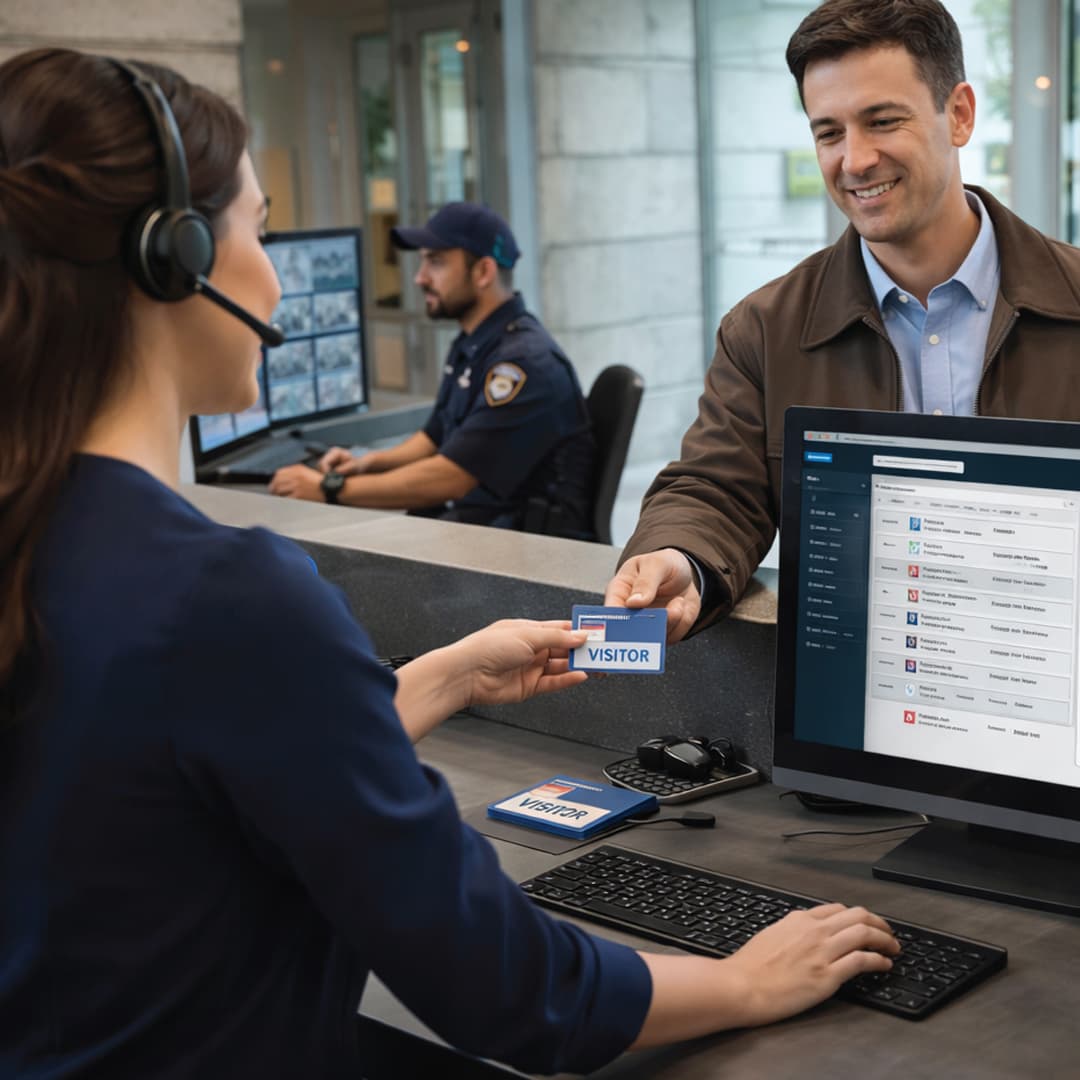
What Is a Visitor Management System?
The same system is also called a digital visitor register, an e-gate pass system or, on industrial sites, a contractor and gate pass system. The naming varies; the function does not.
The distinction that matters is between recording a visitor and governing one. A sign-in tablet that collects a name and prints a sticker records. A system that checks the arrival against an expected-visit list, confirms the host has accepted, then issues a credential that opens one turnstile for one window, governs. Most of the process below exists to move an organisation from the first to the second.
How Does a Visitor Management System Work?
A visitor management system works in six stages. A visit is raised, usually in advance by the host, and the system issues an invitation carrying a QR code. On arrival the visitor's identity is captured — a government ID is scanned and read automatically, and a live photograph is taken. Required declarations are signed on screen. The host is notified with the photograph and purpose, and accepts, holds or delegates. A pass is issued as a printed badge or mobile QR credential, carrying access rights limited to a defined time window and set of zones. Finally, movement is recorded at every reader the visitor passes, including the exit.
Each stage can be configured on or off. A corporate reception in Bengaluru may run the whole sequence in under a minute. A chemical plant may add a safety induction, a work permit reference and a document check that can block issuance outright. The underlying flow is the same.
Main Components of a Visitor Management System
| Component | Function |
|---|---|
| Reception workstation | The staffed desk application where an operator registers walk-ins, retrieves pre-registered visits and issues passes. |
| Self-service kiosk | A terminal letting the visitor complete registration unaided. Used at high-footfall lobbies and contractor gates where throughput matters. |
| ID scanner | Captures a government identity document and reads the printed fields automatically rather than relying on typed entry. What can be read depends on document type and scanner model. |
| Camera | Takes the live photograph that appears on the pass and in the host notification. This is what makes the record about a person rather than a name. |
| Signature pad or touchscreen | Captures acceptance of declarations — non-disclosure agreements, site rules, photography restrictions — as a signed, timestamped record attached to the visit. |
| Badge printer | Produces the physical badge carrying photograph, name, host, validity and a machine-readable code. Adhesive and card formats both exist. |
| Credential issuance module | Generates the QR or mobile credential and writes the access rights into the access control database, so the pass works at readers rather than only being looked at. |
| Server and application software | Holds visit records, hosts, approval rules, watchlists, zone definitions and reports. On-premises or hosted, depending on deployment. |
| Access and entrance control interface | The link to door controllers, turnstiles, flap and swing barriers and lift controllers that turns a pass into an actual permission. |
| Notification gateway | Sends host alerts and visitor invitations over email, SMS or a mobile application. Delivery reliability directly affects lobby waiting time. |
| Exit reader or gate terminal | Registers departure. Without it the on-site list cannot be trusted, which is covered in detail below. |
How Does a Visitor Management System Work Step by Step?
| Step | What happens | How it works |
|---|---|---|
| 1 | Host raises the expected visit | An employee enters the visitor's name, contact details, time window and purpose. The system creates a pending visit record against that host. |
| 2 | Invitation issued | The visitor receives an email or SMS containing a QR code, the location, the time window and anything they must bring or complete beforehand. |
| 3 | Advance approval, where configured | Some sites route the visit to a department head, security or plant manager before it becomes valid. Restricted areas and contractor entries commonly require this; routine meetings usually do not. |
| 4 | Watchlist screening | Details are checked against internal watchlists or blocklists. A match raises an alert to security rather than silently refusing entry, so a person makes the decision. |
| 5 | Arrival | The visitor presents the invitation QR code at reception or a kiosk, retrieving the pre-registered record. A walk-in with no invitation starts registration here instead. |
| 6 | Identity capture | A government identity document is scanned and its printed fields read automatically into the record. A live photograph is taken at the same time. |
| 7 | Digital declarations | Non-disclosure agreements, site rules, device restrictions or a short induction are presented on screen and signed. The signed version is stored against the visit. |
| 8 | Host notified | The host receives an alert carrying the photograph, name, company and stated purpose, so they confirm a person rather than a name on a phone call. |
| 9 | Host responds | Accept, hold, or delegate to a colleague. Delegation reassigns the record so the audit trail shows who actually received the visitor. |
| 10 | Pass issued | A badge is printed, or a mobile QR credential is sent to the visitor's phone, showing photograph, host, validity and permitted areas. |
| 11 | Access rights written | The pass is registered as a credential in the access control system with a start time, an expiry time and a defined list of doors, turnstiles and lift floors it will operate. |
| 12 | Entry through the barrier | The pass is presented at a turnstile, flap barrier or door reader. The reader validates the credential, checks time window and zone, and releases the barrier. The entry is logged. |
| 13 | Movement recorded | Every subsequent reader adds an event. The on-site list updates in real time, and the visitor's current zone is known to the extent the site has readers to know it by. |
| 14 | Exit recorded | The visitor exits through a reader-controlled gate or returns the badge. The pass is closed, the credential deactivated, and the person removed from the on-site list. |
| 15 | Automatic expiry | A pass never formally closed expires at the end of its validity window and stops working at every reader. The visit stays flagged as unclosed for review. |
| 16 | Record retained | The visit, photograph, documents, declarations, host response and every access event are held as one searchable record for the retention period the organisation has set. |
Pre-Registration, Approval and Screening
The host raises the visit before the visitor arrives
Pre-registration changes the character of the whole process. When a host raises an expected visit, the system already knows who is coming, when, to see whom and why, before the person reaches the gate. The invitation carries a QR code tied to that specific record.
Arrival then becomes a retrieval rather than a data-entry exercise. The visitor scans the code, the record appears populated, and the operator's remaining work is identity capture and pass issue. On a technology campus in Hyderabad or an office park in Pune where forty people arrive between 9:30 and 10:00, that is the difference between a queue and a lobby. It also moves accuracy upstream: a name entered by a host who knows the visitor can be checked against the identity document at the gate, rather than being the only version of the truth.
Advance approval
Not every visit needs approval, and applying it where it is not needed is the commonest way to make a visitor system unpopular. Where it is used sensibly, approval routes the pending visit to a defined approver who must release it before a pass can issue.
It is normally reserved for entries where the consequence of error is material: a production floor, a data centre room, a laboratory, or any contractor entering to perform work. Whether approval is mandatory, optional or absent for a given visitor category is a configuration decision, and well-run sites differentiate rather than applying one rule everywhere.
Watchlist and blocklist screening
Organisations maintain their own lists of individuals who should not be admitted, or admitted only with security present. Screening compares the registered details against those lists at registration.
The sensible behaviour on a match is an alert to security rather than automatic refusal at the kiosk. Name matching is imprecise, common names produce false matches, and a system that turns away a legitimate visitor at a screen with no explanation creates a problem a person at the desk would have resolved in seconds. Whether a match alerts, holds or blocks varies by system and configuration, and should be set deliberately.
What Happens at the Gate: Identity Capture

Reading the government ID
This is where the record earns the word "verified". A government identity document is scanned and its printed fields read automatically into the visit record rather than depending on what the visitor states. The document image is stored against the visit.
What can be extracted depends on the document and the scanner. Some documents carry machine-readable zones read directly; others require optical character recognition of printed text, which is accurate but not infallible on worn or photocopied documents. Sites accepting a wide range of documents should expect a proportion to need operator correction, and should define which types they accept rather than accepting anything presented. A register records what a person chose to write; a scanned document records what an issuing authority printed. In any later investigation, only one of those is of use.
The live photograph
A photograph is taken at the desk or kiosk at the moment of registration, and appears on the badge, in the host notification and in the retained record.
Its value is easy to underestimate. It lets a host confirm, before coming down, that the person waiting is the person expected. It lets security identify a badge holder who has wandered somewhere they should not be, without stopping and questioning them. And it means the retained record of a visit is a face rather than a line of handwriting, which matters when an incident is reviewed weeks later. Where cameras are installed, that photograph also gives investigators a reference image to search footage against.
Digital declarations, NDAs and safety briefings
Many sites require acceptance of something before entry: a non-disclosure agreement at a research or product development facility, site rules covering photography and restricted areas, or a safety briefing at a plant covering assembly points and required protective equipment.
The system presents these on screen and captures acceptance as a signed, timestamped record attached to that visit. The difference from paper is not that the visitor reads more carefully — they usually do not — but that the organisation can show afterwards exactly what was presented, to whom, and when. A signed paper declaration in a filing cabinet carries the same weight and almost none of the retrievability. Longer inductions can be presented in stages and set to expire, so a contractor returning six months later completes them again.
Host Notification and Response
Once the visitor is registered, the host is notified over email, SMS or a mobile application, depending on configuration. The alert carries the photograph, name, company and stated purpose. The host can then respond in one of three ways, each with a different consequence in the record:
- Accept — the visit proceeds, the pass issues and the access rights become active.
- Hold — the visitor waits, typically with a reason and expected duration shown at reception, so the desk is not fielding the same question repeatedly.
- Delegate — the visit is reassigned to a colleague, who becomes the recorded host. The record should show who actually received the visitor, not who was originally named.
Notification delivery is a practical weak point worth settling at design stage. If hosts are alerted only by email while much of the workforce is on a factory floor away from a desk, response times will be poor regardless of how good the rest of the system is. Matching the channel to how people actually work is a deployment decision, not a software feature.
The Visitor Pass Is a Credential, Not Printed Card Stock
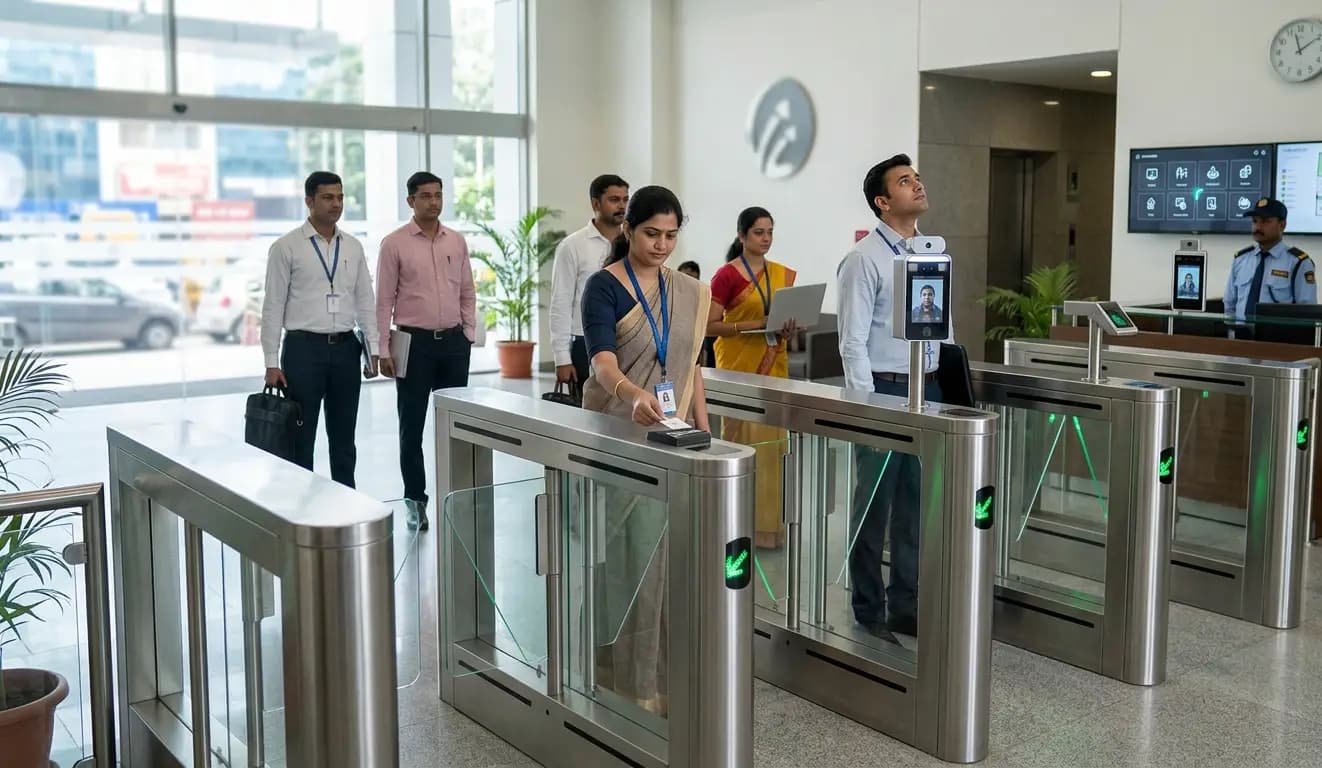
This is where visitor management systems most often disappoint the organisations that install them, so it is worth stating plainly: a printed badge that nothing reads is decoration. A badge with a photograph looks like control, but if the turnstiles admit anyone who walks up to them and the lifts serve every floor, it is only a signal to other people that the wearer has been through reception. That is not nothing. It is not access control.
Time-limited and zone-restricted access rights
A meaningful pass is a credential registered in the access control system, carrying two constraints.
A validity window. The credential becomes active at the start of the appointment window and expires at the end. A pass issued for a Tuesday afternoon meeting will not operate a turnstile on Tuesday evening, and will not operate one on Wednesday. Expiry is automatic and does not depend on anyone remembering to revoke it, which is exactly why it is reliable.
A zone list. The credential operates only the doors, turnstiles and lift floors associated with the purpose of the visit. Someone meeting a finance team on the fourth floor gets the lobby turnstile and the fourth floor; the server room and the production area simply do not respond to that credential. Enforcement happens at the reader, not at the desk, so a visitor who takes a wrong turn is stopped by a door that does not open rather than by an officer who may or may not be looking.
How granular this can be depends entirely on the hardware layout. A site with one lobby turnstile line can enforce time but very little geography; a site with readers on floors, wings and plant areas can be specific. That is a design question to settle when the entrance control is planned, not afterwards.
Printed badge or mobile QR
Both forms are in normal use and suit different sites. A printed badge is visible to everyone, which has real value where staff are expected to challenge unbadged people; it needs a printer, consumables and a process for collecting badges at exit. A mobile QR credential is delivered to the visitor's phone, needs no printing and suits repeat visitors and multi-day contractors, but offers nothing visual — a site relying on it should not also expect staff to spot unbadged visitors. Many sites run both: a mobile credential to pass the turnstile, a printed badge for visibility beyond it. Whether a given system supports mobile credentials, and whether the readers can accept them, varies by product and should be confirmed rather than assumed.
Types of Visitor Pass
| Pass type | What it covers | How it behaves differently |
|---|---|---|
| Standard visitor | A single appointment with a named host, usually within one day | Short validity window, narrow zone list, closed at exit. The simplest case and the highest volume. |
| Contractor | Personnel performing work on site, often across days or weeks | Extended validity, plant-specific zones, and document compliance checks that can prevent issuance. |
| Material gate pass | Goods, equipment or tools moving in or out of the site | Records items and quantities against an authorisation, reconciling inward against outward movement rather than tracking a person. |
| Vehicle pass | A vehicle entering the premises, with plate, driver and purpose recorded | Can be linked to plate recognition and the barrier at the gate, so the vehicle is admitted on the pass rather than a hand signal. |
| Work permit linked | High-risk work such as hot work, height work, confined spaces or electrical isolation | Tied to an approved permit reference. If the permit is not live, entry for that work does not proceed. |
| Recurring or long-term | Regular visitors such as auditors, service engineers or client staff | A repeating credential with a defined end date, so it still expires rather than persisting indefinitely. |
Contractor Passes and Document Expiry Enforcement
On industrial sites, contractor management is where the system stops being an administrative convenience and starts doing something a person at a desk could not do consistently.
A contractor pass typically requires supporting documents held against the individual: identity proof, safety training certificate, medical fitness record, insurance cover, trade certification. Each has an expiry date, and the system checks both document and date at the moment of pass issue.
The consequence is simple and, in practice, uncomfortable: if a certificate has lapsed, the pass will not issue. The worker is at the gate, the supervisor wants them on the job, the work is behind schedule, and the system declines. A human checker in that position waves the person through, every time, because the pressure is immediate and the risk is abstract. That is not a criticism of the checker; it is the predictable result of asking a person to enforce a rule against an impatient queue.
An automated check has no such difficulty. It produces friction at exactly the moment friction is useful — before an unqualified or uncovered person is inside a plant — and leaves an auditable record that the check happened. On large manufacturing sites across Gujarat and in the industrial belts of Maharashtra and Tamil Nadu, this single behaviour is often the reason the system was procured. Sensible implementations soften the edge with a pending-expiry warning some days ahead, so renewal happens in advance and refusal at the gate stays rare. Which documents are mandatory, how far ahead warnings are raised, and whether any override exists and who may use it are configuration decisions, and belong with the people accountable for safety.

Material Gate Passes and Vehicle Passes
Movement of goods is a separate problem from movement of people, and the same system usually handles both because they happen at the same gate.
A material gate pass records what is moving, in which direction, in what quantity, under whose authorisation, and reconciles inward against outward movement. A returnable pass — test equipment out for calibration, a tool issued to a contractor — stays open until the return is recorded, and open items appear on an exception list rather than being discovered at the next stocktake.
A vehicle pass records the registration plate, driver, purpose and expected duration. Where plate recognition is fitted at the entrance, the plate can be read automatically, matched against expected vehicles, and the boom barrier raised on a match rather than on a guard's judgement. Vehicles not on the list are handled manually, which is the correct default: automatic recognition should widen what happens smoothly, not narrow what is permitted. Read reliability depends on camera placement, lighting, approach speed and plate condition, and no site should assume a recognition rate without testing it at its own gate. Warehousing and distribution operations around Gurugram, Noida and the corridors feeding Mumbai and Chennai typically run material and vehicle passes at far higher volume than visitor passes, and the value there is reconciliation rather than identification.
The Live On-Site List and the Evacuation Roll Call
Every entry event adds a person to the on-site list; every exit removes them. The result is a continuously maintained list of everyone inside the premises at this moment, broken down by zone where the reader layout supports it.
In normal operation this answers ordinary questions: how many contractors are on site, whether a visitor has already left, how many people are in a restricted area. In an emergency it answers the only question that matters.
When a site is evacuated, the assembly point needs a roll call. Staff are usually accounted for through attendance records, but visitors and contractors are the population a paper system fails on completely. The evacuation report lists every visitor and contractor recorded as inside, with photograph, host and last known zone. It can be opened on a phone at the assembly point, printed at a designated station, or both — which of these is available depends on the system, and on whether the site has planned for the network or power being part of the emergency. That roll call, not the badge and not the neatness of the lobby, is the actual justification for digitising visitor entry. Everything else the system does is useful; this is the part that is difficult to do any other way.
Why Exit Capture Is the Part That Quietly Fails
The on-site list is only as good as its exit data, and exit is where deployments fail without anybody noticing.
Entry is self-enforcing. Someone who wants to get in must pass the barrier, so the event is captured whether they care about the process or not. Exit has no such incentive. A visitor who has finished their meeting wants to leave, and if the exit is an unmonitored door, an open lobby, a fire exit propped for ventilation or a gate where the guard waves people through at shift end, they leave with no event recorded.
The failure is silent. Nothing breaks. Reports still generate, the reception screen still looks busy, and the numbers grow steadily wrong. By late afternoon the list contains people who left at eleven in the morning. Run a fire drill against that list and the assembly point spends twenty minutes searching a building for people already at home — and the next time the report is produced, nobody trusts it. A system not trusted in an emergency has failed at the one job that justified it.
The fix is structural, not procedural. Exit must be captured by hardware at a point every departing person passes: a reader-controlled exit through the turnstile line, an exit reader at the perimeter gate, or at minimum badge return at a single staffed exit. Automatic expiry is a backstop that limits damage but does not repair data — a pass expiring at 18:00 shows a person on site until 18:00 whether they left at 11:00 or not. The design question to settle before installation is simple, and asking it late is expensive: by what physical route can a person leave this building, and is there a reader on every one of them? If the honest answer is no, the evacuation report will be approximately right rather than right, and everyone relying on it should know that.
Paper Visitor Register vs Digital Visitor Management
The comparison below is not about convenience. Each row describes something the paper process cannot do at all.
| Aspect | Paper visitor register | Digital visitor management |
|---|---|---|
| Identity verification | The visitor writes a name. Nothing checks whether it is real, and signatures are collected but never compared against anything. | A government identity document is scanned and its fields read automatically, and a live photograph is taken. The record reflects a document, not a claim. |
| Exit capture | An out-time column that is frequently blank. Visitors leave without returning to the book and nobody follows up. | Exit recorded at a reader or gate, with automatic expiry as a backstop. Unclosed visits appear as exceptions rather than disappearing. |
| Evacuation roll call | Not possible. The book cannot say who is inside now, because it does not reliably know who has left. | A live on-site list by zone, available on mobile or printed at the assembly point, listing each visitor with photograph and host. |
| Record privacy | Open on the desk. Every arriving visitor can read the names, companies, phone numbers and purposes of everyone before them. | Visible only to authorised users, with role-based permissions controlling who can view, export or delete. |
| Searchability | Manual. Finding a visit from eight months ago means locating the right book and turning pages, assuming it still exists. | Filter by name, company, host, date, zone or vehicle in seconds, with photograph and signed declarations attached. |
| Access enforcement | None. The book records an entry. It does not restrict where the visitor goes, and nothing stops them. | The pass is a credential with a validity window and zone list, enforced at turnstiles, doors and lifts by the hardware itself. |
The privacy row deserves a sentence of its own, because it is so easily missed. A register lying open at a reception desk publishes, to every subsequent visitor, the identity of everyone who came before — including competitors, candidates attending interviews, auditors and regulators. Nobody designed it that way; it is simply what an open book on a counter does.
Integration Possibilities
- Access control — the pass registered as a credential with defined doors, floors and validity, so permissions are enforced by readers rather than described on a badge.
- Entrance control and turnstiles — tripod turnstiles, flap barriers, swing barriers and speed gates operated by the visitor pass, giving a physical boundary a badge cannot provide.
- Attendance systems — staff and visitors resolved into one picture of who is on site, which is what an evacuation actually needs. Without this a site has two partial lists and no complete one.
- CCTV and video — entry events bookmarked against footage, so a visit is reviewed by searching a record rather than scrubbing hours of video.
- Plate recognition and boom barriers — expected vehicles admitted on a recognised plate, with pass, vehicle and driver held as one record.
- Screening equipment — walk-through detectors and baggage scanners positioned in the visitor flow, with the screening step recorded against the visit where evidence that it occurred is required.
- Lift and floor control — the pass releasing only the destination floor, often the only practical way to keep a visitor to one occupier's space in a multi-tenant tower.
- Directory and identity systems — hosts drawn from the employee directory so leavers stop appearing as valid hosts.
Which of these are available depends on the products in use and on whether the interfaces exist between them. Integration between a visitor system and entrance control from different manufacturers is normal but never automatic, and should be confirmed at design stage rather than discovered during commissioning.
Where Visitor Management Systems Are Used
- Corporate offices and technology campuses — high volume, short appointments, where pre-registration and turnstile-integrated passes carry most of the load. Common across the office corridors of Bengaluru and Hyderabad and the business districts of Mumbai.
- Manufacturing plants and industrial estates — contractor management, document compliance and work permit linkage, with material and vehicle movement at the same gate. Widely deployed across Gujarat, Maharashtra and Tamil Nadu.
- Multi-tenant commercial towers — lift and floor restriction so a visitor to one occupier does not have the run of the building, a routine requirement in the developments of Gurugram and Noida.
- Warehousing and logistics — vehicle passes, driver records and material reconciliation at volumes that dwarf visitor traffic.
- Hospitals and healthcare facilities — attendant and visitor passes with ward-level restriction and defined visiting windows, applied in the hospital networks of Kerala and Telangana.
- Educational institutions — parent, vendor and contractor entry recorded separately from students, widespread in the university towns of Uttar Pradesh and Karnataka.
- Data centres and critical facilities — advance approval, escorted access and room-level zone restriction, with the audit trail as the point of the exercise.
- Residential and gated communities — resident-approved entry for domestic staff, deliveries and guests, where the notification path to the resident is the part that has to work.
TimeWatch India supplies visitor management systems alongside access control and entrance control hardware, with installations in Mumbai, Bengaluru, Hyderabad, Chennai, Pune, Gurugram, Noida, Ahmedabad and Kochi among other locations.
Installation Considerations
- Map every exit route first. List every way a person can physically leave the site. Each one either has a reader or is a hole in the on-site list. This single exercise determines whether the evacuation report will be trustworthy.
- Decide the zone model before the hardware is placed. Zone restriction can only be as granular as the reader layout allows. Deciding afterwards that visitors should be kept off the third floor is a cabling problem, not a settings change.
- Size reception for peak, not average. Two hundred arrivals in a thirty-minute window needs kiosks or multiple desks. Pre-registration shortens each registration but does not remove the queue on its own.
- Match the notification channel to the workforce. Email alone fails for hosts who are not at a desk.
- Plan the badge lifecycle. If badges are printed, decide who collects them, where, and what happens when they are not returned.
- Agree the fallback. Power, network or server failure during business hours needs a defined procedure security staff have practised, not improvised on the day.
- Kiosk placement. Height, screen angle, lighting and queue space. A kiosk whose screen is washed out by daylight will be bypassed within a week.
- Set retention before collecting anything. How long records, photographs and document images are kept should be decided at the outset.
Maintenance Considerations
- Review the unclosed-visit exception list regularly. A rising count is the earliest signal that exit capture has developed a gap.
- Reconcile occasionally: compare the on-site list against a physical check of a defined area. It is the only way to learn whether the data is true.
- Keep host records synchronised with the employee directory so departed staff do not remain selectable as hosts.
- Maintain the badge printer. A printer that fails at 9:15 on a Monday stops the lobby.
- Clean ID scanner glass and camera lenses. Read quality degrades gradually and nobody reports it until it is bad.
- Test the evacuation report as part of every drill. A report never used under pressure has never been tested.
- Review contractor document expiry warnings so renewals happen in advance rather than at the gate.
- Audit who holds administrative and export permissions, and remove access when roles change.
- Confirm the interface to access control is still live after any change to either system. Integrations break silently during upgrades.
Benefits and Limitations
Benefits
- A live, reliable answer to who is inside the premises right now, by zone, supporting evacuation roll call.
- Identity established from a scanned document and a live photograph rather than from what a person wrote.
- Access rights that expire automatically and are enforced by hardware, removing dependence on anyone remembering to revoke a pass.
- Contractor document compliance checked consistently at the gate, including on the days when a person would not have.
- Visitor records visible only to authorised staff, instead of lying open on a counter.
- Searchable history with photographs, declarations and access events attached to each visit.
- Shorter lobby time through pre-registration, with data captured before arrival.
- Material and vehicle movement reconciled against authorisation rather than recorded in a separate book.
Limitations and considerations
- The system inherits the building's weaknesses. Unmonitored exits, propped fire doors and open service entrances defeat the on-site list however good the software is.
- A pass without reader enforcement is only a badge. If turnstiles and doors are not integrated, the access rights described above do not exist in practice.
- Zone restriction is limited by reader coverage. A site with one turnstile line can enforce time but very little geography.
- Document reading is not perfect. Worn, damaged or unusual documents need operator correction, and a proportion always will.
- Screening matches need human judgement. Name-based matching produces false positives, and automatic refusal at a kiosk handles them badly.
- Adoption is a real risk. Hosts who ignore notifications and guards who bypass the kiosk during a rush hollow out the process quickly. That is a management issue, not a technical one.
- Behaviour varies by product and configuration. Mobile credential support, offline operation, lift integration and document-reading capability differ between systems and should be confirmed for the specific equipment deployed.
How Visitor Data Is Handled and Protected
A visitor management system holds personal information: names, contact details, employer, identity document images, photographs, vehicle registrations and a record of where a person went and when. That is a more sensitive collection than most organisations realise they are creating when they replace a register. Three practices carry most of the weight:
- Restrict who can see it. Role-based permissions should govern who can view visit records, who can view identity document images, and who can export. Export deserves a narrower permission than viewing, because it removes data from the controls around it.
- Set a retention period and apply it. Records should be kept for a defined period appropriate to why they were collected, then removed. Indefinite retention is a decision even when it is made by not deciding.
- Keep an audit trail. Who viewed, amended, exported or deleted a record, and when. This also makes the system useful in an investigation, so it serves two purposes at once.
Organisations deploying visitor management should confirm their own obligations on handling visitor personal data with their legal or compliance team. What is appropriate varies by sector, by the nature of the site and by the categories of data collected, and those decisions sit with the organisation rather than with the system supplier.
Frequently Asked Questions
What is a visitor management system and how does it work?
A visitor management system registers each person entering a site, verifies identity from a scanned government document and a live photograph, notifies the host, and issues a pass carrying time-limited, zone-restricted access rights that operate turnstiles, doors and lifts. Entry and exit are recorded, so the system maintains a live list of who is inside, and the visit is retained as one searchable record.
How does visitor pre-registration work?
The host raises an expected visit in advance with the visitor's details, time window and purpose, and the system sends an invitation containing a QR code tied to that record. On arrival the visitor scans the code, the pre-filled record is retrieved, and only identity capture and pass issue remain. This shortens time at reception and improves accuracy, because the details were entered by someone who knew the visitor.
Does a visitor pass actually open doors and turnstiles?
It does where the visitor system is integrated with access control and entrance control. The pass is registered as a credential with a start time, an expiry time and a defined list of doors, turnstiles and lift floors, and the reader releases the barrier only within that window and those zones. Without that integration the badge is only a printed identifier. Integration availability varies by product and should be confirmed at design stage.
How does a visitor management system know who is still inside the building?
Every entry event adds a person to the on-site list and every exit event removes them, so the list reflects who is currently inside, by zone where the reader layout allows. This is the basis of the evacuation roll call, which can be viewed on a mobile device or printed at the assembly point with each visitor's photograph and host. Its accuracy depends entirely on exit being captured reliably.
What happens if a visitor leaves without registering their exit?
They stay on the on-site list until the pass expires at the end of its validity window. Where this happens often, the list fills with people who left hours earlier and the evacuation report stops being trustworthy, which is how visitor deployments quietly fail. The remedy is structural: capture exit at a turnstile, gate or reader that every departing person must pass.
How is a contractor pass different from a visitor pass?
A contractor pass usually runs for multiple days or weeks, covers work areas rather than meeting rooms, and requires documents such as safety training certificates, medical fitness records and insurance cover to be held with their expiry dates. The system checks those dates at pass issue, so a pass will not issue if a certificate has lapsed. That check happens consistently, including on days when a queue would have persuaded a human checker to wave the person through.
What is a material gate pass?
A material gate pass records goods, tools or equipment moving into or out of a site, including the quantity, the direction and the authorisation behind it. Inward and outward movements are reconciled against each other, so a returnable item taken out for repair or calibration stays open until its return is recorded. Open items appear on an exception list rather than surfacing later at a stock check.
Can a visitor management system handle vehicles?
Yes. A vehicle pass records the registration plate, driver, purpose and expected duration. Where plate recognition is fitted at the entrance, the plate can be read automatically, matched against expected vehicles and used to raise the boom barrier. Vehicles not on the list are handled manually, which is the appropriate default. Recognition performance depends on camera placement, lighting, approach speed and plate condition, so it should be tested at the actual gate.
Is a digital visitor record more private than a paper visitor book?
Generally yes, for a reason that is easy to miss. A register lying open on a reception counter shows every arriving visitor the names, companies, contact numbers and purposes of everyone who signed in before them, including candidates, auditors and competitors. A digital record is visible only to users with permission, with separate permissions for viewing identity documents and for exporting data.
Can a visitor management system work without an internet connection?
This varies by system and deployment. An on-premises installation continues to operate on the local network, although host notifications by email or SMS will not be delivered until connectivity returns. A hosted system depends on the connection unless local caching is provided. Access controllers commonly hold credentials locally and keep validating passes during a network interruption. Confirm the offline position for the specific equipment and agree a fallback in advance.
What identity documents does a visitor management system capture?
A government identity document is scanned and its printed fields are read automatically into the visit record, with the document image stored against the visit. What can be extracted without operator correction depends on the document type and the scanner model. Documents carrying machine-readable zones are read directly, while others rely on optical character recognition, which is less reliable on worn or photocopied documents. Sites should define which document types they accept.
