
Access Control System: Complete Facility Zone Security and Authorization
Access control determines who can enter which areas at what times. Prevents unauthorized entry to server rooms, executive floors, secure labs, research facilities, confidential areas.
Server Room Access Log
Authorized · Entry logged · Real-time audit trail
300+
Secure Facilities
How Access Control Secures Facility Zones Across India
Biometric Authentication & Real-Time Logging
Integrates biometric authentication with electronic locks and real-time logging. Every access attempt recorded with timestamp and person identity.
Deployed Across 300+ Secure Facilities
TimeWatch access control is deployed at 300+ secure facilities across India including data centers, government buildings, manufacturing plants, banks, hospitals, and research institutions.
Proven Results
Typical results: Zero unauthorized access incidents, complete security audit trail, flexible access policies (time-based, role-based, emergency override), real-time breach alerts, government compliance assured.
Access Control Problems This Solves
1. Unauthorized Area Access
Server rooms accessible to anyone. Confidential research labs entered without permission. Executive areas exposed to non-employees. Poses intellectual property theft risk, data breach risk, security vulnerability.
2. Manual Key Management
Keys lost, copied, or shared. No way to prevent unauthorized key duplication. No record of who has which key. Key replacement expensive and slow.
3. No Access Tracking
No documentation of who accessed secure areas. No timestamps. If breach occurs, security cannot trace entry point or personnel involved.
4. Tailgating Prevention Failing
Unauthorized person follows authorized employee through secure door. Manual systems cannot prevent this. Door locks open for authorized person, unauthorized person slips through.
5. Emergency Access Failure
During fire or emergency, electric locks fail if not properly integrated. Evacuation routes may be blocked. Life safety at risk.
Implement government-grade facility security.
Request access control system assessment.
How Access Control System Works
Step 5 - Biometric Authentication
Employee places finger on reader. System verifies identity instantly (< 1 second).

Step 1 - Zone Definition
Facility divided into zones: Server room (highest security), Executive floor (medium security), Lab area (specific access), Cafeteria (open access), Production floor (restricted hours).
Step 1 - Zone Definition
Facility divided into zones: Server room (highest security), Executive floor (medium security), Lab area (specific access), Cafeteria (open access), Production floor (restricted hours).
Step 2 - Policy Configuration
Policies set per zone: Server room: Only IT staff, 24/7 access. Executive floor: Only executives and assistants, 9 AM-6 PM. Lab: Researchers only, restricted hours. Production: Workers during shift hours only.
Step 3 - Employee Biometric Enrollment
Each employee enrolled with fingerprint and role assignment (IT staff, executive, researcher, worker, etc.).
Step 4 - Access Attempt
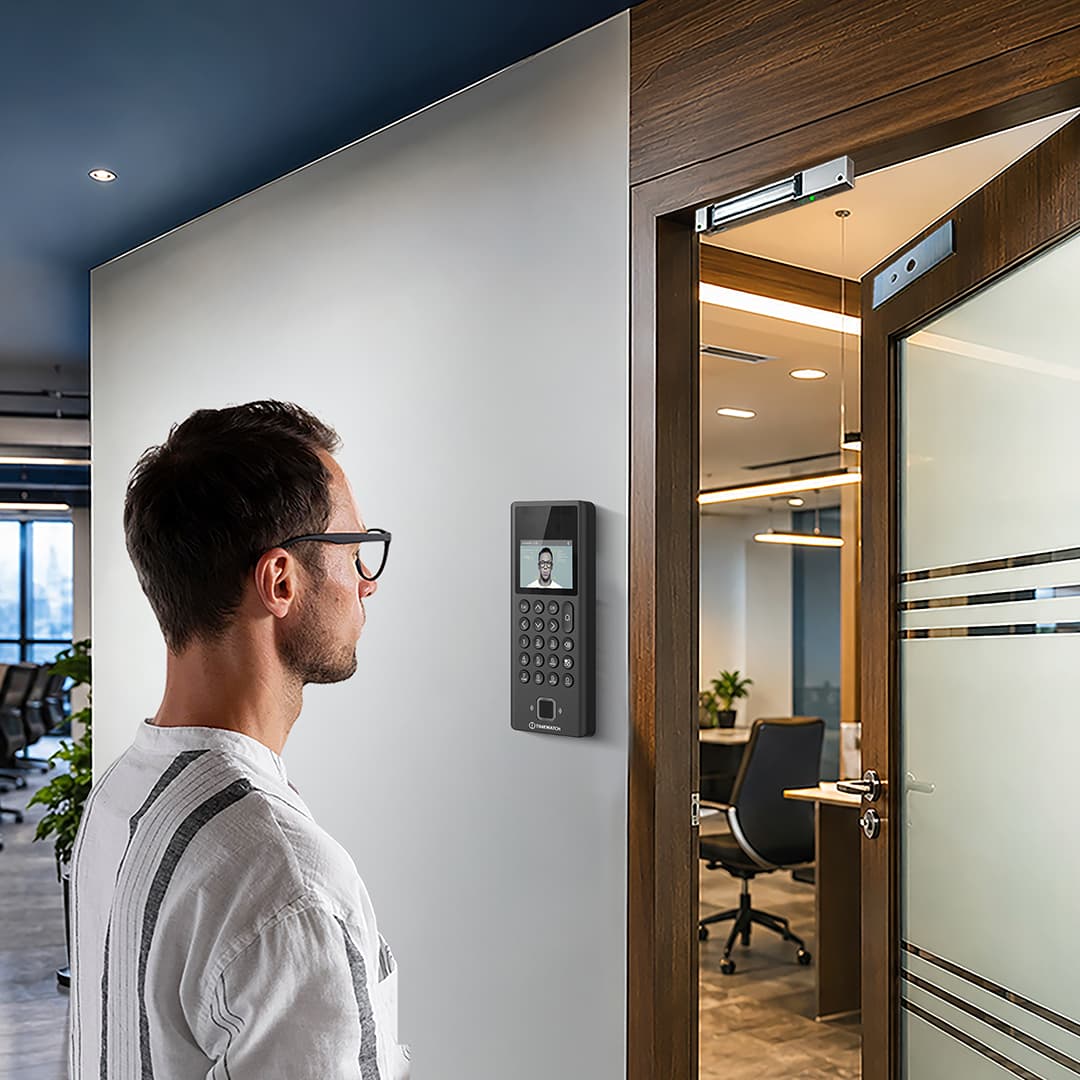
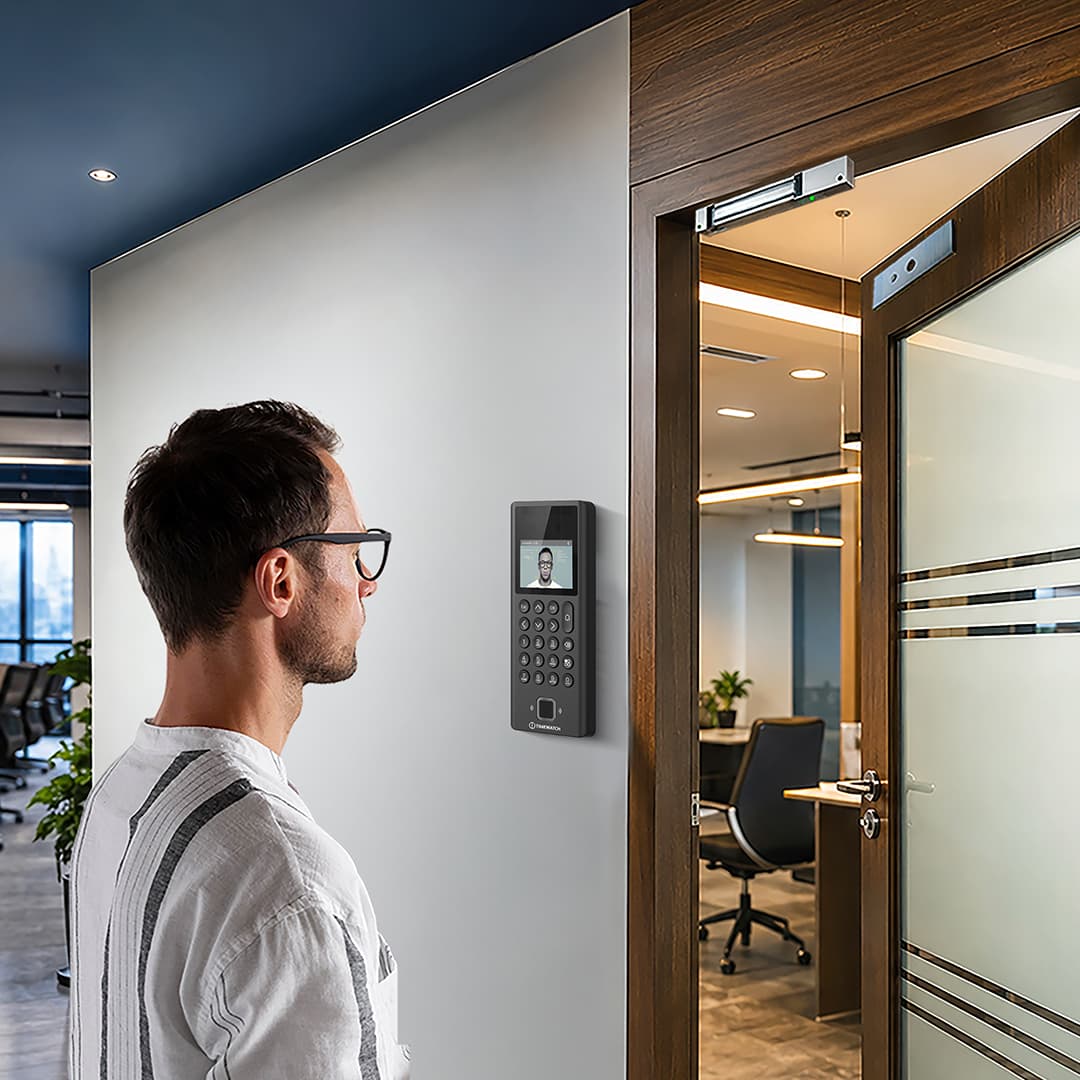
Employee approaches secured door (biometric reader installed at entrance).
Step 5 - Biometric Authentication
Employee places finger on reader. System verifies identity instantly (< 1 second).
Step 6 - Authorization Check
System verifies: Is this employee authorized for this zone? Is current time within allowed hours? Is employee on blocklist (terminated, suspended)?
Step 7 - Access Decision
If authorized: Door lock releases, access granted, entry logged. If unauthorized: Lock remains engaged, alarm sounds, security notified.
Step 8 - Audit Trail
Every access logged: Employee name, zone, timestamp, authorization status (success/denied), duration (exit time when leaving).
Step 9 - Breach Alert
If unauthorized access attempt detected: Real-time alert sent to security manager, incident logged, investigation can begin immediately.
Manual Keys vs. Card-Based vs. Biometric Access Control
| Manual Keys | Card-Based | Biometric Access Control |
|---|---|---|
| No tracking, keys lost/copied, expensive replacement, impossible to disable lost key | Cards lost/shared, no person verification, easy to tailgate, tracking possible but card is identity proxy | Impossible to bypass (biometric is you), complete person tracking, tailgating prevented, real-time alerts, government-grade security |
Industries Deploying Access Control

Data Centers
Server room access restricted to authorized technicians only. Prevents hardware theft, data center breach, unauthorized configuration changes. Complete audit trail for compliance.

Government Agencies
Classified areas, restricted access, multiple security clearance levels. Biometric access control exceeds manual key security. Government contracts require electronic access control.

Manufacturing Plants
R&D lab access restricted to researchers. Production floor security (prevent unauthorized access to dangerous machinery). Executive office security.

Banks and Financial Institutions
Vault access restricted (multi-person requirement enforced). Back-office access controlled. High-security areas with alarms.
Hospitals
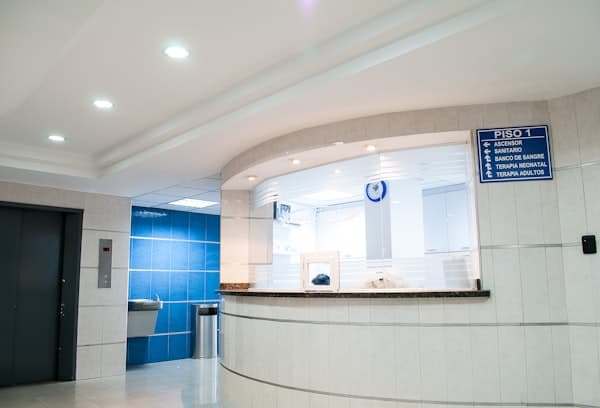
Patient records area access restricted (HIPAA compliance). Research lab access controlled. Pharmacy access secure. Operating room access authorized personnel only.

Research Institutions
Intellectual property protection (lab access restricted). Confidential research areas. Equipment theft prevention.

Law Enforcement Facilities
Evidence room access controlled (chain of custody). Secure holding areas. Executive access restricted. Maximum security.
Key Benefits: Quantified Results
1. Impossible to Bypass
Biometric cannot be forged or transferred. Tailgating prevented by door mechanics (one person per unlock).
2. Time-Based Access
Server room accessible 24/7 to IT staff. Executive floor accessible 9 AM-6 PM only. Lab accessible during business hours by scheduled researchers.
3. Real-Time Alerts
Unauthorized access attempt immediately alerts security. Manager can investigate within seconds of breach.
4. Complete Audit Trail
Every access logged. If theft occurs, exact time and person identified. Evidence for investigation and prosecution.
5. Emergency Override
Fire alarm unlocks all doors automatically. Emergency evacuation unimpeded. Life safety maintained.
6. Role-Based Policies
Different employees have different access levels (researcher vs. technician). Single biometric credential works across all zones.
7. Scalability
Add new zones without replacing hardware. Add new employees seamlessly. Policies updated centrally.
8. Integration
Works with security cameras (camera activation on access), alarm systems (breach triggers alarm), HRMS (employee termination revokes access instantly).
9. Cost Effective
Eliminates key replacement costs (lost key = ₹500-1000 per replacement). No locksmith calls. Digital management far cheaper than physical key management.
Technical Specifications
Authentication & Zones
Biometric
Fingerprint scanner at each secured door
Authentication
< 1 second per person
Zones
Unlimited number of restricted areas
Policies
Time-based, role-based, group-based, emergency override
Locks
Electronic mag locks, motorized deadbolts, combination support
Logging
Real-time timestamp, person ID, zone, authorization status
Integration & Reports
Alerts
Real-time email/SMS on unauthorized access
Integration
Security cameras, alarm systems, HRMS, access control server
Emergency
Fire alarm integration (all doors unlock automatically)
Maintenance
Battery backup (24+ hours), offline capability
Reports
Access logs, breach reports, policy audit, compliance documentation
Frequently Asked Questions
Q: What if employee is terminated? How do we revoke access?
Q: Can we restrict access to specific hours?
Q: What if biometric reader fails?
Q: How do we manage multi-person access for high-security areas?
Q: Can we get real-time access reports?
Q: How is access data secured?
Q: Can contractors or temporary staff get access?
Q: Does access control integrate with alarm systems?
Why Choose TimeWatch Access Control
TimeWatch access control is deployed at 300+ secure facilities across India. Advantages: Government-grade security (used at government buildings), seamless biometric integration (same fingerprint for attendance + access), complete real-time alerts, emergency override capability, scalable to unlimited zones, 24/7 Indian support, cost-effective vs. manual key systems.
HRMS ROI Case Study: Real Customer Results
Case Study: Manufacturing Plant (500 Employees)

Manufacturing Plant (500 Employees)
Before HRMS
HR department managed 18 separate Excel sheets. Monthly payroll took 55 hours. Average 3-4 salary disputes per month. No compliance reporting automated. Payroll processing time: 18 days from month-end to salary payment. Employee complaints about salary accuracy: 2-3 per month.
After HRMS
Single integrated system. Monthly payroll now 8 hours. Zero salary disputes (digital records eliminate confusion). Compliance reports (PF, ESI, tax) generated automatically. Payroll processing time: 2 days. Employee complaints: 0 (employees trust digital system).
Quantified Results
47 hours monthly HR time saved (₹2.35 lakhs annually). Zero disputes = ₹2-3 lakhs dispute resolution costs avoided. Compliance automation = ₹50,000+ audit penalties prevented. Improved employee satisfaction = higher retention. Total year 1 benefit: ₹5-6 lakhs. System cost: ₹4 lakhs. Payback: 3-4 months. Year 2 benefit: ₹5-6 lakhs (only software cost ₹1.5 lakhs).
This case study is typical across TimeWatch HRMS customer base. Manufacturing, IT, retail all show similar ROI patterns.
Visitor Management + Access Control Integration
Advanced Integration Features:
VMS integrates seamlessly with access control systems. Visitor badge can be programmed to grant access only to approved areas. Example: Guest visiting Project Manager can access: Meeting room #304 (approved for 2 hours), Cafeteria (anytime), Conference center (during meeting). Cannot access: Server room, R&D lab, executive floor, secure data areas.
Biometric readers at secured doors verify visitor is still authorized. If visitor badge expires, door access automatically denied (visitor cannot tailgate into restricted area). If host employee cancels visitor approval, badge revokes instantly—visitor cannot access any secured area. If visitor overstays (badge set to expire 4 PM but tries to enter secure area at 5 PM), access denied automatically.
Integration with security cameras: Visitor check-in automatically triggers recording in lobby area. Visitor badge displayed in camera footage. Video evidence linked to visitor record. If security incident occurs, investigators can: (1) Review who was in building at specific time, (2) Watch video of their check-in, (3) Verify duration of stay, (4) Check all areas accessed (if badge integrated with access control). Complete audit trail for security investigations.
Integration with security cameras: Visitor check-in automatically triggers recording in lobby area. Visitor badge displayed in camera footage. Video evidence linked to visitor record.
Advanced Access Control Scenarios: Real-World Examples

Scenario 1: Contractor Access During Project
A construction contractor needs temporary access to server room for infrastructure upgrade. System grants: Server room access (9 AM-5 PM only, Mon-Fri), duration: 10 days. NO access to executive floor, R&D lab, finance area, or secure data centers. Contractor's biometric enrollment active only during project dates. After project ends (day 10 at 5 PM), all access automatically revokes. Contractor's biometric credentials become inactive. System logs every entry: "Contractor John Smith accessed Server Room: 09:15 AM - 09:45 AM (30 minutes)." Zero manual key management. Zero security risk. Complete audit trail.

Scenario 2: Emergency Access with Complete Audit Trail
During fire emergency, all secured doors unlock automatically (triggered by fire alarm system). System creates emergency audit trail: "Fire alarm triggered at 14:35:42 UTC. All secured doors unlocked automatically. Building occupants: 347 people. All evacuated by 14:52:15 UTC (verified by final door closure). All doors reset to locked at 15:10:00 UTC." Fire investigation later: Complete timeline available. Zero manual override needed. Life safety prioritized.

Scenario 3: Multi-Person Authorization for Vault Access
Vault access requires TWO authorized people to scan biometric simultaneously. System verifies: (1) Person A is authorized for vault access, (2) Person B is authorized for vault access, (3) Both are physically present at same time (within 5-second window). Only then vault opens. Single person cannot access alone—impossible to bypass with stolen credential. Ensures no single person can access critical valuables without witness.
Related Access Control Solutions
Face Recognition Systems
AI-powered touchless facial identification with 99%+ accuracy and 24/7 thermal operation for access control.
ExploreBollards
Fixed and retractable perimeter posts for controlled vehicle access at facility entrances and pedestrian zones.
ExploreAccess Control
Biometric zone-based access control with real-time alerts and complete audit trails for secure facilities.
ExploreImplement government-grade facility security.
Request access control system assessment.
